Cursor's AI agents now catch 200+ security bugs per week — automatically
Cursor launched always-on AI agents that run from Slack, GitHub, and schedule triggers. Their security team uses them to review 3,000+ code changes weekly.
Cursor just shipped its biggest update in months — and it's not about writing code faster. It's about AI agents that work while you sleep. The new "Automations" feature lets you build always-on agents that trigger from Slack messages, GitHub events, PagerDuty alerts, or simple schedules. And to prove they work, Cursor's own security team deployed them to catch over 200 vulnerabilities per week across 3,000+ internal pull requests.
If you use Cursor (or any AI coding tool), this changes what "AI assistant" means. It's no longer just a chatbot waiting for your prompt — it's a background workforce that watches your code 24/7.
Always-On AI Agents, Triggered by Real Events
Here's how Cursor Automations work: you define a trigger (a Slack message, a GitHub event, a PagerDuty alert, or a schedule like "every morning at 9am") and give the agent instructions for what to do when that trigger fires. The agent spins up in a cloud sandbox (a safe, isolated environment) and follows your instructions using the tools and AI models you've configured.
The key innovation: these agents have memory. They learn from past runs and improve with repetition. An agent that reviews your code on Monday remembers the patterns it found by Friday.
- Scan every code change for security vulnerabilities — automatically
- Update outdated software packages, run tests, and open fix requests
- Monitor your entire codebase for compliance drift daily
- Triage on-call alerts and suggest fixes through Slack
The Proof: 3,000+ Code Reviews Per Week, Zero Human Reviewers
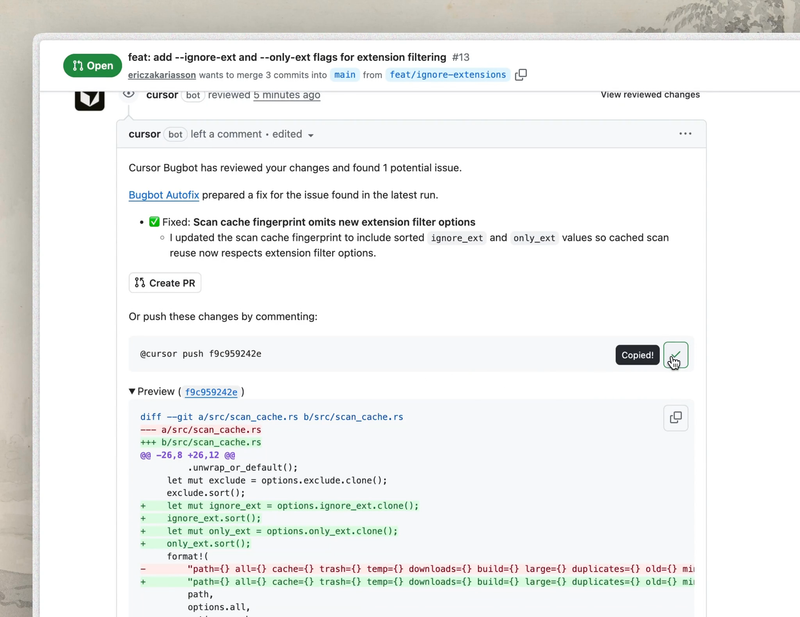
Cursor didn't just build this feature — they ate their own cooking. Their security team deployed four specialized AI agents to guard their codebase, and the results are staggering:
3,000+ pull requests reviewed per week by AI agents
200+ vulnerabilities caught per week before they reached production
Hundreds of issues prevented from ever shipping in the last two months
This wasn't a toy experiment. Cursor's PR velocity had increased 5x in nine months, making it impossible for human reviewers to keep up. Their solution: a fleet of AI agents, each with a different specialty.
The Four Security Agents
30+ New Plugins from Figma, Slack, Datadog, and More
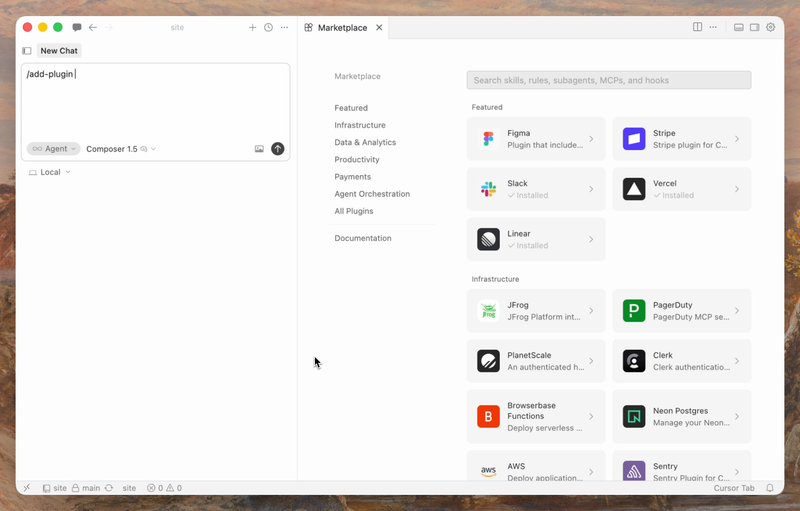
Alongside the automations engine, Cursor expanded its plugin marketplace with 30+ new plugins from partners including Atlassian, Datadog, GitLab, Glean, Hugging Face, monday.com, and PlanetScale. These plugins let agents read from, write to, and take actions across your entire tool stack.
For non-developers, think of it like this: your AI agent can now look at your Figma designs, check your project boards in Linear or monday.com, review alerts in PagerDuty, and post updates to Slack — all without you lifting a finger.
Cursor Now Works in JetBrains IDEs Too
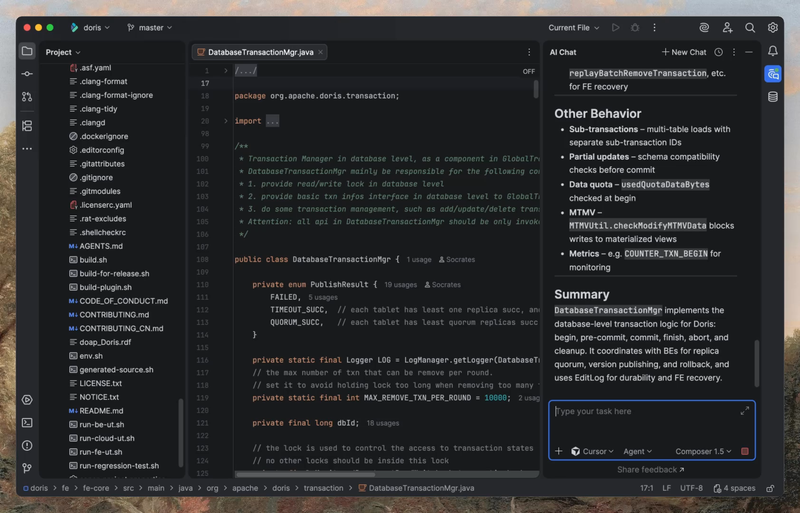
As if that weren't enough, Cursor also expanded beyond its own editor. It now works inside JetBrains IDEs (IntelliJ IDEA, PyCharm, WebStorm, and others) — the tools used by millions of professional developers. You can install it directly and authenticate with your existing Cursor account.
Who Should Pay Attention
If you manage a development team: This is the first mainstream AI tool that offers "set it and forget it" code review. You can configure agents to watch for security issues, enforce coding standards, or auto-update dependencies — without adding headcount.
If you're a solo developer or freelancer: The free Hobby tier gives you limited access to agents. The Pro plan at $20/month unlocks full automation capabilities. Compare that to hiring a security auditor.
If you're watching the AI coding race: This puts Cursor ahead of GitHub Copilot and Claude Code in one specific dimension — background automation. While Copilot and Claude Code excel at real-time assistance, Cursor is betting that the future of AI coding is agents that work when you're not looking.
- Hobby (Free) — Limited agent requests
- Pro ($20/mo) — Extended agent limits, MCPs, skills, hooks
- Pro+ ($60/mo) — 3x usage on all AI models
- Ultra ($200/mo) — 20x usage, priority access to new features
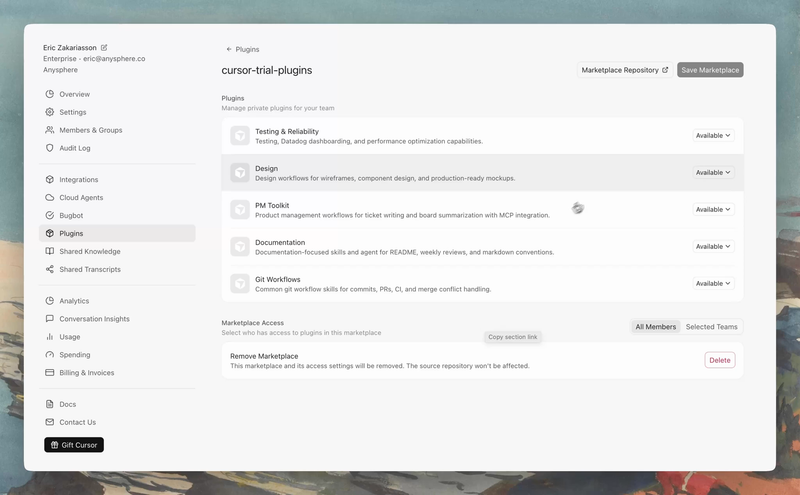
- Teams ($40/user/mo) — Shared chats, team marketplace for private plugins
You can create automations at cursor.com/automations or browse pre-built templates in the Cursor Marketplace.
Related Content — Get Started with Easy Claude Code | Free Learning Guides | More AI News
Stay updated on AI news
Simple explanations of the latest AI developments