Giving Claude Code a Brain Transplant — 108 Skills, 57 Commands, and an 83K-Star Performance System
Everything Claude Code, an Anthropic hackathon winner, has surpassed 83,000 GitHub stars. It's a system that maximizes AI coding assistant performance with 108 specialized skills, 57 slash commands, and 12 sub-agents.
If you're using the AI coding assistant Claude Code but feel like you're not getting its full potential, this project is the answer. Built by a developer who used Claude Code in production every day for 10 months, Everything Claude Code (ECC) has surpassed 83,377 GitHub stars, gaining 2,716 stars per day. It's also the official winner of an Anthropic hackathon.
Not Just a Config File — It's a Performance Operating System
ECC is essentially an extended brain that plugs into Claude Code. It's not a simple collection of configuration files — it's a system that methodically manages the entire process of AI writing, reviewing, and deploying code. Here are its core components.
ECC Core Components
Task-specific instructions across backend, frontend, security, business, and more
One-line execution: /tdd, /plan, /code-review, /e2e, and more
Dedicated AI workers: architect, code reviewer, security auditor, and more
Maintains context across sessions, automatically extracts patterns, and scores reliability
It Automatically Picks the Right AI Model for Each Task
One of ECC's most impressive features is automatic AI model selection based on task type. It uses the fast and affordable Haiku for simple tasks like file searches, and the deeper-reasoning Opus for complex architecture decisions. The table below shows the strategy.
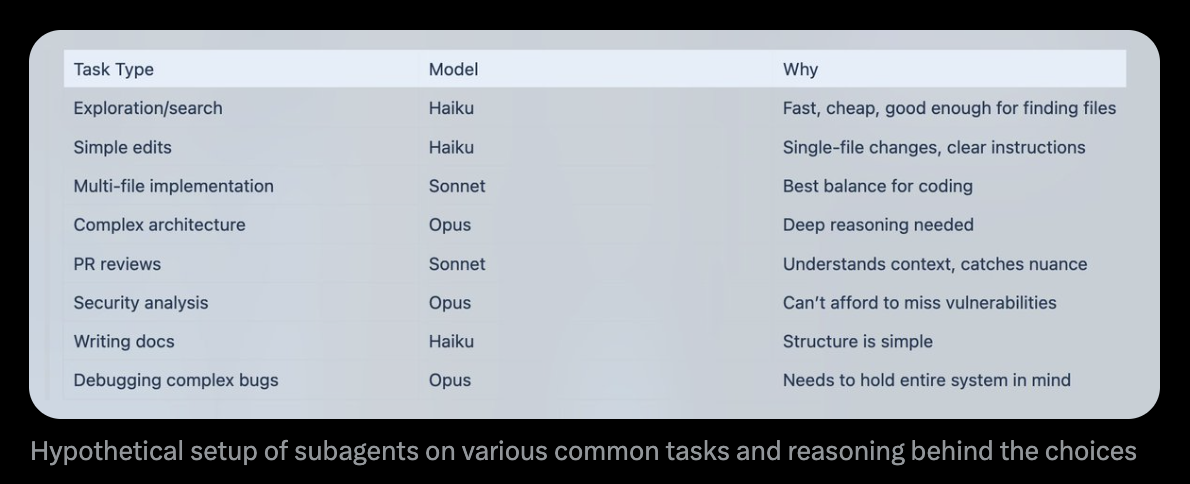
For example, file exploration uses Haiku (fast and cheap), multi-file coding uses Sonnet (optimized for coding), and security analysis or complex bug fixes use Opus (deep reasoning capabilities). It's a strategy that saves costs while maintaining quality.
Chain Refactoring, Testing, and Deployment with a Single Command
ECC's slash commands support chaining (sequential execution). As shown in the screenshot below, a single instruction can automatically run "code cleanup → test coverage check → full test suite" in sequence.
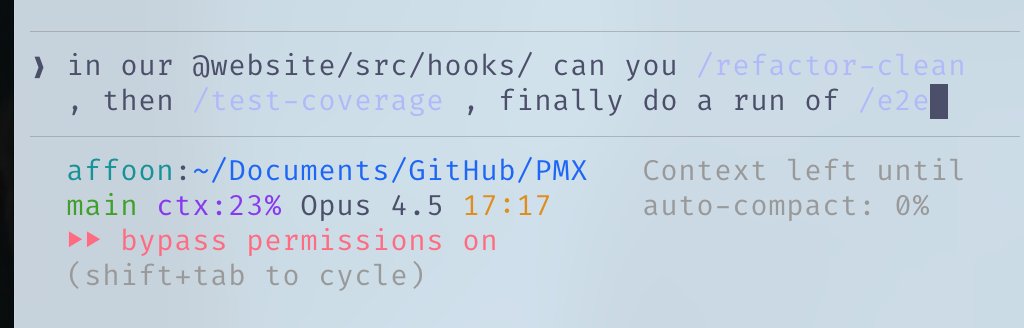
Here are some commonly used command combinations:
/plan→ Create a task plan/tdd→ Test-driven development (a methodology where you write tests first, then build code to pass them)/code-review→ AI reviews your code and flags issues/build-fix→ Automatically fixes build errors (issues that occur when compiling code into a runnable program)/security-scan→ Scans for security vulnerabilities
Run 5 Claudes Simultaneously with Parallel Workflows
ECC also provides a strategy for running multiple Claude instances simultaneously using git worktrees (a feature that creates multiple copies of the same project so you can work on them at the same time). The approach involves assigning different tasks across five terminal tabs.
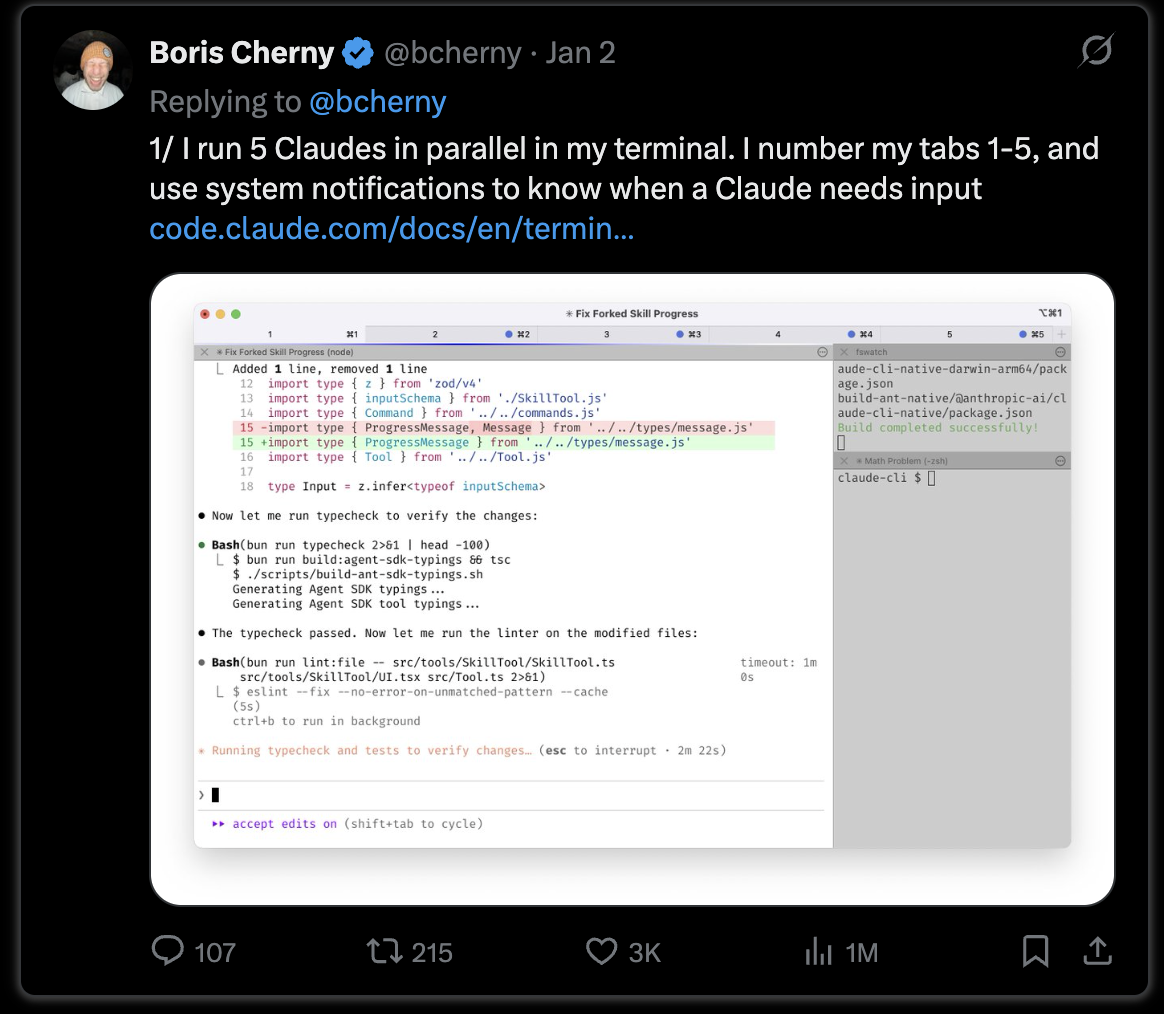
This method, shared by Anthropic's Boris Cherny, has surpassed 1 million views. ECC packages this workflow into structured guides and automation hooks (scripts that run automatically at specific trigger points).
It's Not Just for Claude Code
ECC isn't exclusive to Claude Code. It supports all major AI coding tools, including Cursor, OpenAI Codex, OpenCode, and Antigravity. Set it up once, and you can use the same skills and commands across any AI coding tool.
Language support is also broad, covering TypeScript, Python, Go, Java, C++, Swift, PHP, and Perl. Each language has its own optimized coding rules and review guidelines.
Extensibility Through a Plugin System
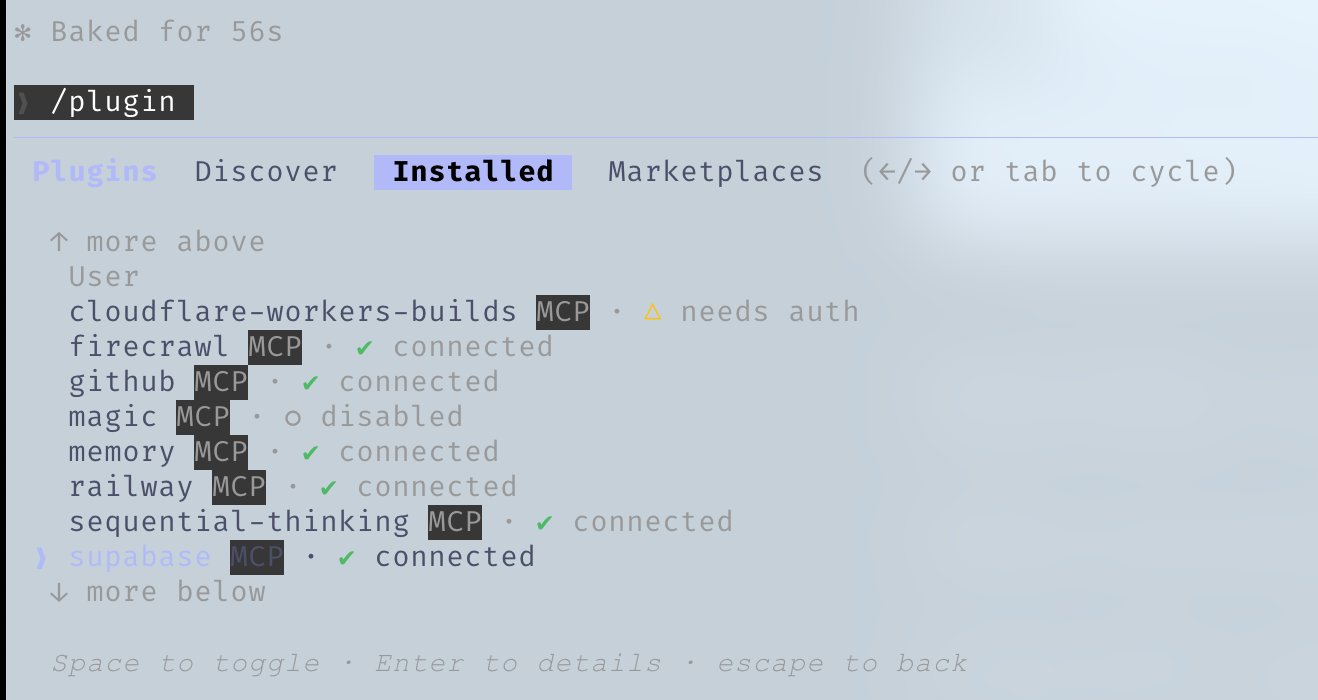
ECC can also be installed from Claude Code's official plugin marketplace. It currently has over 150 GitHub App installations and is a stable system that has passed 997 internal tests.
How to Install
Installation takes just two steps.
# Step 1: Install the plugin
/plugin marketplace add affaan-m/everything-claude-code
/plugin install everything-claude-code@everything-claude-code

# Step 2: Install rules (choose your language)
git clone https://github.com/affaan-m/everything-claude-code.git
cd everything-claude-code
npm install
./install.sh typescript  # python, golang, swift, php also available

# Step 3: Start using it
/everything-claude-code:plan "Add user authentication feature"
What the Anthropic Hackathon Win Means
ECC isn't just a project with a lot of stars. Winning the official Anthropic hackathon means the company that built Claude itself recognized this as "the best way to get the most out of Claude Code."
Creator Affaan Mustafa systematized the know-how he accumulated by building real products with Claude Code every day for 10 months. It contains battle-tested answers to questions like "which model to use in which situation, how to distribute tasks, and how to verify quality."
ECC at a Glance
- GitHub Stars: 83,377 (+2,716 per day)
- Forks: 10,900+
- Specialized Skills: 108+
- Slash Commands: 57+
- Sub-Agents: 12+ (architecture, review, security, testing, etc.)
- Supported IDEs: Claude Code, Cursor, Codex, OpenCode, Antigravity
- Supported Languages: TypeScript, Python, Go, Java, C++, Swift, PHP, Perl
- License: MIT (free)
- Repository: View on GitHub
The difference between 'just using' and 'truly leveraging' an AI coding assistant comes down to systems like this. If you're a developer, install ECC and unlock Claude Code's hidden potential. If you're not a developer, it's worth noting that AI coding tools have evolved far beyond simple autocomplete — they're now reaching operating-system-level integration of design, development, review, and deployment.
Related Content — Get Started with AI Using EasyClaude | Free Learning Guide | More AI News
Stay updated on AI news
Simple explanations of the latest AI developments