Train AI on Your Own Computer Without Writing Code — Unsloth Studio, the Open-Source Revolution With 54K GitHub Stars
Unsloth Studio has launched. It's a free, open-source tool that lets you train and run AI models directly on your own computer without writing a single line of code. It's 2x faster than existing alternatives, uses 70% less memory, and supports over 500 AI models.
A free tool that lets you pick an AI model from a ChatGPT-like interface, chat with it, and train it on your own data with just a few clicks has arrived. It's Unsloth Studio, released by the open-source project Unsloth, which has earned 54,000 GitHub stars. You don't need to write a single line of code, and it runs 100% on your own computer — no internet connection required.
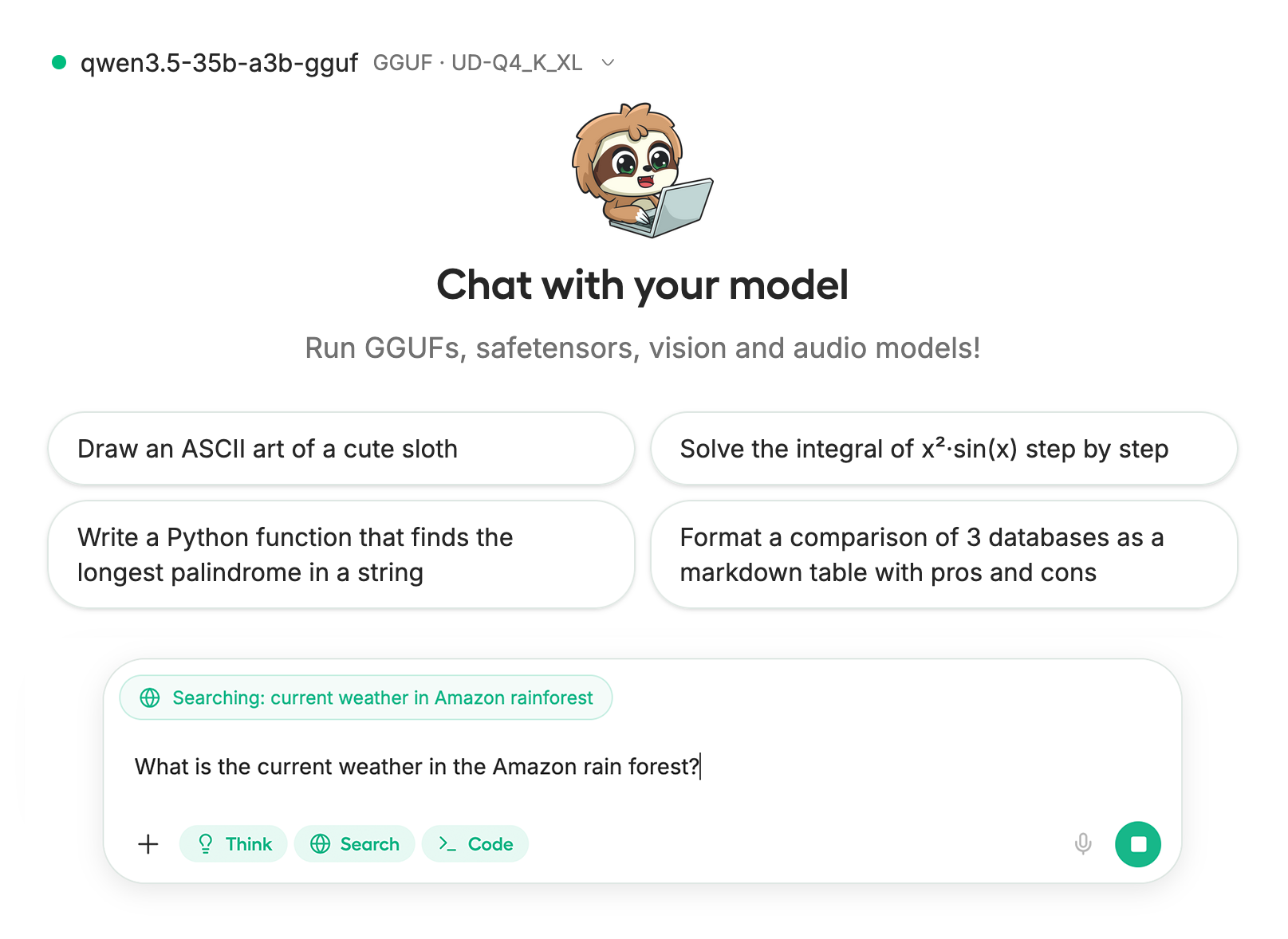
Putting ChatGPT Inside Your Own Computer
Unsloth Studio is essentially 'ChatGPT + an AI training center that runs on your own machine.' Until now, running AI models locally required typing commands in a terminal or writing complex code. Unsloth Studio turns that entire process into a few clicks in your web browser.
Tools like LM Studio and Ollama already let you run AI locally, but they only handled 'running' models. Unsloth Studio combines running, training, and exporting — all in one interface. That's the biggest differentiator.
- GitHub Stars: 54,500 (among the top open-source AI tools)
- Training Speed: 2x faster than existing methods
- Memory Savings: Uses 70% less GPU memory (VRAM — the dedicated memory on your graphics card)
- Supported Models: Over 500 (covering text, image, voice, and embeddings)
- Price: Completely free, open-source (Apache 2.0 license)
- Privacy: 100% offline operation, no usage data collected
Train an AI in Just 5 Steps
When people hear "AI model training," they usually think of hundreds of lines of code, renting GPU servers, and complex configurations. Unsloth Studio has replaced all of that with a 5-step setup wizard.
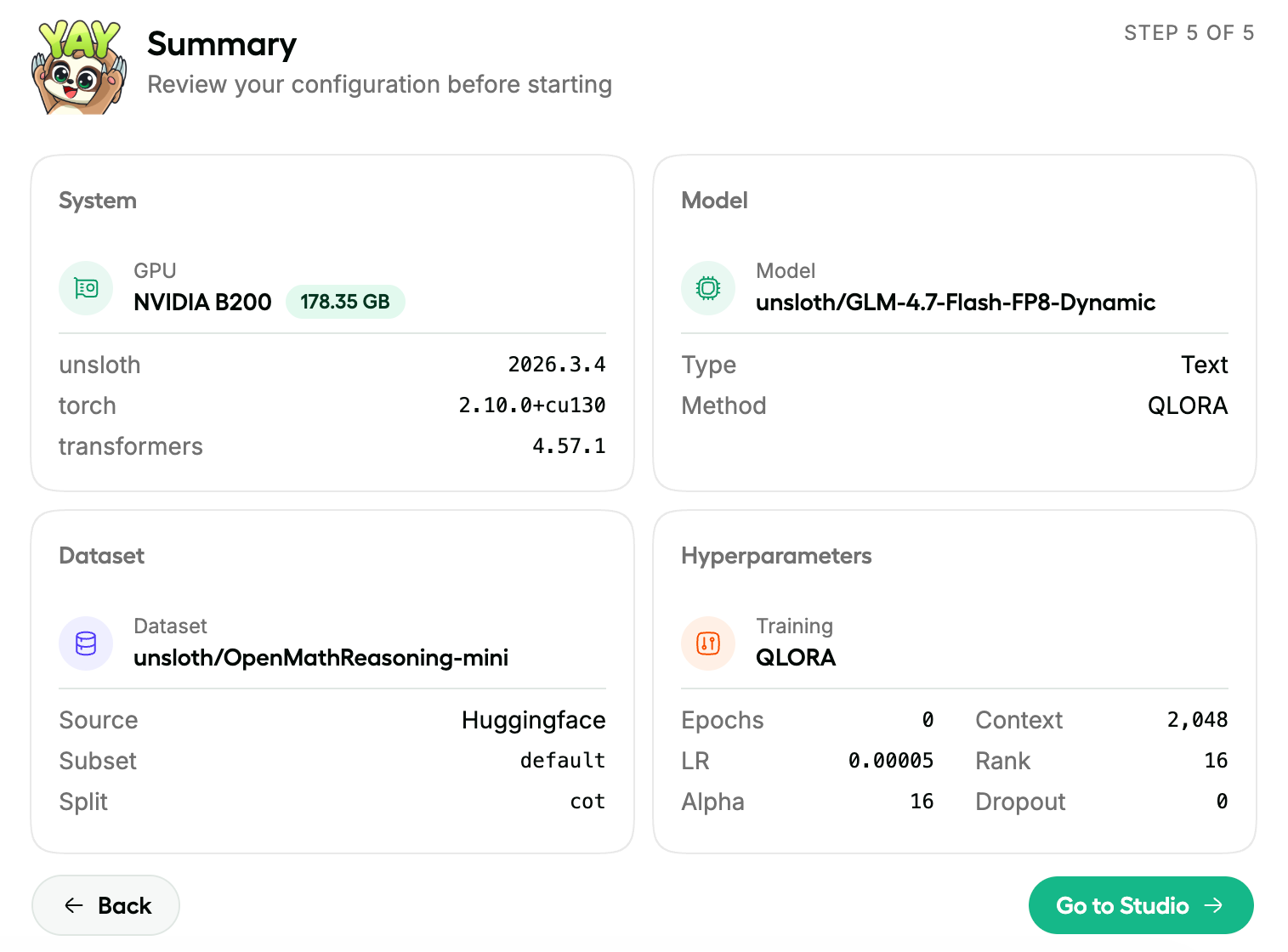
② Prepare Your Dataset — Upload PDF, Excel, or Word files and they're automatically converted into training data
③ Review Settings — Check your GPU, training method, and detailed parameters on screen
④ Start Training — Hit the 'Go to Studio' button and training begins
⑤ Check Results — Monitor training progress with real-time graphs
The 'Data Recipe' feature is particularly noteworthy. Just drag and drop your internal company documents (PDFs, CSVs, Word files, etc.) and the AI automatically converts them into question-answer pairs for training. It uses NVIDIA's DataDesigner technology, which means even non-developers can build specialized AI for their own field.
Monitor Training Status in Real Time
AI training typically takes anywhere from tens of minutes to several hours. Unsloth Studio shows you what's happening during training with a real-time dashboard.
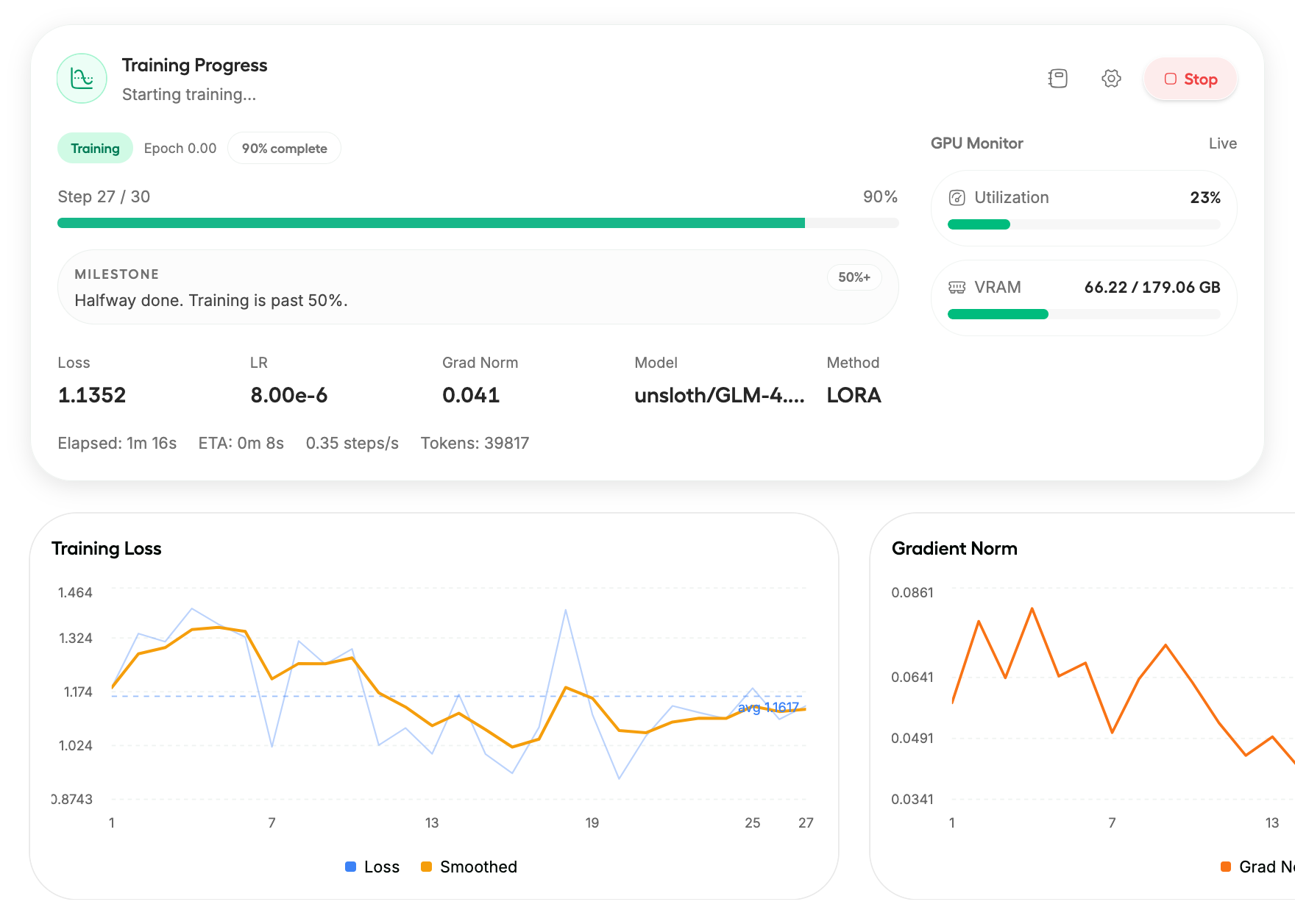
You can see the training loss graph (a measure of how well the model is learning), GPU utilization, estimated time remaining, and more — all at a glance. You can even monitor training status remotely from your smartphone, so you can start training on your office computer and check on it while you're out.
Compare Two AIs Side by Side in 'Model Arena'
Wondering which AI model works best for your needs? Use the Model Arena feature. Ask the same question to two AIs simultaneously and compare their answers side by side.
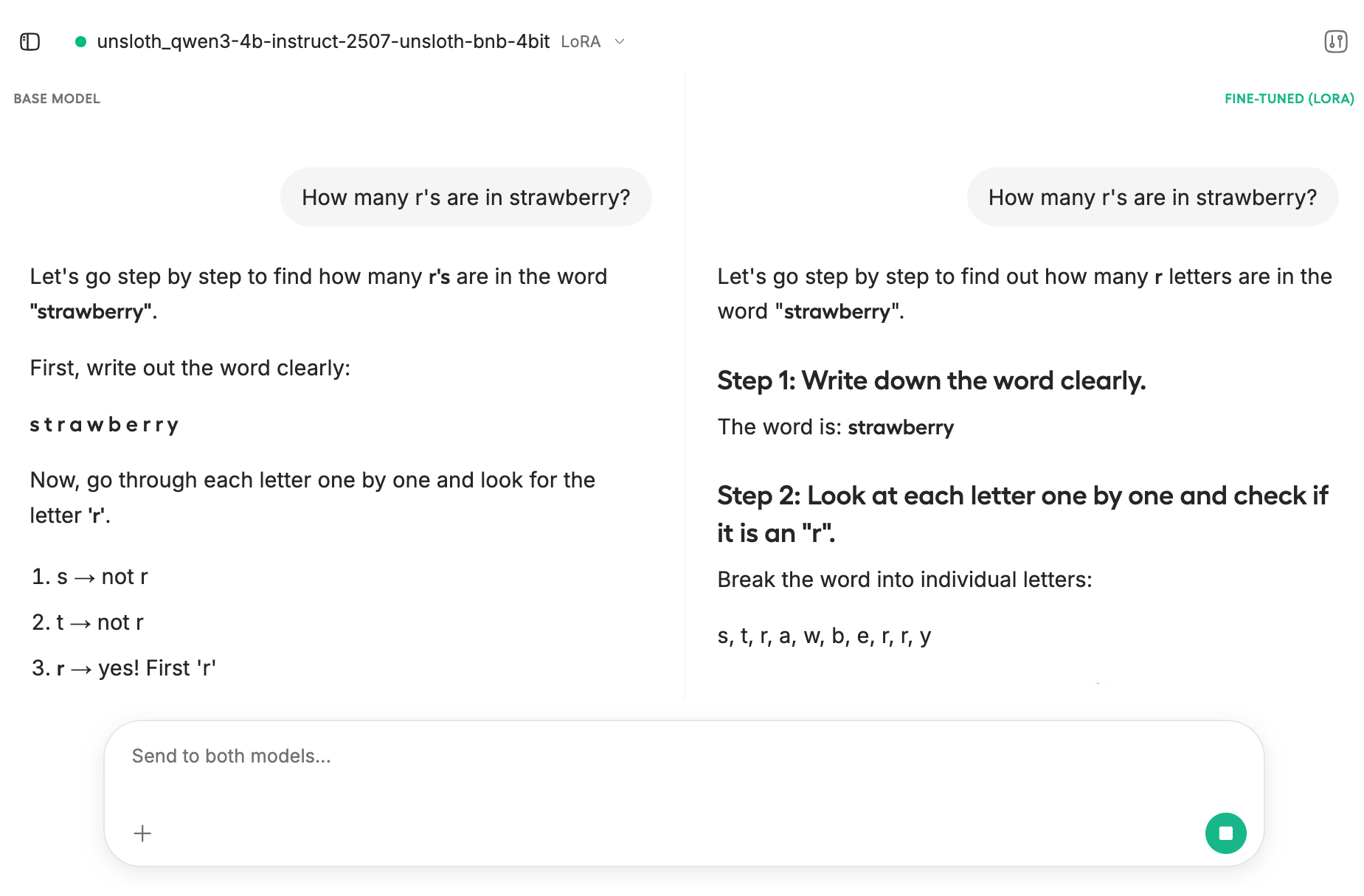
For example, you can compare a base model (left) with a model you've trained on your own data (right) to see whether the training actually made a difference. In the screenshot above, both the base model and a fine-tuned model (using LoRA — a lightweight training technique) are tested with the famous question 'How many r's are in strawberry?' — and they give different answers.
Who Is This For?
Installation and Setup
If you have Python installed, it takes just 3 lines.
pip install unsloth
unsloth studio setup
unsloth studio
The first installation takes about 5–10 minutes (due to internal engine compilation). After that, a single unsloth studio command opens it right in your browser.
Even without an NVIDIA graphics card, the chat feature works on CPU alone. Mac users can start chatting right away, and dedicated Apple chip training support (via MLX) is coming soon.
If setting up a Python environment feels daunting, there's also a notebook available to try it out on Google Colab with a free GPU (T4).
Why It Matters Now
The direction of the AI market in 2026 is clear: we're moving from 'renting big AI from the cloud' to 'building small AI yourself.' Free AI models from Meta (Llama), Google (Gemma), and Alibaba (Qwen) keep rolling out, but there's been a shortage of tools to make them truly 'your own.'
Unsloth Studio tackles that gap head-on. While existing tools like Ollama and LM Studio focused on 'running AI,' Unsloth Studio is the first no-code tool to unify running, training, and exporting in one place. Trained models can also be exported to other tools like Ollama, LM Studio, and vLLM, so it integrates well with the existing ecosystem.
Support for reinforcement learning (GRPO — Group Relative Policy Optimization, a technique for improving AI reasoning) is also noteworthy. The tool claims it can perform the kind of 'enhanced reasoning' training demonstrated by DeepSeek-R1 with 80% less memory than conventional methods. This means you can build a 'thinking AI' without expensive server-grade GPUs.
Related Content — Get Started with AI | Free Learning Guide | More AI News
Stay updated on AI news
Simple explanations of the latest AI developments