Google just mapped 6 protocols every AI agent will need
Google published a developer guide covering 6 standardized AI agent protocols — from data access to payments to UI. Here's what each one does and why it matters.
If you've been hearing about AI agents but wondering how they'll actually work in the real world — talking to each other, placing orders, making payments — Google just published the clearest roadmap yet.
On March 18, Google's Developer Blog released a comprehensive guide to 6 standardized protocols that AI agents will use to operate in the real world. Think of these protocols as shared languages — instead of every AI company building custom connections, these standards let any agent talk to any service.
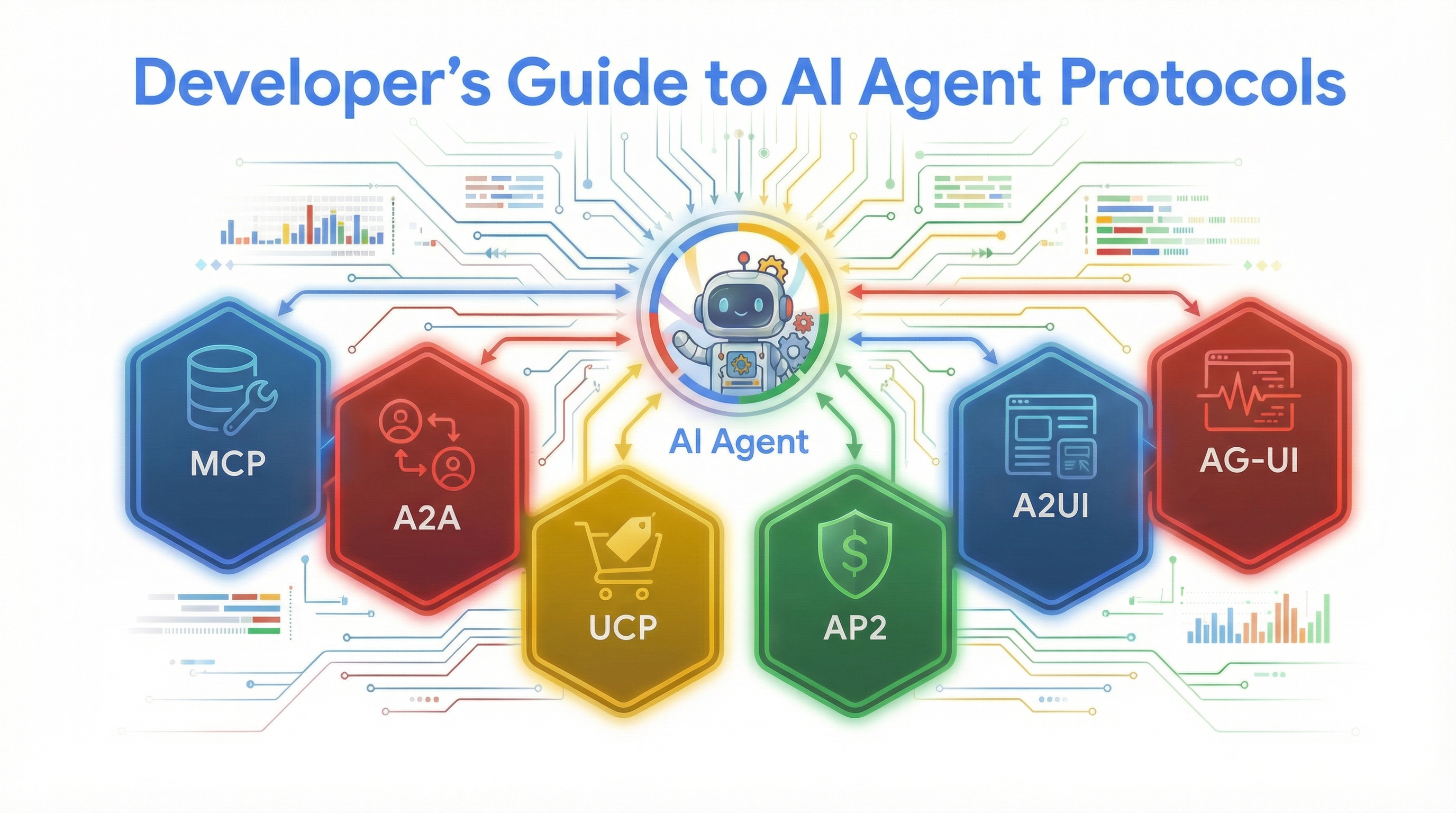
The 6 protocols, explained simply
Google demonstrated all six protocols through a real-world example: a restaurant kitchen manager AI that checks inventory, compares supplier prices, places orders, and handles payments — all automatically.
Here's what each protocol does:
🔌 MCP (Model Context Protocol) — Lets AI agents connect to databases, apps, and tools using one standard plug. No custom code needed for each tool.
🤝 A2A (Agent-to-Agent) — Lets AI agents discover and talk to other AI agents. Each agent publishes a capability card saying "here's what I can do."
🛒 UCP (Universal Commerce Protocol) — Standardizes how AI agents shop and place orders, so one checkout flow works across every supplier.
💳 AP2 (Agent Payments Protocol) — Adds spending limits, approval rules, and audit trails to AI transactions. Think of it as a corporate credit card for your AI.
🖥️ A2UI (Agent-to-User Interface) — Lets agents generate screens and forms on the fly using 18 simple building blocks — no frontend developer needed.
📡 AG-UI (Agent-User Interaction) — Streams what the agent is doing in real time, so you can watch it think, call tools, and deliver results step by step.
How they work together: the restaurant example
Google's demo shows a kitchen manager asking the AI: "Check our salmon inventory, get today's wholesale price and quality grade, and if we're low, order 10 lbs from Example Wholesale and authorize the payment."
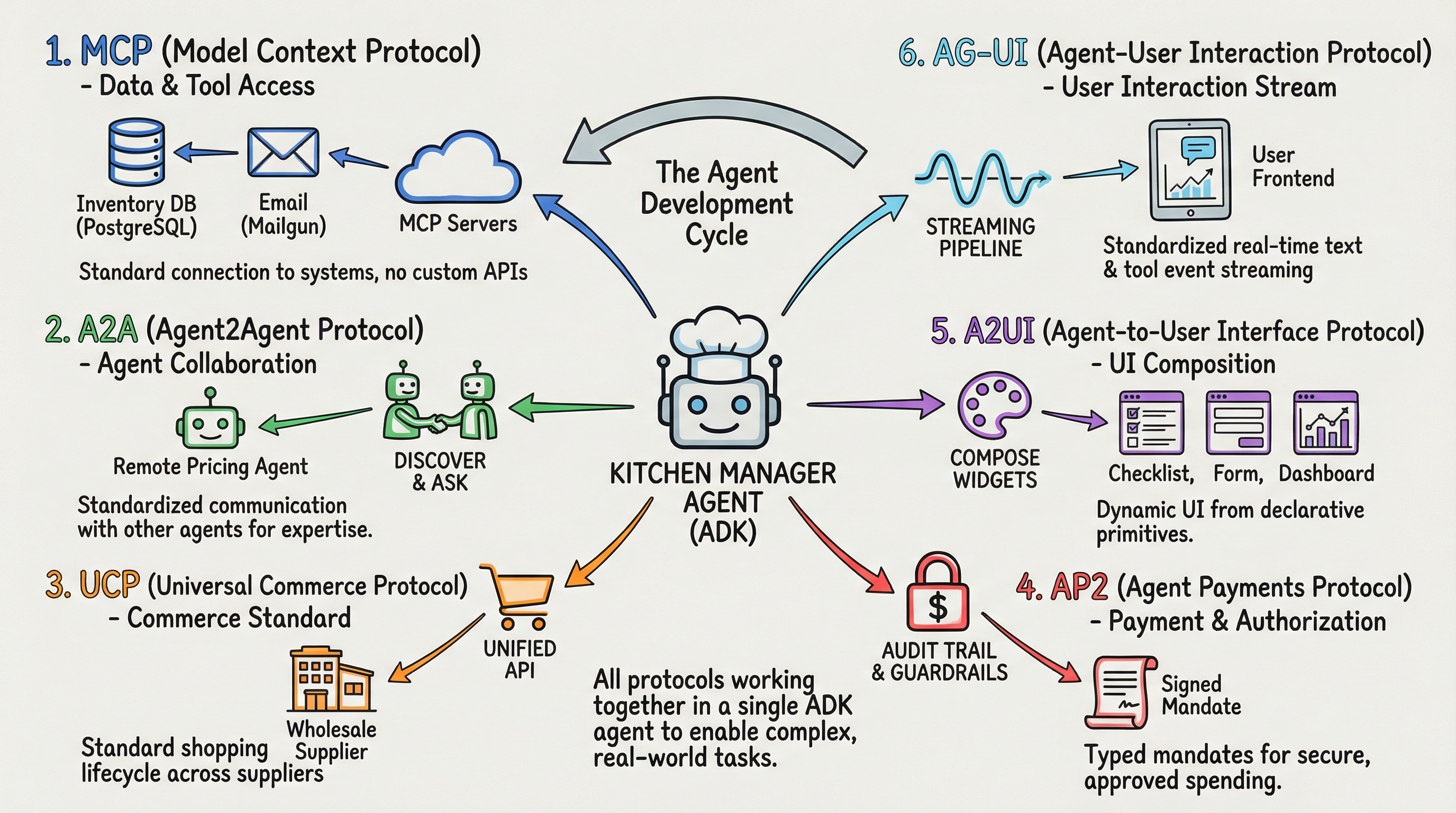
Here's what happens behind the scenes:
Step 1 — The agent uses MCP to check the restaurant's inventory database and A2A to ask separate pricing and quality-check agents for today's rates.
Step 2 — If salmon is low, the agent uses UCP to place an order with the wholesale supplier and AP2 to authorize the payment within pre-set spending limits.
Step 3 — The results appear as interactive widgets (A2UI) while AG-UI streams every step to your screen in real time.
One sentence from a human triggered six protocols, three external services, and a secure payment — all without writing custom integration code.
Why MCP alone isn't enough
You may have heard of MCP — it's the protocol that lets AI connect to tools like databases and APIs. It's been getting a lot of attention. But Google's guide makes clear that MCP is just one piece of a much larger puzzle.

MCP handles data access, but what about when your AI needs to talk to another AI? That's A2A. What about when it needs to buy something? That's UCP + AP2. What about showing results to a human? That's A2UI + AG-UI.
The guide argues that developers should adopt these standards early rather than building custom integrations — because once AI agents start working with each other across companies, everyone needs to speak the same language.
The payment guardrails are the real story
The most interesting protocol might be AP2 — the payments layer. It works like a corporate card with three layers of control:
IntentMandate — The business owner sets rules: which suppliers are allowed, maximum spending per order, and whether refunds are required.
PaymentMandate — The AI creates a cryptographic receipt (a tamper-proof digital signature) tying the payment to a specific order.
PaymentReceipt — The final confirmation that closes the audit trail.
If the AI tries to spend more than the set limit, the order pauses and waits for human approval. This is how you let AI agents spend money without giving them a blank check.
If you build AI automations, start here
Google built all six protocols into its Agent Development Kit (ADK), which means you can start experimenting with pre-built connections instead of writing everything from scratch.
The practical takeaway: If you're building AI workflows — whether in Claude Code, LangChain, or Google's tools — these six protocols are the standards that will likely dominate. Learning them now means less rewriting later.
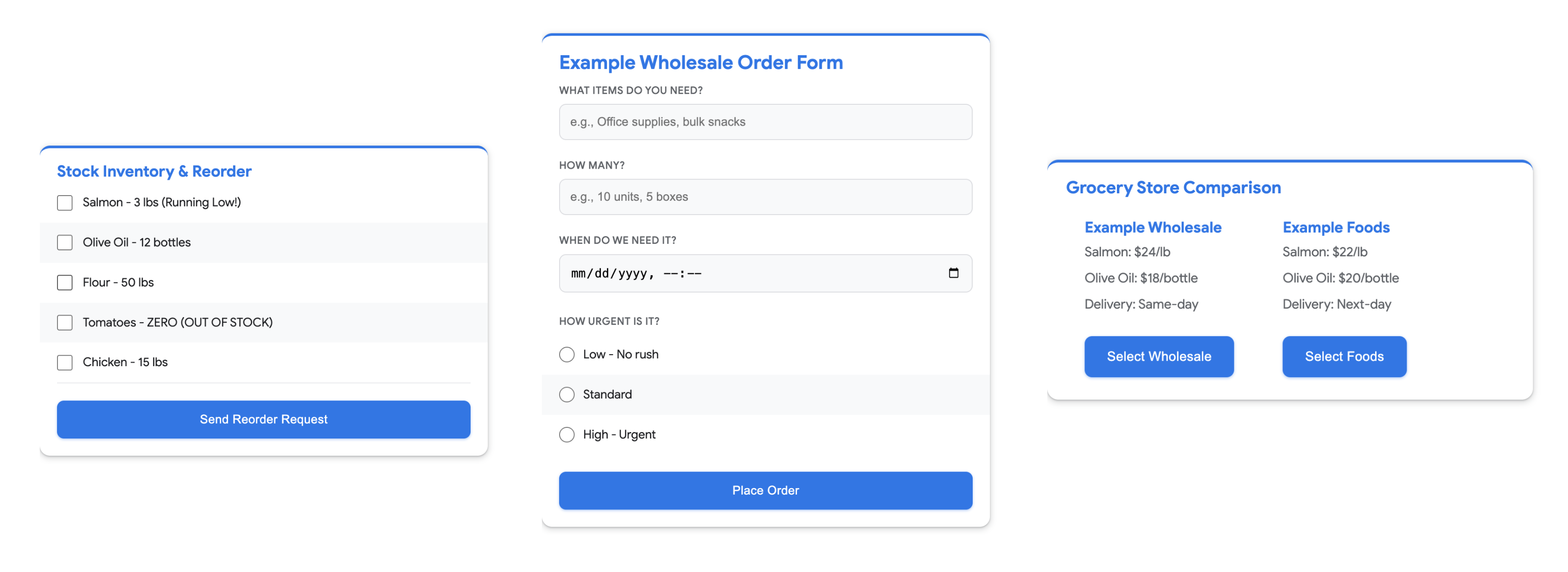
The full guide is free on Google's Developer Blog with code samples for all six protocols.
Related Content — Get Started with Easy Claude Code | Free Learning Guides | More AI News
Stay updated on AI news
Simple explanations of the latest AI developments