Google Stitch turns plain text into full app designs
Google Labs just launched Stitch, a free AI design platform that converts text prompts into clickable app prototypes — no design skills needed.
Google Labs just upgraded Stitch from a simple experiment into a full AI-powered design platform. Describe what you want in plain English — "a login page with email and password" — and Stitch generates a complete, interactive user interface you can click through and test. Google is calling the approach "vibe design", and it's free to use right now.
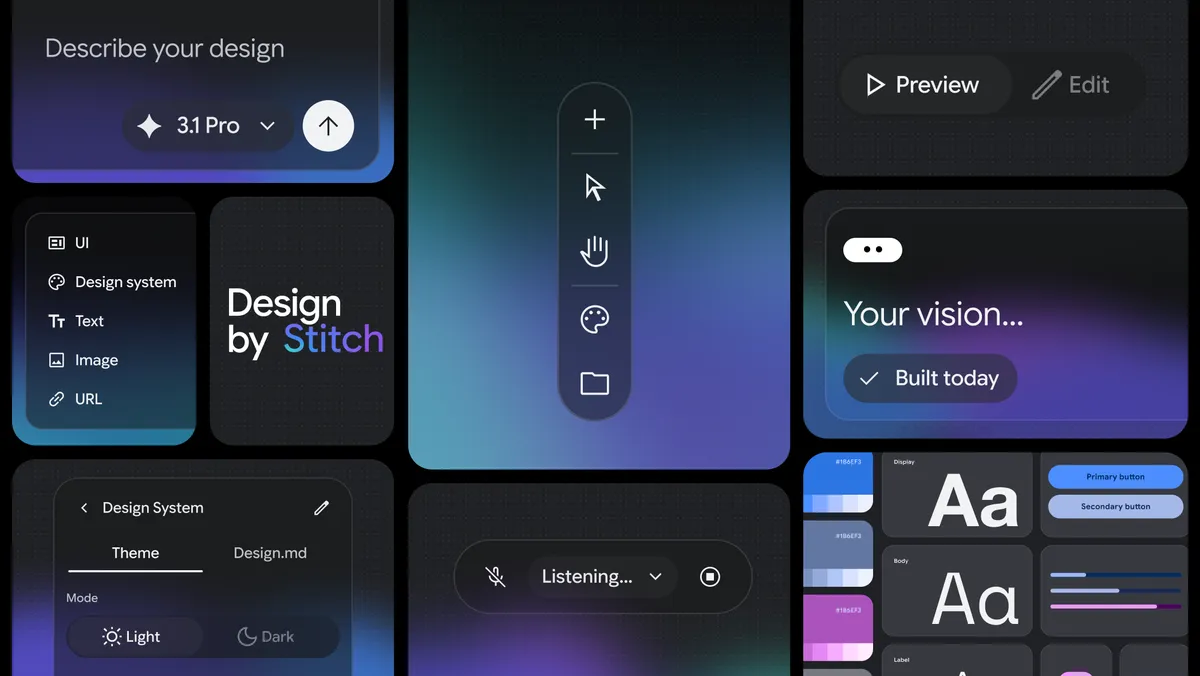
Describe it, don't draw it
Stitch works on an infinite canvas where you can drop in images, text, or code as inspiration — then tell the AI what to build. You don't need to know Figma, Sketch, or any traditional design tool. Just type or speak what you want (yes, it has voice control) and Stitch generates a design.
The platform also includes a design agent — an AI assistant that analyzes your entire project and explores multiple design concepts at the same time. Think of it as having an intern designer who never sleeps, rapidly sketching out different versions of your idea so you can pick the best one.
What Stitch can do right now
- Text-to-UI — type a description, get a complete screen design
- Voice control — speak changes and watch the canvas update in real time
- Clickable prototypes — convert static designs into interactive demos you can tap through
- Design variants — generate multiple versions with different layouts, colors, and fonts automatically
- Design System support — save your brand's rules in a
DESIGN.mdfile and share them across tools - Mobile, desktop, and tablet — target any device type
Who this is actually for
Google is targeting two groups: professional designers who want to speed up their workflow, and founders or non-designers who need app mockups but can't afford to hire a design team. If you've ever struggled to explain a product idea to a developer, Stitch lets you show them a working prototype instead.
Marketers can quickly mock up landing page variants. Product managers can prototype features before sprint planning. Students building class projects can skip the Figma learning curve entirely.
Developers get an SDK too
For those who want to go deeper, Google released a full Stitch SDK on GitHub (716 stars already) that lets you generate UI screens programmatically. You can also connect Stitch to AI coding tools through an MCP server (a standard way for AI tools to talk to each other).
Here's how simple it is to generate a screen with the SDK:
npm install @google/stitch-sdk

# Then in your code:
import { stitch } from "@google/stitch-sdk";
const project = stitch.project("my-project");
const screen = await project.generate("A dashboard with stat cards and a sidebar");
const html = await screen.getHtml();
The SDK also integrates with the Vercel AI SDK, meaning AI agents can autonomously design and build UIs as part of larger coding workflows.
How to try it right now
Stitch is live at stitch.withgoogle.com — you just need a Google account and to be 18+. It's available everywhere Gemini works (which covers most countries). The platform is currently in beta and free to use.
Quick start guide
- Go to stitch.withgoogle.com
- Sign in with your Google account
- Type a description like "A mobile app onboarding screen with three steps"
- Watch Stitch generate the design — then click Preview to interact with it
- Use voice or text to refine: "Make the background darker and add a progress bar"
The bigger picture: AI is eating design tools
Stitch joins a growing wave of AI tools that are lowering the barrier to design. Figma added AI features last year, and startups like Impeccable are pushing AI-first design workflows. But Google has a key advantage: Gemini integration. Stitch runs on Gemini 2.5, and the DESIGN.md format could become a standard that bridges design tools and AI coding agents.
The fact that Google built an MCP server and SDK on day one signals they're not just building a design toy — they're positioning Stitch as infrastructure for the AI-powered software development pipeline.
Related Content — Get Started with Easy Claude Code | Free Learning Guides | More AI News
Stay updated on AI news
Simple explanations of the latest AI developments