OpenRAG lets you chat with your documents — no code needed
Langflow launched OpenRAG — a free platform to upload documents and ask AI questions about them. Visual workflow builder included. 3.3K stars.
Imagine uploading your company's entire handbook, product docs, or research papers — then just asking questions and getting instant, accurate answers pulled directly from those documents. That's exactly what OpenRAG does.
Built by the team behind Langflow (a popular AI workflow builder), OpenRAG is a free, open-source platform that combines RAG technology (Retrieval-Augmented Generation — a method that lets AI search your documents before answering, so it doesn't make things up) with a drag-and-drop visual editor. It hit 3,300 GitHub stars in its first week, with 2,500+ gained in the last 7 days.
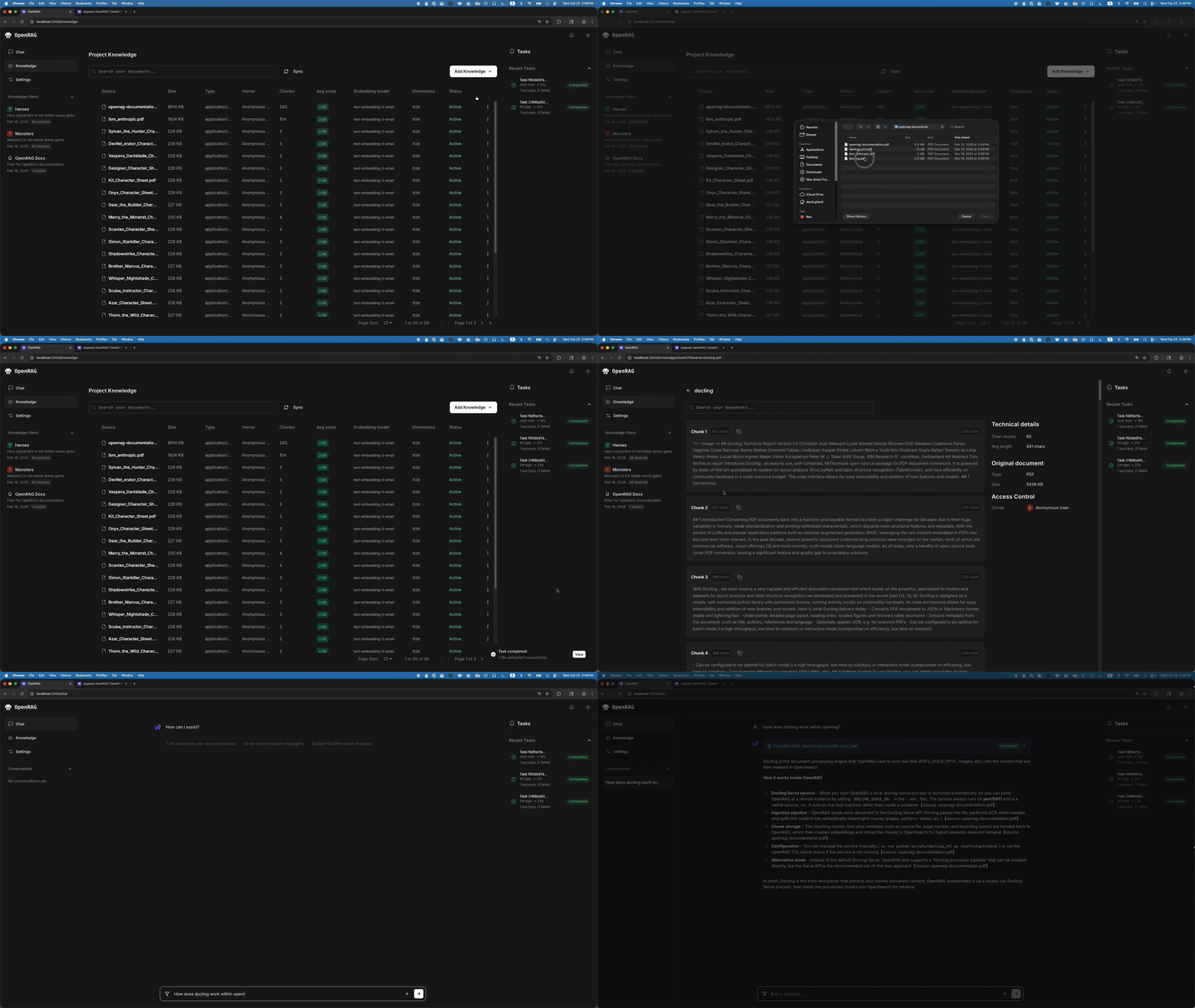
Upload, ask, get answers
The workflow is dead simple:
Step 1: Upload your documents (PDFs, text files, spreadsheets — even messy, real-world data)
Step 2: OpenRAG automatically processes, splits, and indexes everything
Step 3: Open the chat and ask questions in plain English
Step 4: Get answers with references pointing back to the exact source
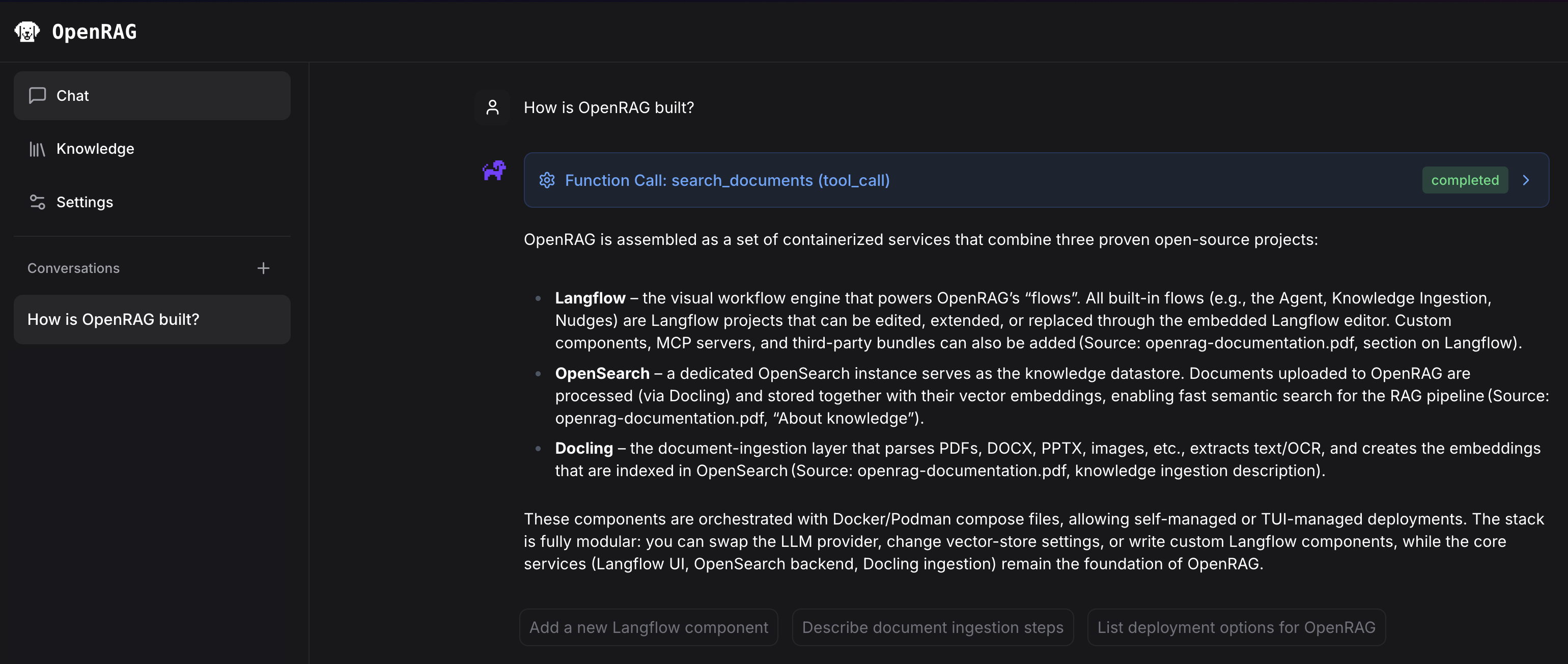
Unlike ChatGPT or Claude where the AI can only use what it was trained on, OpenRAG forces the AI to search your specific documents first, then generate an answer based on what it found. This dramatically reduces "hallucinations" (when AI confidently states something false).
A visual editor for the power users
Under the hood, OpenRAG uses Langflow's drag-and-drop workflow builder. This means you can customize exactly how the AI processes your documents — which search method to use, how many results to consider, what model generates the answer — all by dragging blocks around on a visual canvas. No code required.
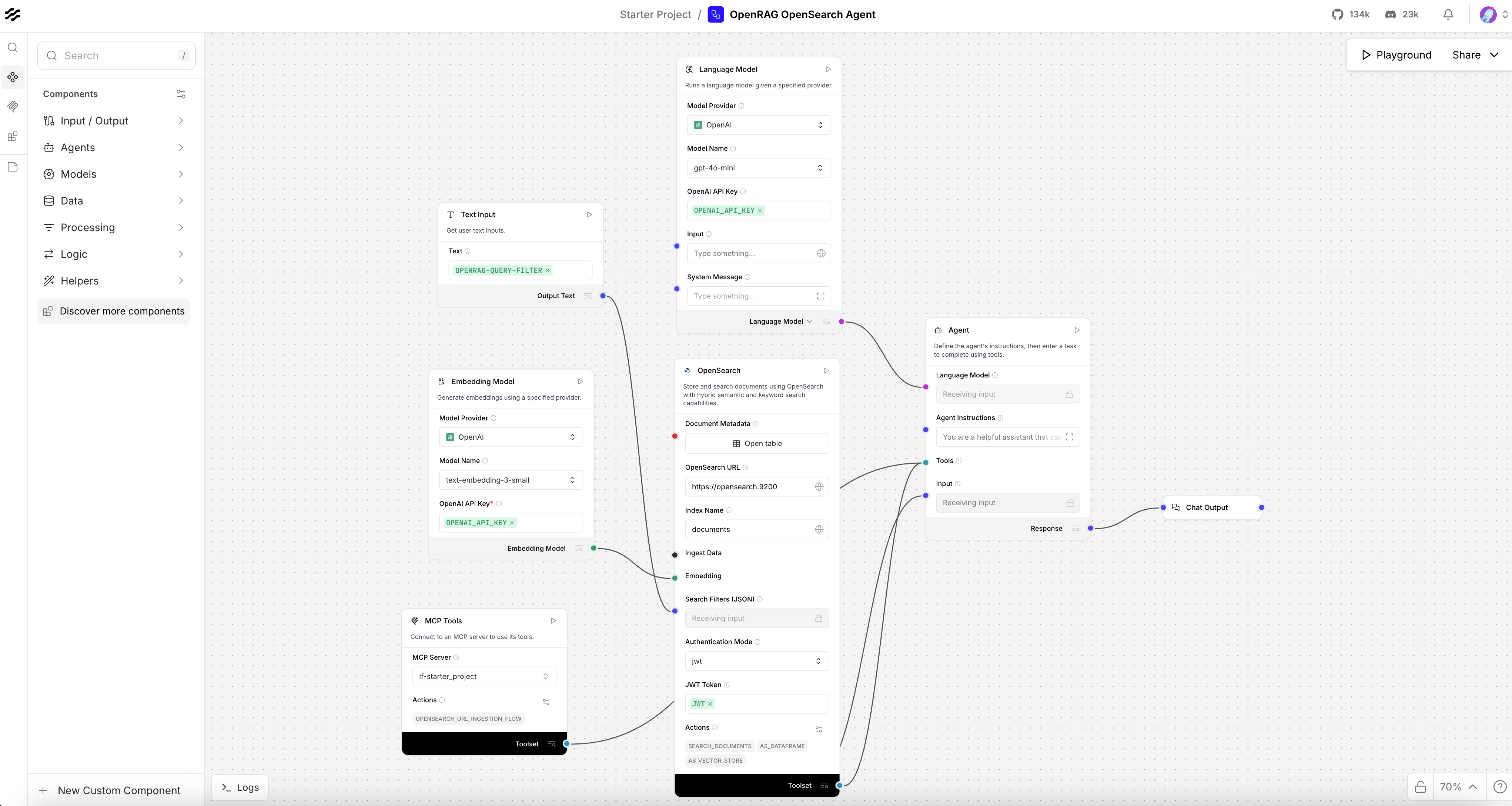
For most people, the default setup works perfectly. But if you're a team lead who wants to fine-tune how the AI handles your company's specific documents, the visual editor gives you that control without writing a single line of code.
Works with Claude, Cursor, and more
OpenRAG also supports MCP (Model Context Protocol — the standard that lets AI tools talk to each other). This means you can connect it directly to Claude Desktop or Cursor, so your AI coding assistant can search your documentation while writing code.
# Install and run in one command
pip install openrag
uv run openrag

# Or use Docker
docker compose up

# Add MCP support for Claude/Cursor
pip install openrag-mcp
The platform supports multiple AI providers including OpenAI, Anthropic (Claude), and local models. You pick which one powers the answers.
Who this is for
Knowledge workers and researchers — Upload hundreds of papers or reports and search across all of them in seconds. No more Ctrl+F through 50 PDFs.
Customer support teams — Build an internal knowledge base your agents can query instantly. The latest v0.3.2 (released March 16) includes agentic workflows that can re-rank results for better accuracy.
Small business owners — Turn your company handbook, SOPs, and product docs into a searchable AI assistant without paying for enterprise software.
Built on battle-tested technology
OpenRAG isn't built from scratch — it combines three proven open-source tools: Langflow for workflow orchestration, Docling for intelligent document parsing (it handles messy PDFs, scanned documents, and mixed-format files), and OpenSearch for enterprise-grade search at any scale.
The project is Apache 2.0 licensed (use it commercially, for free), has Python and TypeScript SDKs for developers, and the team is actively shipping — 53 releases so far with v0.3.2 landing just three days ago.
Related Content — Get Started with Easy Claude Code | Free Learning Guides | More AI News
Stay updated on AI news
Simple explanations of the latest AI developments