Tmux-IDE lets you run a team of AI agents from one terminal
Tmux-IDE turns your terminal into a multi-agent workspace where one AI leads and others execute tasks in parallel — all from a single YAML config file.
What if you could split your terminal into multiple panes, each running its own AI coding agent, all coordinated by a lead agent that delegates tasks? That's exactly what Tmux-IDE does — and it just hit Hacker News with a lively debate about whether multi-agent coding actually works.
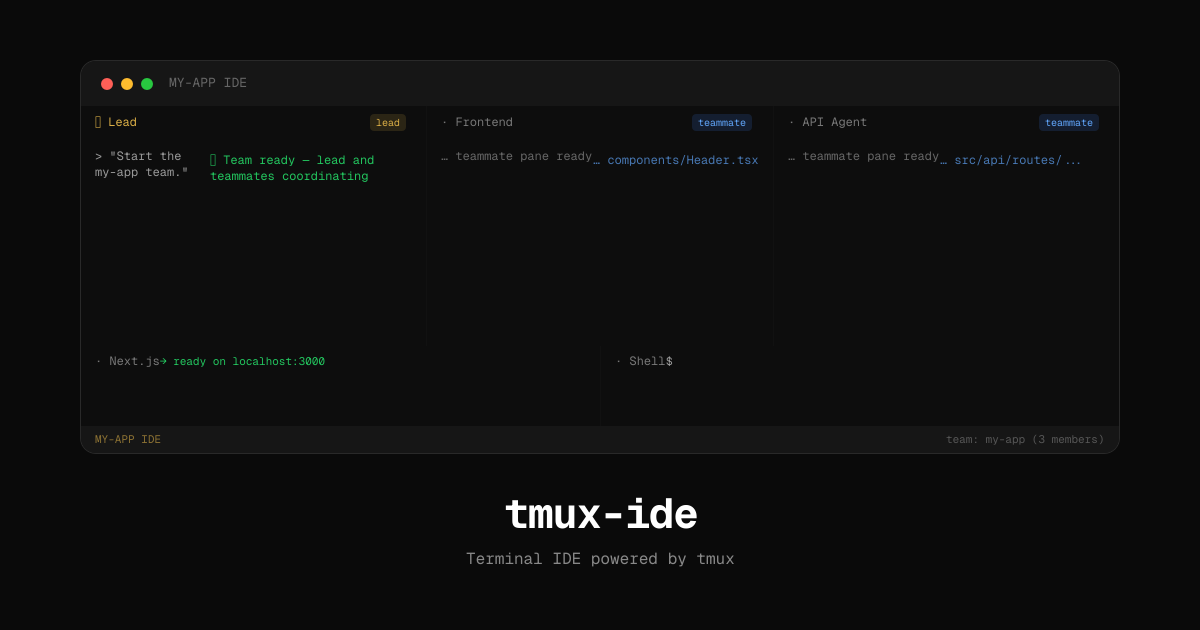
One lead, multiple teammates — in your terminal
Tmux-IDE is an open-source tool that transforms tmux (a popular terminal multiplexer — think of it as a way to split one terminal window into many) into a full development workspace powered by AI agents.
The core idea is a lead/teammate model: one Claude Code instance acts as the team coordinator, while 2–3 other instances work independently in their own terminal panes. The lead delegates tasks like "build the React header component" or "set up the API routes," and each teammate executes its assignment without stepping on the others' work.
- You write a simple YAML config file (
ide.yml) defining your pane layout and agent roles - Run
tmux-ide— it creates the session, launches Claude in each pane, and sets the lead agent as your entry point - Tell the lead: "Start the team" — it coordinates who does what
- Each agent works on separate files/modules simultaneously
Setup takes 60 seconds
Install globally with npm and initialize inside any project:
npm install -g tmux-ide
cd ~/my-project
tmux-ide init
tmux-ide
The init command auto-detects your project stack (Next.js, Vite, Python, Go, and more) and generates a matching config. Pre-built templates include agent-team, agent-team-nextjs, and agent-team-monorepo for common setups.
A typical agent team config looks like this:
name: my-app
team:
  name: my-app
rows:
  - size: 70%
    panes:
      - title: Lead
        command: claude
        role: lead
        focus: true
      - title: Frontend
        command: claude
        role: teammate
        task: "Work on React components"
      - title: Backend
        command: claude
        role: teammate
        task: "Work on API routes"
Version 1.2 adds visual polish
The latest release (v1.2.0) brought several quality-of-life improvements that make multi-agent sessions easier to follow:
Mouse support — click to focus panes, scroll with your trackpad, drag borders to resize
Agent status indicators — a pulsing dot shows when Claude is actively working; a dim dot when idle
Live server detection — a green dot appears when a dev server starts listening on a port
Two-line status bar — pane titles appear as clickable tabs, with the active pane highlighted
The Hacker News debate: does multi-agent coding actually help?
The HN discussion (33+ points, 24 comments) split into two camps. Supporters praised the terminal-first approach — one commenter noted tmux is "handy when you don't want to switch screens" and great for remote server work.
Skeptics raised valid concerns. One commenter questioned whether multi-agent productivity gains are real, citing multitasking research suggesting the benefits may be "illusory." Another worried that tmux isn't exactly beginner-friendly, potentially adding complexity rather than reducing it.
The creator confirmed the tool also supports Gemini and Codex — not just Claude — addressing a common feature request in the thread.
Who should try this
If you already use Claude Code in the terminal, Tmux-IDE is a natural next step. It's especially useful for projects where different parts of the codebase (frontend, backend, tests) can be worked on independently.
If you manage monorepos, the monorepo template assigns separate agents to each package — so your API, dashboard, and shared library each get their own AI teammate.
If you're new to terminal tools, be aware that tmux has a learning curve. The YAML config and auto-detection help, but you'll still need basic comfort with terminal workflows. The new mouse support in v1.2 lowers the barrier significantly.
The project is MIT-licensed, has 184 GitHub stars, and requires Node.js 18+ and tmux 3.0+. Check it out on GitHub or browse the docs.
Related Content — Get Started with Easy Claude Code | Free Learning Guides | More AI News
Stay updated on AI news
Simple explanations of the latest AI developments