CC Switch manages Claude, Codex, and Gemini in one app
CC Switch is a free desktop app that lets you manage 5 AI coding agents and 50+ providers from a single dashboard. 30K GitHub stars and rising.
If you use more than one AI assistant for writing or reviewing code — Claude, Codex, Gemini CLI, or others — you know the pain. Each one has its own settings file, its own API key setup, and switching between providers means digging through config files by hand. CC Switch just hit 30,000 GitHub stars by solving exactly this problem.
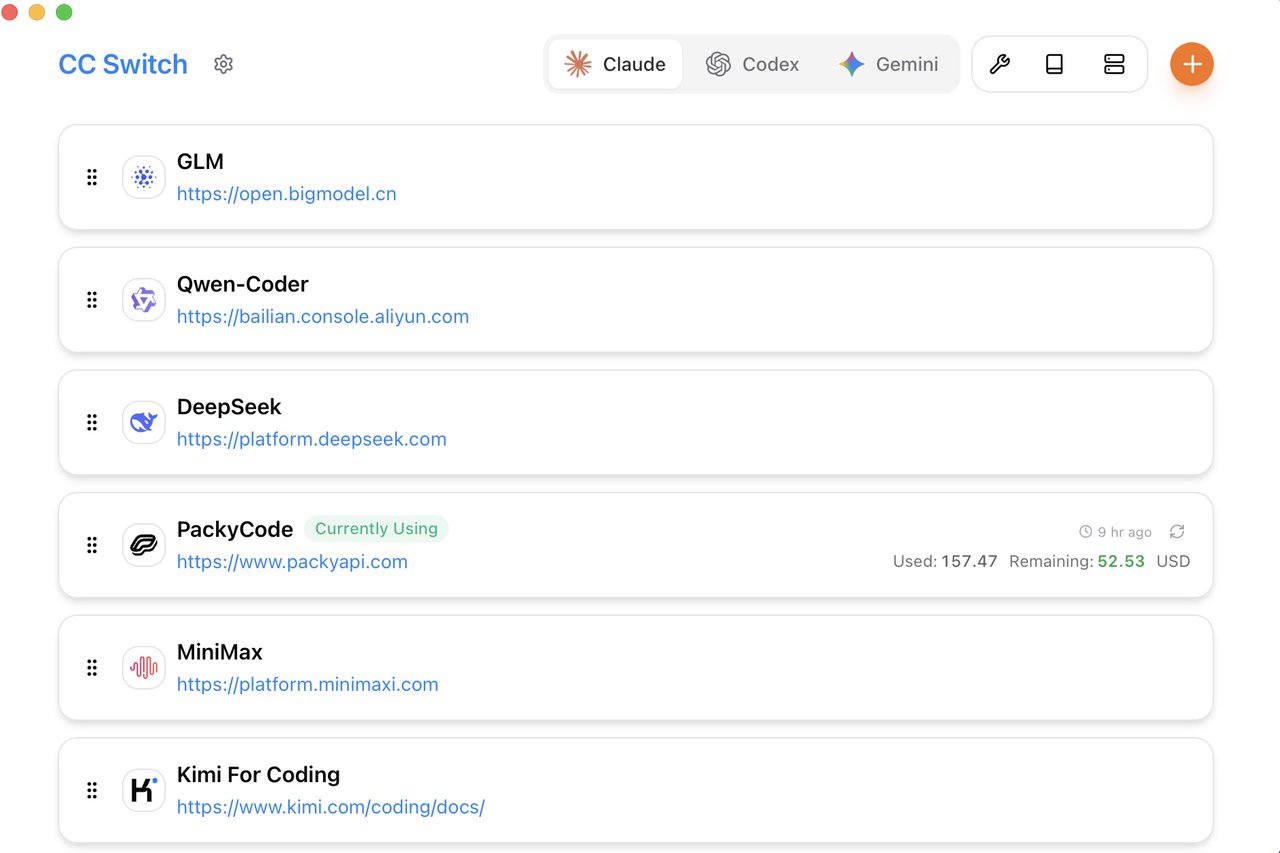
It's a free desktop app that puts all your AI coding assistants behind one visual dashboard. You pick a provider, click a button, and it handles the rest — no terminal commands, no editing JSON files, no restarting anything.
Five AI Agents, One Control Panel
CC Switch currently supports five AI coding assistants: Claude Code (Anthropic), Codex (OpenAI), Gemini CLI (Google), OpenCode, and OpenClaw. Tabs at the top of the app let you jump between them instantly.
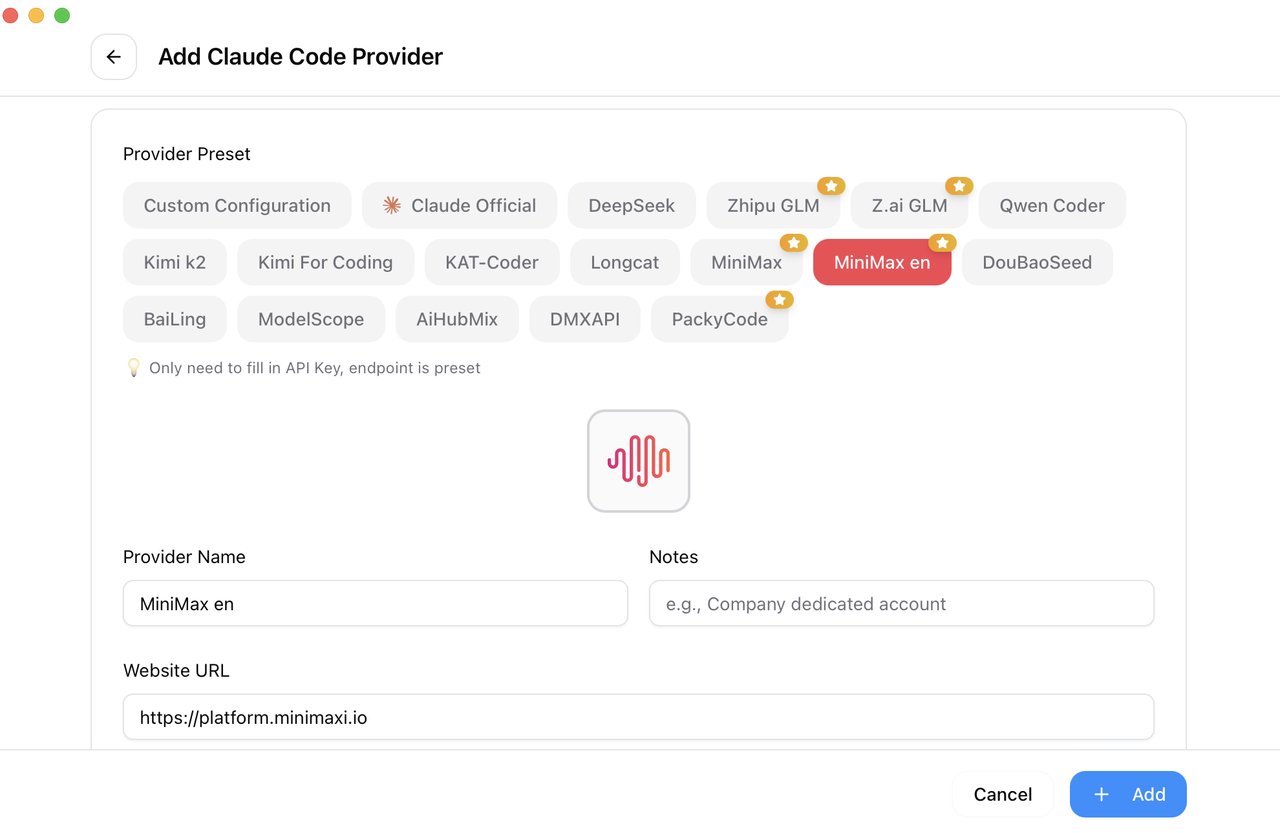
For each assistant, you can manage which AI provider powers it. The app ships with 50+ pre-configured provider presets — including DeepSeek, Qwen Coder, MiniMax, Zhipu GLM, and many more. Adding a new provider takes two steps: pick a preset and paste your API key. The endpoint URL is already filled in for you.
Track Spending Across Every Provider
One of the standout features is the built-in usage dashboard. It tracks how much you've spent, how many requests you've made, and how many tokens (the units AI uses to process text) you've used — broken down by model and provider.
The main screen shows your active provider with a live balance: "Used: $157.47, Remaining: $52.53." If you're juggling multiple API accounts across different services, this alone can save you from surprise bills at the end of the month.
Key Features at a Glance
- One-click provider switching — swap between DeepSeek, Claude, Qwen, and 50+ others from the system tray
- Unified MCP management — configure MCP servers (tools that extend what AI assistants can do) once, and sync across all five apps
- Cloud sync — back up your settings to Dropbox, OneDrive, iCloud, or any WebDAV server
- Proxy mode — route requests through a local proxy with automatic failover if one provider goes down
- Skill installer — add new capabilities to your AI assistant with one click from GitHub repos
- Session history — browse past conversations across all supported assistants
Who Is This For?
Developers using multiple AI assistants will get the most out of CC Switch. If you've been manually editing settings.json or .env files every time you want to test a different AI provider, this replaces all of that with drag-and-drop cards and one-click buttons.
Teams managing shared API accounts can use the cloud sync feature to keep provider configurations consistent across machines. And anyone tracking AI spending across multiple services finally gets a single place to see all the numbers.
Even if you uninstall CC Switch later, your AI assistants keep working normally — all configurations stay in their original files.
Install It in Under a Minute
CC Switch runs on Windows, macOS, and Linux. On Mac, the fastest way:
brew tap farion1231/ccswitch
brew install --cask cc-switch
On Windows, download the .msi installer from the GitHub releases page. Linux users can grab .deb, .rpm, .AppImage, or .flatpak packages — Arch Linux users can install via paru -S cc-switch-bin.
The app currently supports English, Chinese, and Japanese interfaces, with dark and light themes available.
30K Stars and Climbing
CC Switch has hit 30,500 GitHub stars with 1,800+ forks, adding nearly 600 stars in a single day. The project is on version 3.12.2, with the most recent update adding OpenAI Responses API support and improved WebDAV cloud sync.
As AI coding assistants multiply — Claude Code, Codex, Gemini CLI, Cursor, Windsurf, and more — the need for a unified management layer was inevitable. CC Switch is the first widely-adopted answer to that problem, and its rapid GitHub growth suggests developers have been waiting for exactly this.
Related Content — Get Started with Easy Claude Code | Free Learning Guides | More AI News
Stay updated on AI news
Simple explanations of the latest AI developments