A developer turned Markdown into a language AI agents use to build live apps
Fabian Kübler's prototype lets AI generate interactive UIs inside chat — forms, progress bars, and dashboards — all from a single markdown stream.
What if your AI assistant didn't just describe a dashboard — but actually built one for you, live, inside the chat window? That's exactly what developer Fabian Kübler demonstrated in a prototype that's now trending on Hacker News with dozens of comments and growing excitement.
Kübler's idea is deceptively simple: use Markdown — the same formatting language behind every README file on GitHub — as a protocol (a shared language) that lets AI agents generate real, working user interfaces while they're still typing their response.
Why Markdown? Because AI Already Speaks It
Large language models like Claude and GPT have been trained on billions of Markdown documents. They know how to write headings, code blocks, and formatted text instinctively. Kübler's insight: instead of inventing a new protocol for AI-generated interfaces, just extend what AI models already know.
His system uses three block types that fit naturally into Markdown:
Text blocks — Regular Markdown that appears as conversational text
Code blocks — TypeScript/React code that executes on the server as the AI types it
Data blocks — JSON data that streams into UI components in real time
The result: an AI that doesn't just answer "here's how to make a progress bar" — it renders a working progress bar right in the chat, updating live as data flows in.
From Static Text to Interactive Dashboards
The prototype demonstrates six increasingly impressive capabilities:
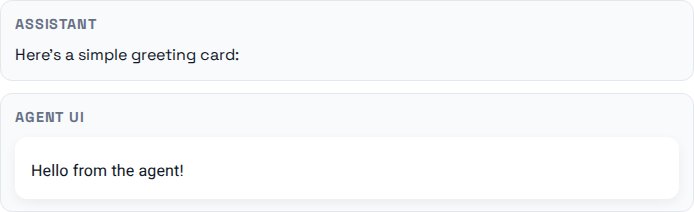
Static components — AI generates a greeting card that renders instantly
Forms with validation — AI creates input forms with built-in rules, then waits for your response before continuing
Live progress bars — A loading bar updates in real time as the AI processes data
Streaming data — Movie recommendations appear one by one as the AI generates them, each with a rendered card
The most powerful demo: "slots" — the AI first creates a skeleton layout (like a loading screen), then progressively fills each section with content. Think of it like watching a webpage load piece by piece, except the AI is building it from scratch in real time.
The Secret Ingredient: Streaming Execution
Most AI tools wait until the entire response is finished before doing anything with it. Kübler's system executes code as each line arrives — no waiting for the full response. This means API calls start, UI components render, and errors surface while the AI is still generating tokens.
To make this work, he built a custom tool called bun-streaming-exec that parses and runs TypeScript statements the moment they're complete, maintaining a shared context so each new line of code can reference everything that came before.
A Feedback Loop That Makes AI Smarter
Here's where it gets clever. When the AI writes code like fetchMessages(), the system runs it and feeds the result back to the AI. So if you ask "how many messages did I get?", the AI:
- Writes code to fetch your messages
- The system runs it and logs "messagesCount: 4"
- The AI sees that output and responds: "You have 4 messages"
The AI is using code as its eyes and hands, not just generating text about what code could do.
Who Should Pay Attention
If you build chatbots or AI assistants, this prototype shows where the industry is heading. Today's chat interfaces — plain text with occasional buttons — will look primitive compared to AI that generates full interactive dashboards on the fly.
If you're a designer, the implications are significant: AI won't just help you design interfaces, it could generate them dynamically based on each user's specific question or context. No two users would see the same UI.
If you use AI tools daily, imagine asking Claude or ChatGPT to "show me my sales data" and getting a live, filterable chart instead of a wall of numbers. That's the future this prototype points toward.
Why This Matters Now
Kübler's design philosophy is practical: use TypeScript (the most popular language on GitHub), React (the most widely-used UI framework), and Markdown (the format AI knows best). No new languages to learn, no specialized training required — the AI picks it up immediately because it already knows all the building blocks.
The prototype is fully documented on Kübler's blog with detailed technical explanations and video demos. Security considerations like sandboxing (running code in a protected environment) and prompt injection (tricking the AI into running malicious code) remain open challenges — but ones the entire AI industry is working on, not unique to this approach.
As Kübler puts it: the question isn't whether AI-generated interfaces will happen. It's whether we'll build them on patterns AI already knows — or force it to learn something new.
Related Content — Get Started with Easy Claude Code | Free Learning Guides | More AI News
Sources
Stay updated on AI news
Simple explanations of the latest AI developments