TaxHacker: the AI accountant that lives on a server you own
TaxHacker is a free, self-hosted AI app that scans receipts and invoices, auto-categorizes expenses, and supports 170+ currencies — all without sending data to the cloud.
Freelancers and small business owners know the pain: a shoebox of crumpled receipts, a spreadsheet that never balances, and the annual panic before tax season. TaxHacker is a free, self-hosted app that uses AI to scan receipts, extract every detail, and organize it all into a clean database — without ever sending your financial data to someone else's server.
Built by Berlin-based indie hacker vas3k, TaxHacker just hit 1,600+ GitHub stars and is trending as one of the most-starred new projects this week. It's MIT-licensed, meaning it's completely free to use and modify.
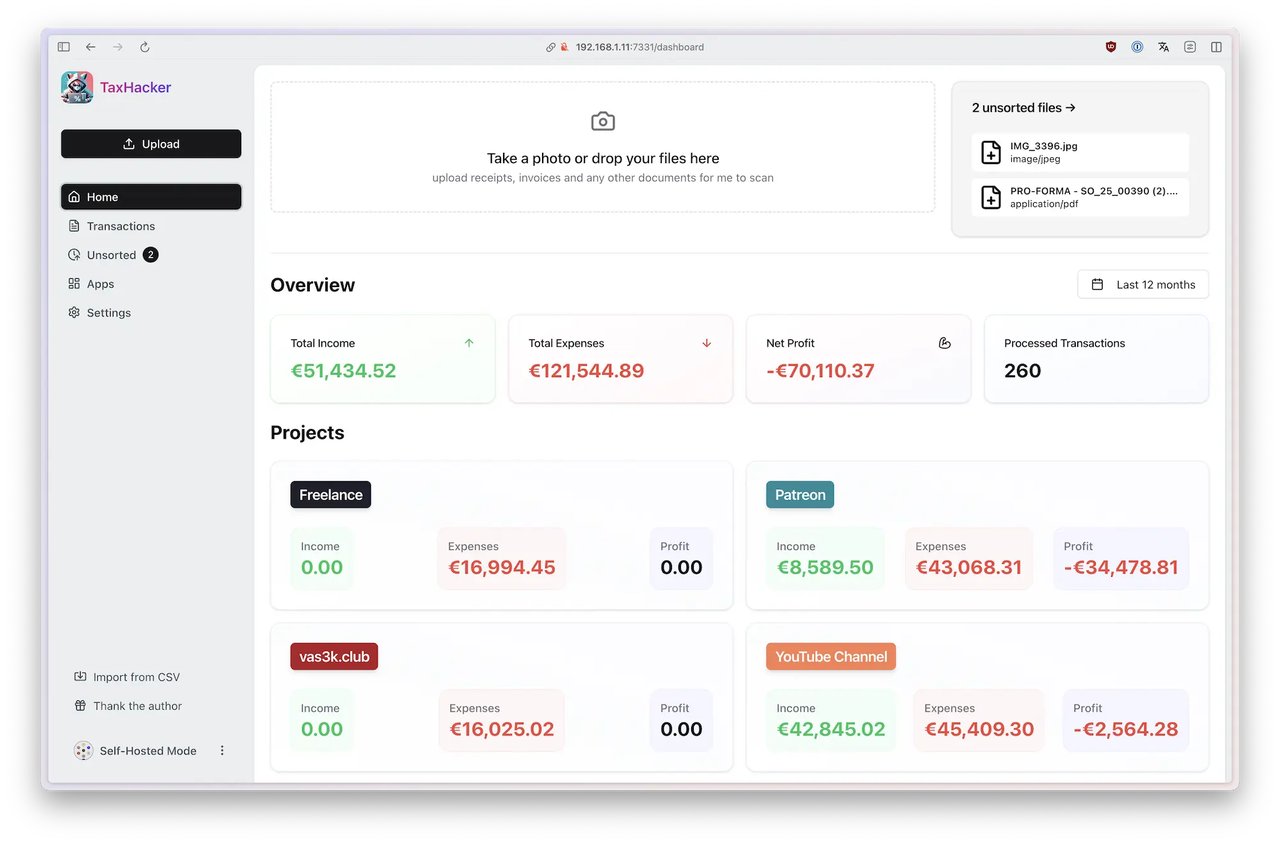
Snap a receipt, AI does the rest
The workflow is dead simple: take a photo of a receipt or drag-and-drop an invoice PDF into TaxHacker. The AI reads the document and automatically extracts the merchant name, date, amount, tax (VAT), currency, and individual line items. Everything gets saved to a structured database you can search, filter, and export.
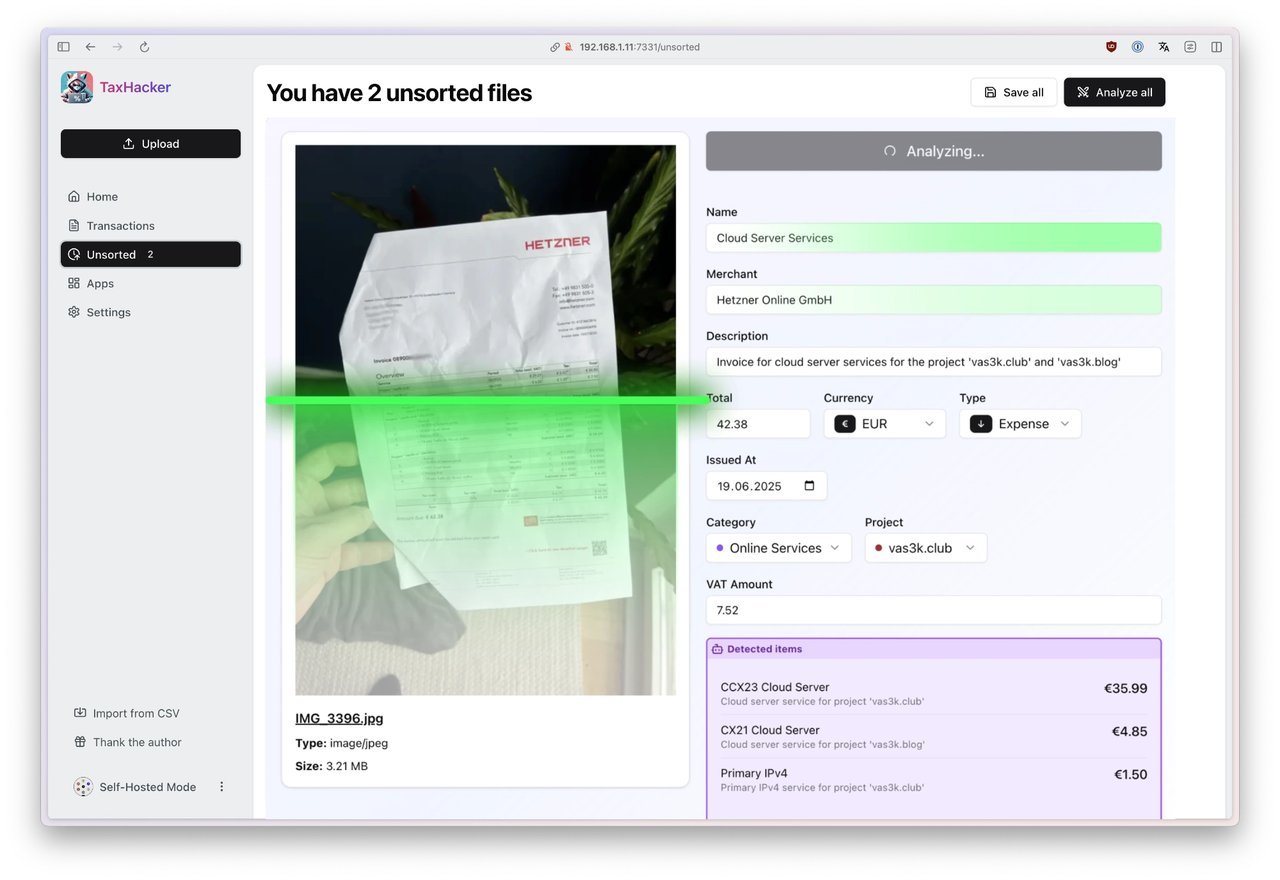
The scanner doesn't just grab the total — it breaks invoices into individual items. In the screenshot above, a single Hetzner invoice gets split into three separate cloud services, each with its own amount and description. That level of detail matters when you're filing taxes in countries like Germany where every line item counts.
Pick the AI brain behind it
TaxHacker doesn't lock you into one AI provider. You can connect it to:
Supported AI providers:
• OpenAI (GPT-4o and newer) — best accuracy for most documents
• Google Gemini — strong multilingual receipt support
• Mistral — European-hosted alternative for GDPR-conscious users
• Local LLMs — coming soon, for fully offline operation
You can even write custom prompts (instructions that tell the AI exactly how to read your documents) to match your specific business needs. For example, you could tell the AI to always categorize Amazon purchases as "Office Supplies" or to flag transactions above a certain amount.
170+ currencies, crypto included
If you work internationally or get paid in different currencies, TaxHacker automatically detects the currency from your receipts and converts amounts using historical exchange rates. It supports 170+ world currencies and 14 cryptocurrencies including Bitcoin, Ethereum, and Polkadot — useful for freelancers who accept crypto payments.
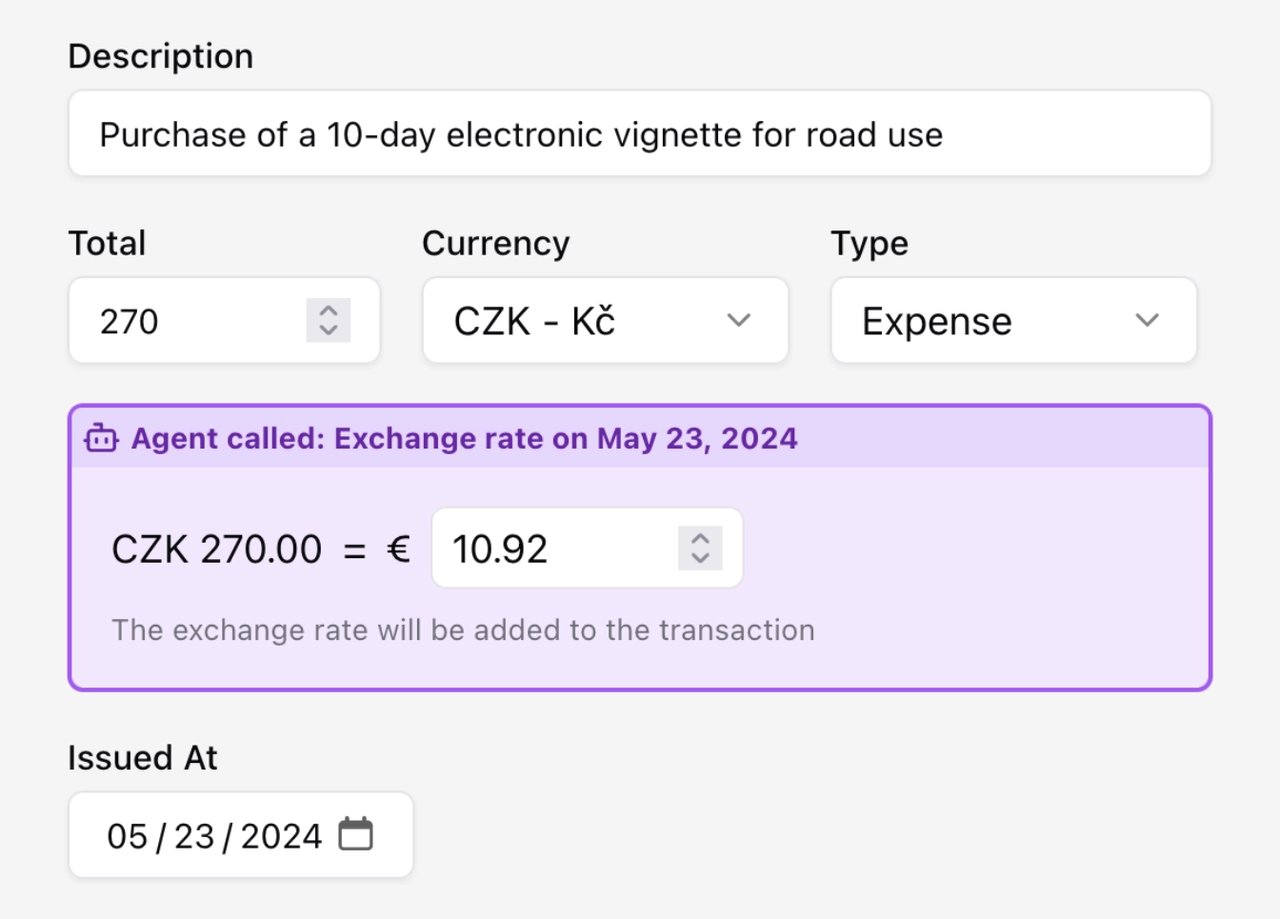
Who should try this
Freelancers and solopreneurs: Stop manually entering receipts. Snap a photo after every purchase and let AI sort it. Come tax time, export a clean CSV your accountant will love.
Privacy-first users: Unlike cloud accounting services, TaxHacker runs entirely on your own machine. Your invoices, client names, and financial data never leave your network.
Small agencies and teams: Multi-user auth support means your whole team can upload expenses, each tagged to different projects and categories.
Up and running in two commands
TaxHacker runs in Docker (a way to run apps in isolated containers without installing anything on your system). If you have Docker installed, setup takes about 30 seconds:
curl -O https://raw.githubusercontent.com/vas3k/TaxHacker/main/docker-compose.yml
docker compose up
Then open localhost:7331 in your browser and start uploading receipts. You'll need to add your AI provider API key (from OpenAI, Google, or Mistral) in the Settings page — after that, every upload gets scanned automatically.
The bigger picture
TaxHacker fits a growing trend: developers building self-hosted AI apps that replace expensive SaaS subscriptions. Instead of paying $20-50/month for cloud accounting software, you pay only for the AI API calls — typically a few cents per receipt scan. For a freelancer processing 20 receipts a month, that's under $1 versus $240/year for a typical subscription.
The project is actively maintained, with the latest release (v0.6.1) shipped in March 2026. The GitHub repository includes full documentation, and the developer is responsive to issues and feature requests.
Related Content — Get Started with Easy Claude Code | Free Learning Guides | More AI News
Stay updated on AI news
Simple explanations of the latest AI developments