This free app just put 15 AI agents on one screen
AionUi is a free, open-source desktop app that runs Claude Code, Codex, Gemini, and 12 more AI agents side by side — with scheduling, remote access, and 24/7 automation. 19K GitHub stars.
If you're paying for Claude Code, Codex, Cursor, and three other AI tools — and switching between them all day — a free desktop app just made that obsolete. AionUi puts 15+ AI coding agents into a single window, lets you schedule tasks to run while you sleep, and even gives you remote access from your phone. It just crossed 19,500 GitHub stars and is releasing updates almost daily.
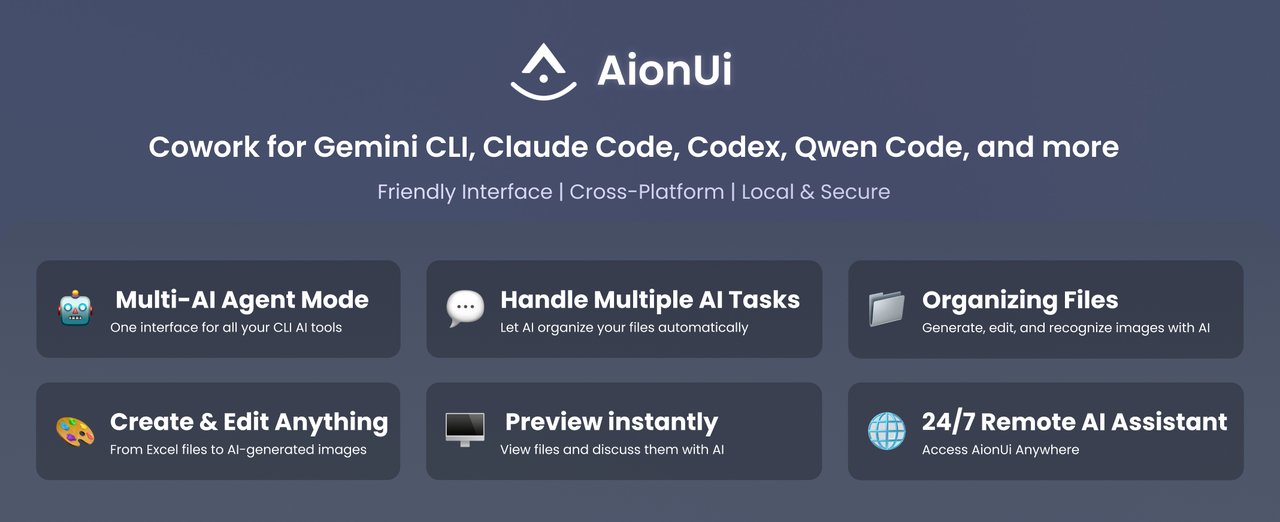
One app instead of six subscriptions
AionUi auto-detects AI coding agents already installed on your computer — Claude Code, Codex, OpenClaw, Goose AI, Augment Code, GitHub Copilot, Qwen Code, and more. Each agent runs in its own independent context, so they don't interfere with each other. You can run them side by side and compare results in real time.
On top of the coding agents, AionUi connects to 20+ AI platforms directly: OpenAI (GPT-5), Anthropic (Claude), Google Gemini, DeepSeek, Ollama (for running AI on your own computer), and even Chinese platforms like Qwen, Kimi, and Baidu. You bring your own API keys or use the built-in agent engine that works immediately after Google login.
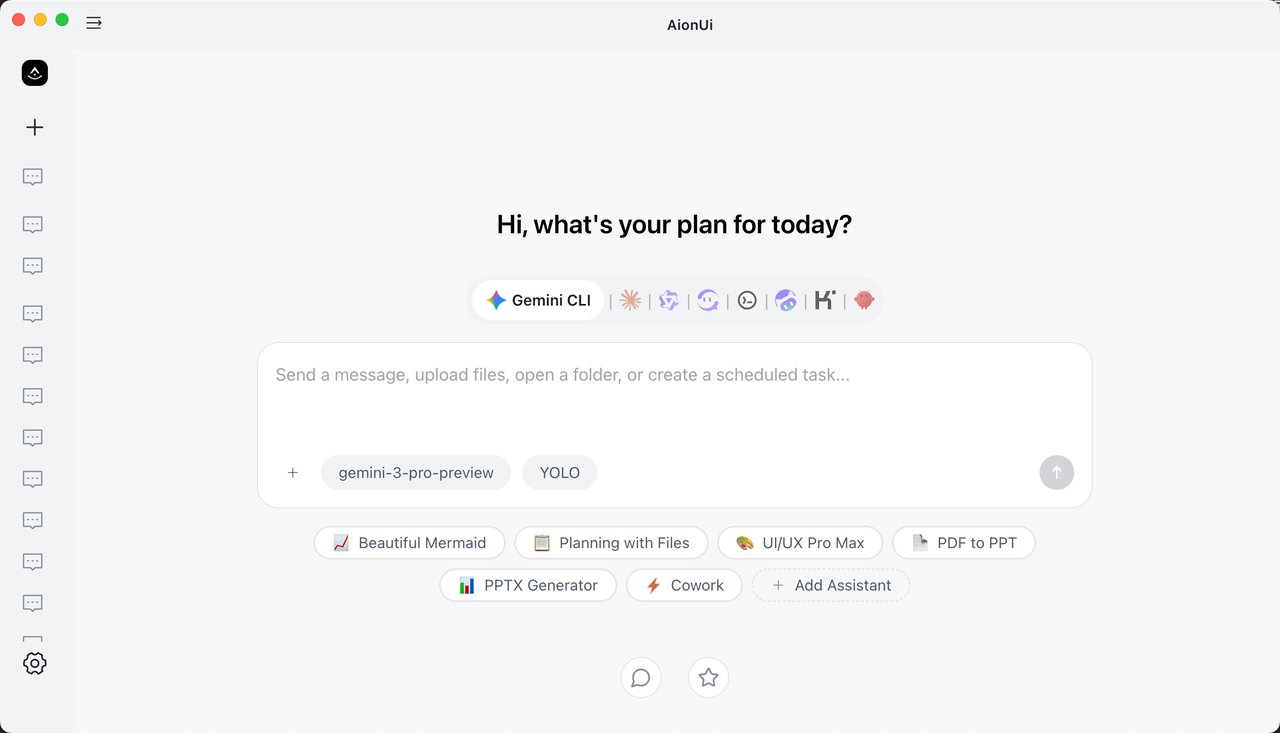
Schedule AI tasks — then walk away
This is where AionUi separates itself from every other AI tool manager. You can schedule recurring tasks using plain English — "Every morning at 9AM, summarize my unread emails" or "Every Friday, generate a weekly report from this spreadsheet." Behind the scenes it creates cron jobs (automated timers), but you never have to touch a command line.
The app runs 24/7 unattended. Set up a task, close your laptop lid, and it keeps working. Each conversation remembers its full history, so the AI picks up exactly where it left off.
- Batch-rename and auto-organize files across folders
- Analyze Excel spreadsheets and generate formatted reports
- Generate images from text descriptions
- Create PowerPoint presentations, Word documents, and Markdown files
- Review pull requests and write code
Control it from your phone
AionUi includes a WebUI (a web-based interface you access through your browser) that works on phones, tablets, and any computer on your network. Log in with a QR code or password, and you get the same full interface — assign tasks, check progress, download files. It also connects to Telegram, Lark, and DingTalk bots, so you can literally text your AI agent a task and get results back in the chat.
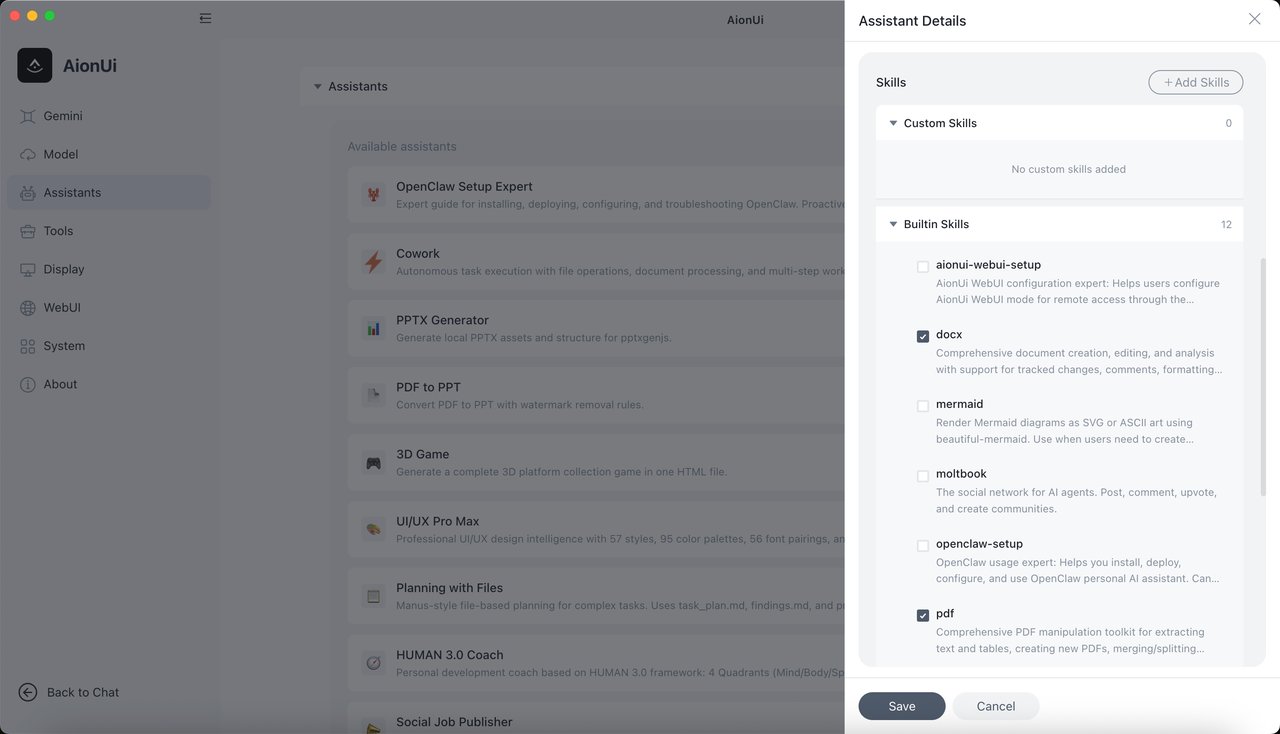
12 built-in assistants for non-coders
You don't have to be a developer to use AionUi. It ships with 12 specialized assistants:
Other assistants include a 3D game builder, a social media job poster, a story roleplay engine, and a personal coach. All of them can read your files, search the web, and generate images.
How to install it
AionUi runs on macOS, Windows, and Linux. On Mac, it's one command:
brew install aionuiOn Windows and Linux, download the installer from the GitHub releases page. The app needs about 500MB of disk space and 4GB of RAM.
The latest version (v1.8.32, released March 20) added CSS theme presets and migrated its tooling for better performance. Updates are landing nearly every day — six releases in the past week alone.
Who should care
If you're juggling multiple AI tools and tired of switching between windows, AionUi consolidates everything. If you're a freelancer or small team that can't afford $200/month in AI subscriptions, the free tier with your own API keys is a game-changer. If you're not a developer, the 12 built-in assistants handle presentations, documents, spreadsheets, and images without writing a line of code.
The project is fully open source on GitHub with 19,500+ stars, and the official site is at aionui.com.
Related Content — Get Started with Easy Claude Code | Free Learning Guides | More AI News
Stay updated on AI news
Simple explanations of the latest AI developments