Canva just made every AI image editable — Magic Layers changes everything
Canva's Magic Layers uses AI to split flat images into movable, editable layers — turning dead-end AI art and old designs into living documents you can remix.
Every AI image generator has the same problem: what you get is a flat picture. You can't move the text. You can't swap the background. You can't adjust one element without regenerating the whole thing. Canva just fixed that.
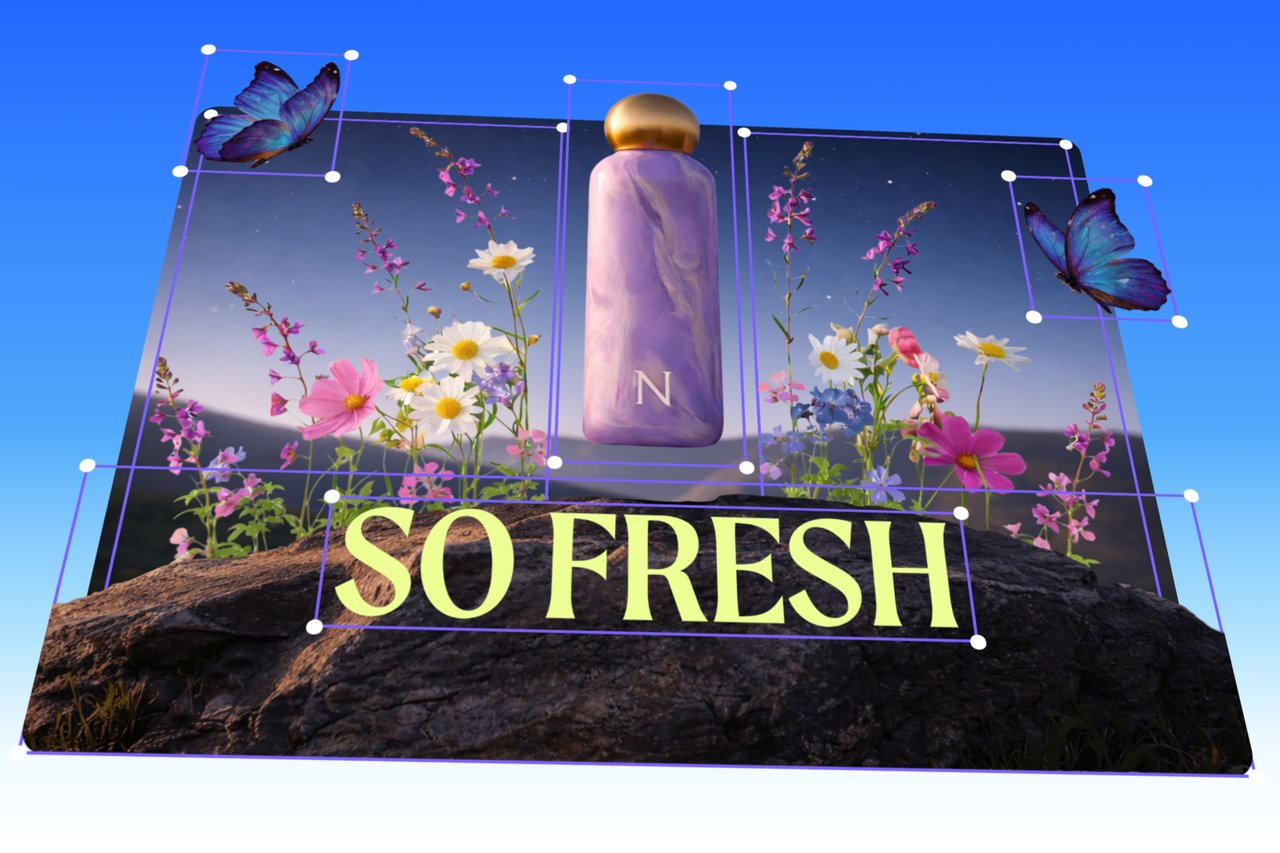
Magic Layers takes any flat image — a PNG, a JPG, an AI-generated poster, even a 5-year-old flyer you found on a hard drive — and automatically splits it into separate, editable layers. Text becomes live text you can retype. Objects become movable pieces you can drag, resize, or delete. The background separates so you can swap it. And the original layout stays intact.
How it works — in three steps
You upload a single-page PNG or JPG into Canva, hit "Magic Layers," and the AI analyzes the entire image. It doesn't just trace outlines like old vector tools. Canva's proprietary Design Model (an AI foundation model launched in October 2025) reads the relationships between elements — which text goes with which box, which object sits in front of which background, how the layout hierarchy works.
Within seconds, the image breaks apart into individual layers that behave exactly like a design you built natively in Canva. You can:
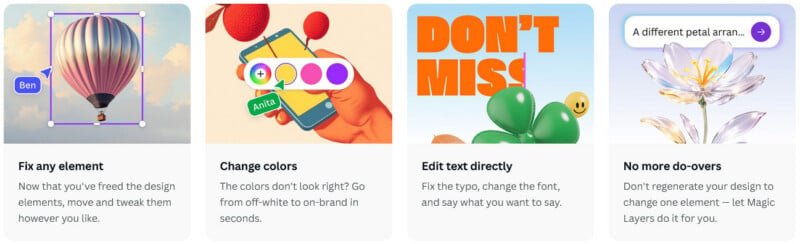
Edit text directly — AI-generated headings become live text boxes you can retype, reformat, or translate
Move and resize objects — Drag logos, product shots, or icons to new positions without affecting the rest
Swap backgrounds — Replace the background while keeping all foreground elements perfectly positioned
Adjust layout — Change colors, fonts, spacing, and composition without regenerating the image
Why this matters for anyone using AI images
Until now, AI image generators like Midjourney, DALL-E, and Gemini produced beautiful images that were essentially dead ends. If you wanted to change one word in an AI-generated poster, you had to write a new prompt and hope the AI got everything else right again. Magic Layers breaks that cycle.
"There's been an explosion of AI-generated content that has, until now, been a dead end," said Cameron Adams, Canva co-founder and Chief Product Officer. "You'd get a finished image you couldn't edit, refine, or make your own. We think AI should spark creation, not stop it."
The Design Model that powers Magic Layers has already generated hundreds of millions of editable presentations, documents, and social posts since its October 2025 launch. It also powers Canva's integrations with ChatGPT, Claude, and Microsoft Copilot — meaning designs created through AI assistants are also fully editable.
Who benefits most
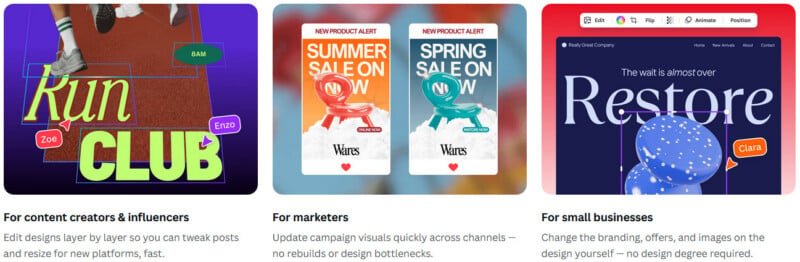
If you're a marketer or social media manager: You can finally take that AI-generated Instagram post and tweak the headline, swap the call-to-action, or resize it for Stories without starting from scratch.
If you're a small business owner: That old flyer from 2019 where you lost the original file? Upload the JPG, Magic Layers rebuilds the layers, and you update the prices and phone number in seconds.
If you're a designer: Think of it as a bridge between AI generation and professional editing. Generate a concept in Midjourney, upload to Canva, break it into layers, and refine it to match brand guidelines — without opening Photoshop.
Available now (with limits)
Magic Layers is in public beta in the United States, United Kingdom, Canada, and Australia, with global expansion planned. It currently works with single-page PNG and JPG files only. The feature is available to both free and paid Canva users, but counts toward your monthly AI usage allowance.
To try it: upload any flat image to Canva, select it, and look for the "Magic Layers" option in the editing toolbar.
Related Content — Get Started with Easy Claude Code | Free Learning Guides | More AI News
Stay updated on AI news
Simple explanations of the latest AI developments