ComfyUI just made AI art as easy as typing a prompt
ComfyUI's new App View strips away complex node graphs, letting anyone generate AI images and videos by just typing a prompt. Free, open-source, and 2.5x faster.
The most powerful open-source AI art tool just became the easiest to use. ComfyUI — a platform with 106,000 GitHub stars used by professional artists, game developers, and content creators — just launched App View, a simplified mode that turns its notoriously complex node-based interface into something anyone can use.
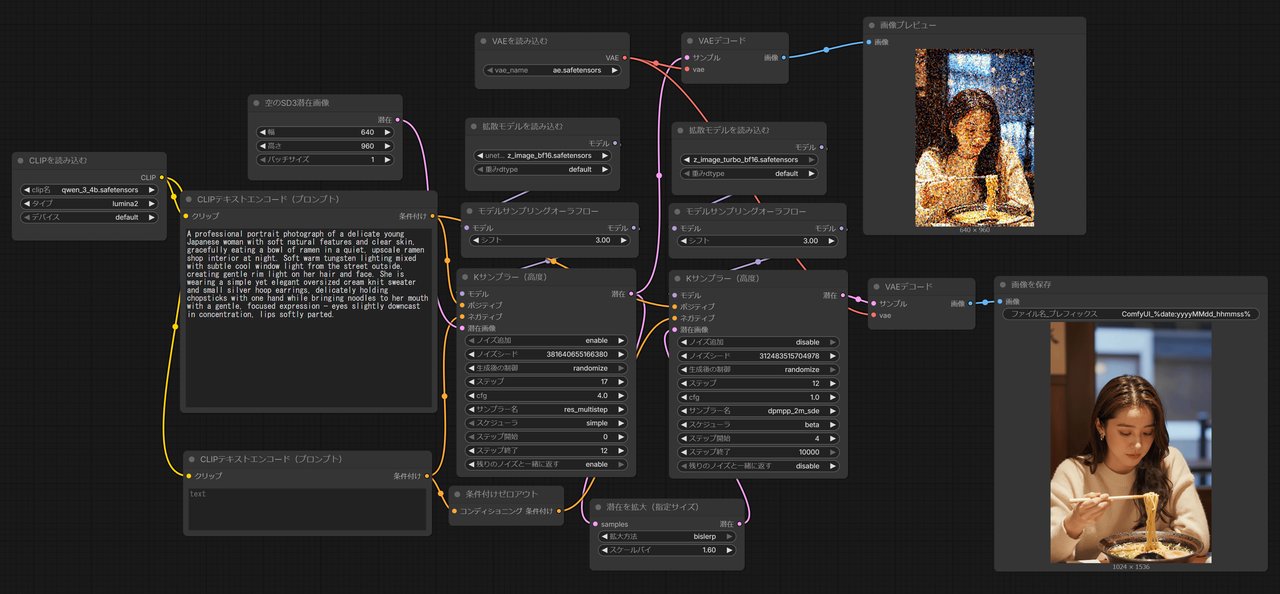
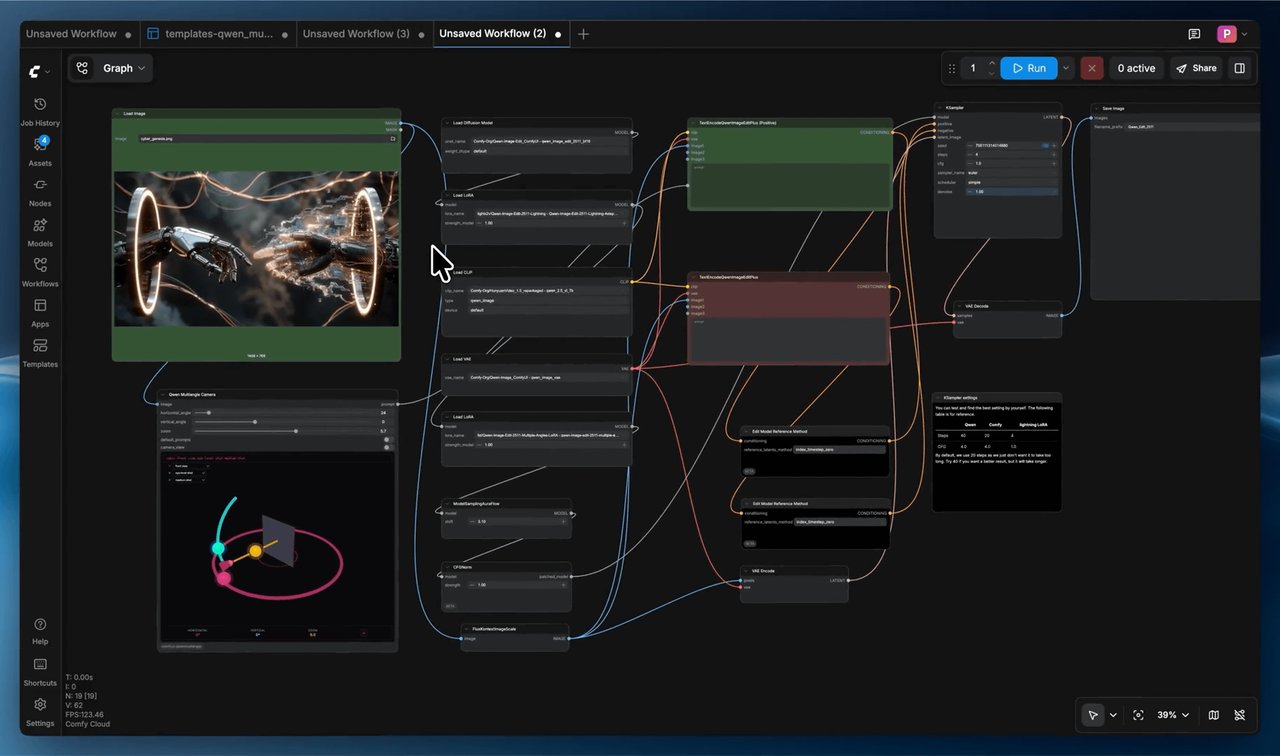
Until now, ComfyUI was like Photoshop for AI art: incredibly powerful, but intimidating. You had to connect dozens of "nodes" (think of them as building blocks on a canvas) to get anything done. App View changes that completely. Now you just type a prompt, adjust a few sliders, and hit generate.
What Changed — and Why It Matters
ComfyUI now has two modes. The original "Node View" is still there for power users who want full control. But the new "App View" strips everything down to essentials: generated results on the left, simple settings on the right.
The key innovation is that any complex workflow can be turned into an app. A professional can build a sophisticated image or video pipeline with dozens of nodes, then share it as a one-click app that anyone can run. No technical knowledge required.
Massive Speed Boost at GDC
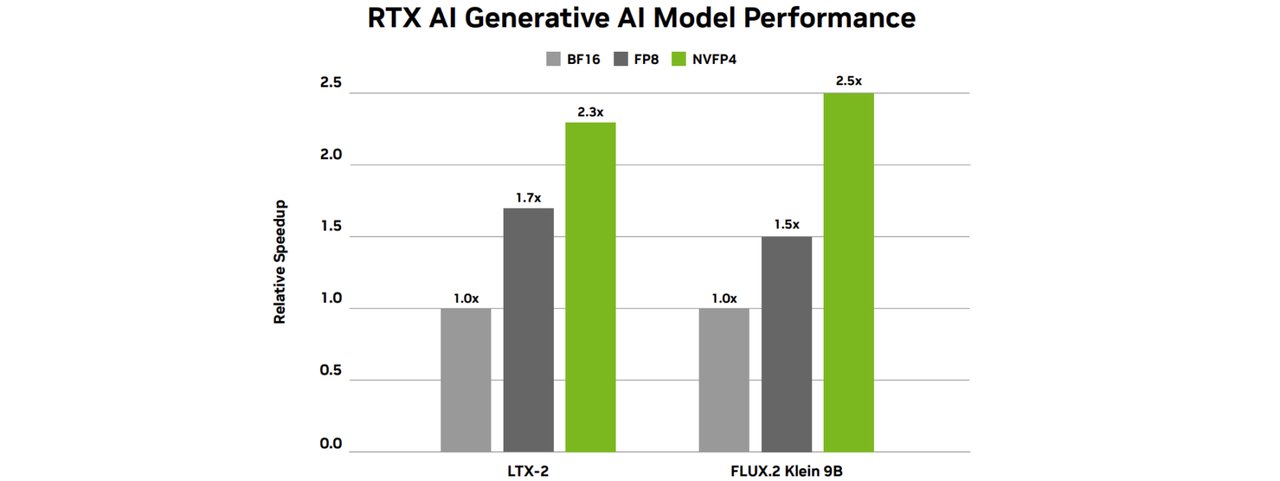
The timing is no accident. At the Game Developers Conference (GDC) 2026 this week, ComfyUI and NVIDIA announced performance optimizations that make the tool dramatically faster:
• 2.5x faster image and video generation on RTX 50 Series GPUs
• 60% less memory needed — run bigger models on cheaper hardware
• 30x faster 4K upscaling than alternative local tools
• 40% overall speed improvement since September across all RTX GPUs
Perhaps most impressive: ComfyUI works on GPUs with as little as 1 GB of video memory, and even supports CPU-only mode. You don't need a $2,000 graphics card to get started.
Images, Videos, Audio, 3D — All in One Tool
ComfyUI isn't just for still images. The platform now supports:
• AI image generation — from Stable Diffusion to FLUX models
• AI video generation — create clips from text prompts using models like LTX-2.3
• Audio generation — create sound effects and music
• 3D model creation — generate 3D objects from text or images
For designers and marketers, this means one free tool replaces subscriptions to Midjourney ($30/month), RunwayML ($15/month), and others. Everything runs on your own computer with no usage limits and no monthly fees.
Share Your AI Apps — No Install Needed
Here's the feature content creators will love most: you can generate a shareable link for any App View workflow. Anyone who clicks the link can run it on ComfyUI Cloud — no downloads, no setup, no GPU required.
This means a designer could create a brand-specific image generation workflow, package it as an app, and share it with their entire team. Everyone gets consistent AI-generated visuals without touching a single technical setting.
Who Should Try This
If you're a designer or content creator who's been curious about AI art but intimidated by the tools — this is your entry point. App View makes ComfyUI as easy as typing into ChatGPT.
If you're a marketer who needs consistent brand visuals — build a workflow once, share it as an app, and let your whole team generate on-brand images.
If you're already using Midjourney or DALL-E — ComfyUI gives you more control, zero monthly costs, and complete privacy since everything runs locally on your machine.
Get Started in 3 Steps
# 1. Download ComfyUI Desktop (Windows or macOS)
#    Visit: https://www.comfy.org/download

# 2. Or install via command line:
pip install comfy-cli
comfy install

# 3. Launch and switch to App View
comfy launch
Once launched, click the top-left icon and select "Enter App Mode" to switch from the complex node view to the simplified interface. Load a template workflow, type your prompt, and generate.
ComfyUI is free, open-source, and runs entirely on your own computer. No account needed, no data sent to the cloud, no subscription fees. With App View, the last barrier — complexity — just disappeared.
Related Content — Get Started with Easy Claude Code | Free Learning Guides | More AI News
Sources
Stay updated on AI news
Simple explanations of the latest AI developments