Notion just let you teach its AI your job — in one click
Notion's new Custom Skills turn any repetitive AI task into a reusable command your whole team can share. Here's how to set them up and why they matter.
If you've ever typed the same instructions into Notion AI more than twice — "rewrite this for customers," "turn these notes into a project plan," "proofread this in our brand voice" — you no longer have to. Notion just shipped Custom Skills, a feature that lets you save any AI prompt as a permanent, one-click command that your entire team can use.
The update, released on March 20, caps a month in which Notion has shipped 10 AI features in 20 days — including image generation, Salesforce integration, GPT-5.4 support, custom meeting-note formatting, and now this.
What Custom Skills actually do
A Custom Skill is simply a Notion page that you mark as a skill. Write a prompt once — for example, "Turn this meeting transcript into a client-ready email with three action items" — and it becomes a reusable command you can trigger two ways:
Two ways to run a Skill:
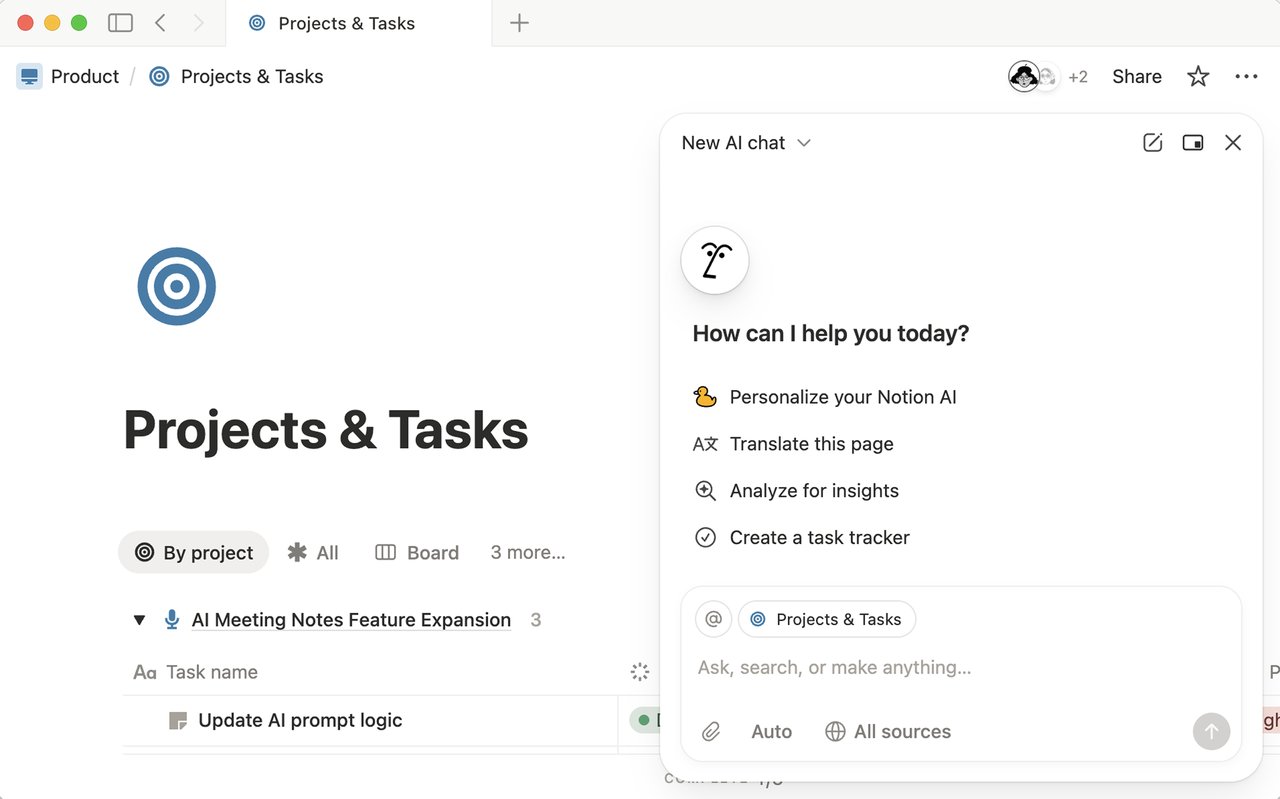
1. Text selection menu — highlight any text on a page, and your saved skills appear alongside Notion's built-in options like "Summarize" and "Translate."
2. @mention in chat — type @ followed by the skill's name in the Notion Agent chat, and it runs your saved prompt with whatever context you provide.
Because skills are just pages, they're collaborative by default. Share a skill page with your team, and everyone gets the same command. If someone improves the prompt, every user gets the updated version instantly — no copying, no version conflicts.
Set one up in 30 seconds
Creating a skill takes three steps:
1. Create a new Notion page
2. Write your prompt (e.g., "Rewrite this for a customer-facing audience in 3 short paragraphs")
3. Click ··· → Use with AI → Set as skill
That's it. You can pin frequently used skills for even faster access, and manage all of them from Settings → Notion AI → General.
What people are already building with skills
The most effective skills aren't generic — they encode how your team actually works. Early adopters are reporting success with:
For marketers: "Rewrite this blog section in our brand voice, using active voice and keeping paragraphs under 3 sentences."
For project managers: "Turn this brainstorm dump into a structured project plan with milestones, owners, and deadlines."
For sales teams: "Convert these meeting notes into a follow-up email highlighting what we agreed, what's pending, and next steps."
For developers: "Reformat this spec into a Jira-ready user story with acceptance criteria."
Notion's AI sprint — 10 features in 20 days
Custom Skills is the latest in a burst of AI releases that has transformed Notion from a note-taking app into a full AI workspace. Here's what shipped in March 2026 alone:
• March 3 — MiniMax M2.5 added as a cost-efficient model option (up to 10x cheaper for basic tasks)
• March 6 — GPT-5.4 added to Notion's model picker
• March 9 — AI image generation — create and edit images directly on any page
• March 11 — Salesforce AI connector — search accounts, leads, and deals from inside Notion
• March 12 — Consent controls for AI Meeting Notes
• March 18 — Custom instructions for AI Meeting Notes (set tone, sections, length)
• March 20 — Custom Skills
Combined with the Custom Agents launch in February (Notion 3.3), Notion now lets you build AI teammates that work autonomously for up to 20 minutes — updating databases, drafting reports, and compiling feedback from connected apps like Slack, Google Drive, and Salesforce.
The catch: Business plan or higher required
Custom Skills are only available on Business ($20/user/month) and Enterprise plans. Since May 2025, Notion has bundled all AI features into these tiers — there's no separate AI add-on anymore. Free and Plus plan users get a limited AI trial but can't access skills, custom agents, AI Meeting Notes, or the Salesforce connector.
If your team already pays for Notion Business, Custom Skills are included at no extra cost. If you're on the Plus plan ($10/user/month), this feature might be the reason to upgrade — especially if your team repeats the same AI tasks daily.
A practical tip for getting the most out of skills
According to productivity expert Matthias Frank's skill engineering guide, the biggest mistake is writing vague prompts. Instead of "make this better," include the why: "Use active voice because it makes the reader feel more engaged." Skills with context consistently outperform generic ones.
His recommendation: start with your most common weekly task, write the prompt as a Notion page, mark it as a skill, run it, see what the AI misses, and improve. Within 2-3 iterations, you'll have a skill that handles 90% of the work.
Related Content — Get Started with Easy Claude Code | Free Learning Guides | More AI News
Sources
Stay updated on AI news
Simple explanations of the latest AI developments