82,000 developers just gave AI the power to browse the web
Browser Use is an open-source tool that lets AI agents click, type, and navigate websites for you. 82K GitHub stars, free, and it works with Claude, Gemini, and ChatGPT.
What if your AI assistant could actually use the internet — not just answer questions about it? That's exactly what Browser Use does. This open-source Python tool gives AI agents the ability to open a real browser, click buttons, fill out forms, and navigate websites — just like a human would.
With 82,000 GitHub stars and over 2,400 projects already depending on it, Browser Use has quietly become one of the most popular AI automation tools in the world. It just hit version 0.12.3 this week with improvements to accuracy and security.
Tell it what you want — it figures out the clicks
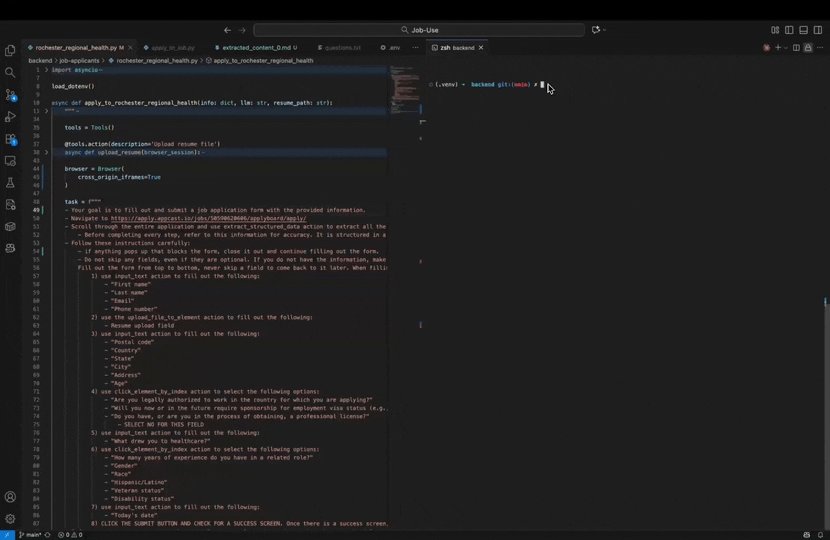
The idea is simple: you describe a task in plain English, and Browser Use translates that into real browser actions. Want to apply for jobs? It opens the page, fills in your name, uploads your resume, and clicks submit. Need to compare prices across 10 stores? It visits each one, reads the results, and gives you a summary.
Unlike traditional web scrapers that break when a website changes its layout, Browser Use works with AI models (like Claude, Gemini, or ChatGPT) to understand what's on the page. It reads the page like a person would, figures out which button to click, and adapts when things look different.
What people are actually building with it
It solves CAPTCHAs and remembers your logins
One of the biggest headaches with browser automation is dealing with CAPTCHAs (those "prove you're human" puzzles) and websites that require you to log in. Browser Use handles both. Version 0.11.13 added an automatic CAPTCHA solver, and the tool can save your login sessions so you don't have to re-authenticate every time.
The latest update (v0.12.3, released March 20) also improved data grounding — a technique that stops the AI from making things up. When it reads data from a webpage, it now double-checks against what's actually on screen, reducing errors in tasks like data extraction.
Security also got a boost: the tool now automatically hides password fields from the AI's view, so your credentials don't end up in AI logs.
Two ways to run it: free or cloud
Browser Use comes in two flavors:
Self-hosted (free, open-source): You run it on your own computer. Full control, no limits, MIT license. Works with any AI model you have access to.
Browser Use Cloud: A managed service with stealth browsers (websites can't tell it's automated), residential proxies (connections that look like they're from real homes), and built-in CAPTCHA solving. Designed for teams running automation at scale.
Try it yourself
Getting started takes about 60 seconds:
pip install browser-useThen create a Python script:
from browser_use import Agent, Browser
import asyncio

async def main():
    agent = Agent(
        task="Search Google for the best budget laptop in 2026",
        browser=Browser(),
    )
    result = await agent.run()
    print(result)

asyncio.run(main())
There's also a command-line interface if you prefer typing commands directly:
browser-use open https://example.com
browser-use click 5
browser-use type "my search query"
browser-use screenshot result.png
Why 82,000 developers chose this over alternatives
The browser automation space is crowded — Selenium, Playwright, and Puppeteer have been around for years. But those tools require you to write code for every single click and scroll. Browser Use flips the approach: you describe the goal, and the AI figures out the steps.
With 120 releases, nearly 9,000 commits, and support for every major AI model, it's matured far beyond a side project. The MIT license means you can use it commercially with zero restrictions.
If you've ever spent an afternoon doing repetitive tasks in a browser — filling forms, comparing prices, gathering data — this tool was built to do that for you. The AI browses. You get the results.
Related Content — Get Started with Easy Claude Code | Free Learning Guides | More AI News
Stay updated on AI news
Simple explanations of the latest AI developments