This YC startup just cloned Claude Cowork — for free
OpenWork is a free, open-source alternative to Claude Cowork with 12K GitHub stars. It works with 50+ AI models, runs on your machine, and lets teams share AI workflows instantly.
Anthropic launched Claude Cowork three days ago — a paid feature that lets you assign AI tasks from your phone. Now a Y Combinator startup called OpenWork just released a free, open-source alternative that does the same thing — and more.
OpenWork already has 12,200 GitHub stars, works with 50+ AI models (Claude, GPT, Gemini, Llama, Mistral — you name it), and runs entirely on your own machine. No subscription. No vendor lock-in. Bring your own API keys.
What OpenWork actually does
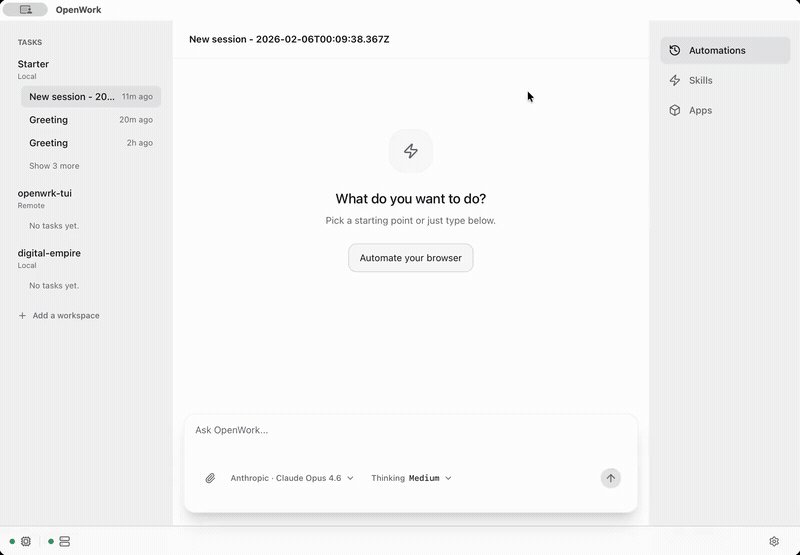
Think of it as a desktop app where AI agents work alongside you — like having a team of assistants that can browse the web, draft emails, summarize documents, and automate repetitive tasks. The key difference from Claude Cowork: you control everything.
Three headline features:
Browser Operator — the AI can control your web browser to fill forms, scrape data, or navigate websites on your behalf
Digital Twin — handles extended tasks like drafting emails, summarizing meeting notes, or processing spreadsheets while you do other work
Sales Inbound — automatically qualifies leads and responds to inquiries, useful for solo founders or small teams
Why this matters if you already use Claude
Claude Cowork is tied to Anthropic's subscription. OpenWork lets you use any AI model — including free local models through Ollama. That means you could run your entire AI workflow without paying for any API at all.
The team collaboration angle is also stronger. Build an automation once, then generate a secure sharing link so your teammates can use it instantly — no setup required on their end. Claude Cowork doesn't offer this yet.
How to try it right now
OpenWork runs on Mac (Intel and Apple Silicon), Windows, and Linux. The fastest way to get started:
Option 1 — Download the app:
Grab the installer from openworklabs.com/download. Pick your platform, install, and you're running in under a minute.
Option 2 — Use the CLI:
npm install -g openwork-orchestrator
openwork start --workspace /path/to/workspace --approval auto
Option 3 — Build from source:
git clone https://github.com/different-ai/openwork.git
cd openwork
pnpm install
pnpm dev
OpenWork vs Claude Cowork — quick comparison
| Feature | Claude Cowork | OpenWork |
| Price | Paid (Claude subscription) | Free / open-source |
| AI models | Claude only | 50+ models (any provider) |
| Runs locally | No (cloud) | Yes |
| Team sharing | Limited | One-click share links |
| Open source | No | Yes (MIT license) |
The bigger picture
OpenWork is part of a wave of open-source tools that replicate paid AI products. OpenCode (127K stars) provides the coding agent backbone. OpenWork adds the desktop UI and team collaboration layer on top.
The project ships fast — v0.11.179 dropped today (March 22) with improved session management and workspace sharing. The team has pushed 1,800+ commits, and the rapid release cycle (multiple updates per day) suggests serious momentum.
For anyone who tried Claude Cowork and thought "I wish this worked with other AI models" or "I don't want to pay for another subscription" — this is your answer.
Related Content — Get Started with Easy Claude Code | Free Learning Guides | More AI News
Stay updated on AI news
Simple explanations of the latest AI developments