17,000 developers just built the AI Microsoft wouldn't
Screenpipe records your screen 24/7 with AI and stores everything locally. 17K GitHub stars make it the open-source alternative to Microsoft Recall.
Remember when Microsoft announced Recall — an AI feature that would screenshot everything on your Windows PC — and the internet lost its mind over privacy? Microsoft delayed it, redesigned it, and locked it behind specific hardware. Meanwhile, an open-source project called Screenpipe quietly built the same idea, made it work on every platform, and earned 17,000 GitHub stars from developers who wanted screen memory without the surveillance concerns.
The difference? Nothing ever leaves your computer.
What Screenpipe actually does
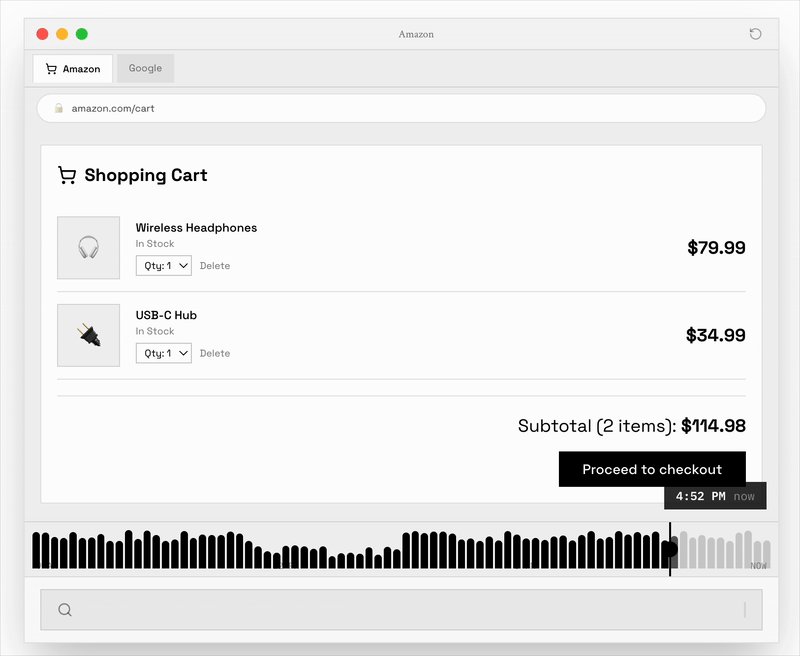
Screenpipe runs quietly in the background, capturing your screen and audio throughout the day. But it doesn't record every frame like a security camera. Instead, it uses event-driven capture — it only takes screenshots when something meaningful happens: you switch apps, click a button, type something, or scroll to new content.
Each capture gets processed by AI on your own machine:
Screen text extraction — uses your operating system's built-in accessibility data (the same structured text that screen readers use) to pull words off your screen instantly. Falls back to OCR (optical character recognition) when accessibility data isn't available.
Audio transcription — converts speech to text using Whisper (an open-source speech recognition model that runs locally) with speaker identification, so you know who said what in meetings.
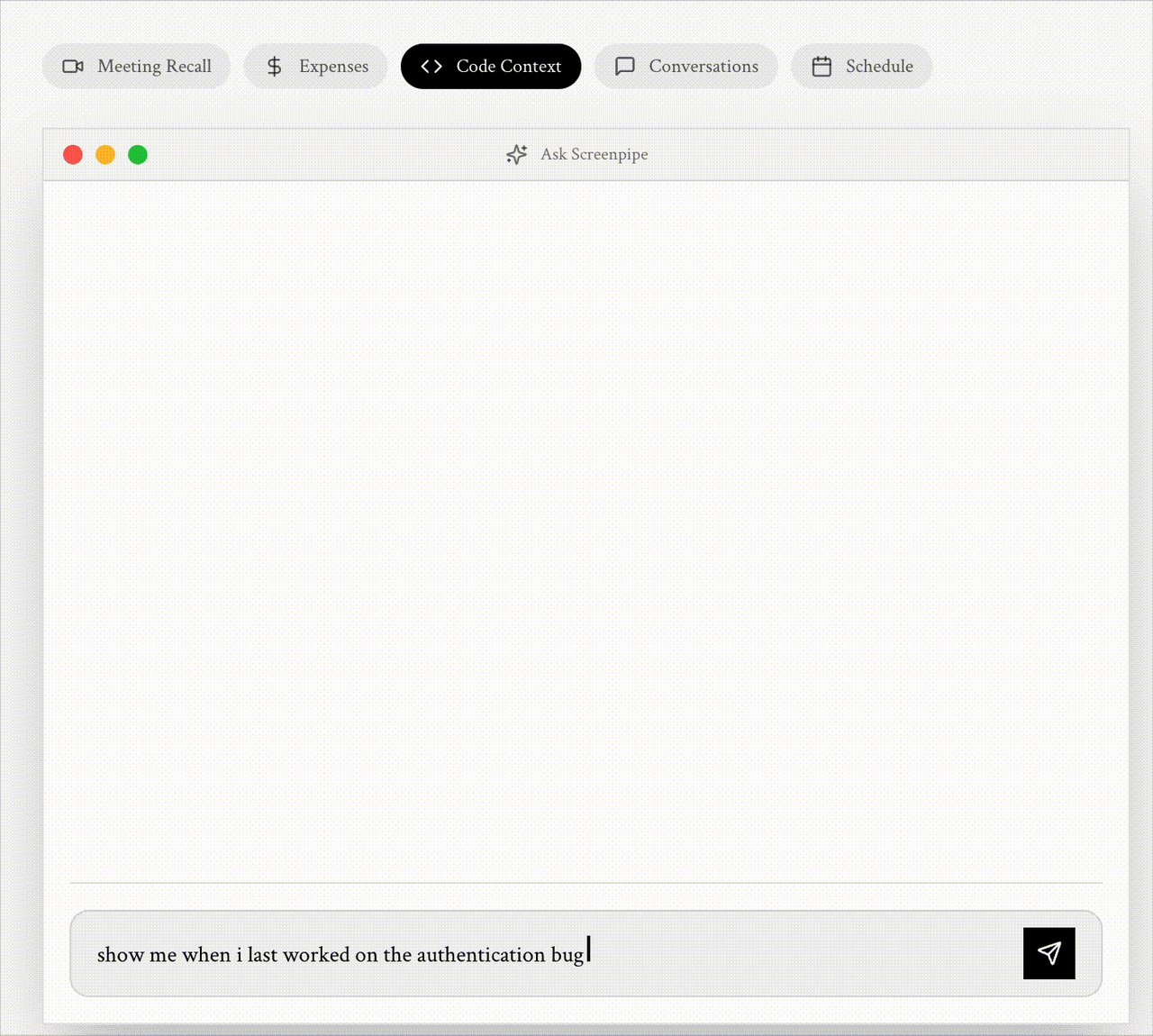
Natural language search — ask questions like "What was that article I read about pricing yesterday?" and get results in under 2 seconds.
The result: a searchable, AI-powered timeline of everything you've done on your computer. Think of it as a photographic memory for your digital life.
How it compares to Microsoft Recall
Microsoft Recall launched with enormous controversy in 2024. Security researchers found it stored data in plaintext. Privacy advocates called it a surveillance tool. Microsoft pulled it back, added encryption, and re-released it — but only for Windows PCs with specific hardware (Copilot+ PCs with NPU chips).
Screenpipe takes the opposite approach on almost every front:
Screenpipe
• Open source (MIT license)
• macOS, Windows, Linux
• No special hardware needed
• 100% local storage
• Screen + audio capture
• PII auto-redaction built in
• Developer API included
Microsoft Recall
• Proprietary, closed source
• Windows only
• Requires Copilot+ PC (NPU chip)
• Cloud sync optional
• Screen only — no audio
• No PII redaction at launch
• No public API
The numbers that matter
Screenpipe is surprisingly lightweight for an app that records your entire screen:
- CPU usage: 5–10% on modern hardware
- RAM: 0.5–3 GB
- Storage: ~63 MB per hour, roughly 15 GB per month for 8-hour daily use
- Works offline: no internet connection required
The community numbers are equally notable: 10,000+ Discord members, active development with regular releases, and growing adoption among knowledge workers, developers, and people with ADHD who lose track of tabs and windows.
It plugs directly into Claude Code and Cursor
Here's where Screenpipe gets especially interesting for AI power users. It works as an MCP server (Model Context Protocol — a standard way for AI tools to connect to data sources), meaning you can give Claude Code or Cursor direct access to your screen history.
Imagine telling Claude: "What was that error message I saw 20 minutes ago?" or "Summarize the meeting I just had on Zoom." Your AI assistant can now reference everything you've seen and heard — without any of that data leaving your machine.
To connect it to Claude Code:
claude mcp add screenpipe -- npx -y screenpipe-mcpScreenpipe also supports Pipes — scheduled AI agents defined as simple markdown files that can query your captured data and take actions. Think of them as automated workflows: "Every day at 5pm, summarize what I worked on and post it to Slack."
What it costs
Screenpipe offers two paths:
$400 one-time — Lifetime license for the desktop app. All core features, local AI, no recurring fees.
$39/month Pro — Adds cloud sync (encrypted), priority support, and cloud transcription for faster processing.
Free (CLI only) — The command-line version is fully open source under MIT license. You can run npx screenpipe@latest record to start recording immediately.
The CLI gives you full functionality — the paid version adds a polished desktop interface and convenience features.
Who should pay attention
If you're a knowledge worker who constantly loses track of where you saw something — an email, a Slack message, a document — Screenpipe turns your computer into a searchable archive of your workday.
If you take a lot of video calls, the automatic meeting transcription works with Zoom, Google Meet, Microsoft Teams, and Webex. No more scrambling for notes after a call.
If you use Claude Code or Cursor, the MCP integration means your AI coding assistant can see what you see — looking up error messages, referencing documentation you browsed, or recalling context from earlier in your session.
If you care about privacy, this is the only screen recording AI that's fully open source, runs 100% locally by default, and automatically redacts personally identifiable information before any AI processing.
The bigger picture
Screenpipe sits at the center of a growing tension in tech: people want AI that knows their context, but they don't want to hand that context to a corporation. Microsoft tried to solve this with Recall and got burned. Apple has been cautiously adding "Apple Intelligence" features that process data on-device.
Screenpipe's bet is that the open-source community can build this faster, more transparently, and with stronger privacy guarantees than any big tech company. With 17,000 stars and a 10,000-member community, that bet is looking increasingly solid.
The source code is available on GitHub, and the desktop app is available at screenpi.pe.
Related Content — Get Started with Easy Claude Code | Free Learning Guides | More AI News
Stay updated on AI news
Simple explanations of the latest AI developments