LightRAG just hit 30K GitHub stars — chat with your documents using AI
LightRAG lets you ask questions about your own files using AI and a knowledge graph. With 30K GitHub stars and a new one-command Docker setup, it's now easier than ever to try.
LightRAG, an open-source AI tool that lets you have conversations with your own documents, just crossed 30,000 GitHub stars — and a March 2026 update makes setting it up as easy as running a single command.
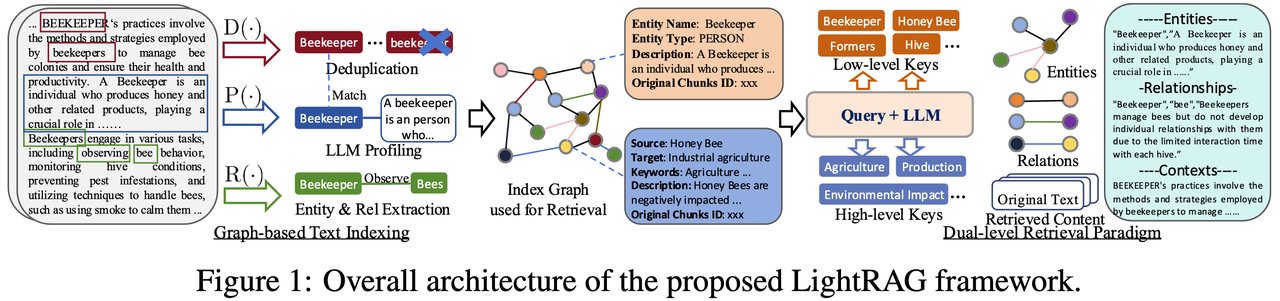
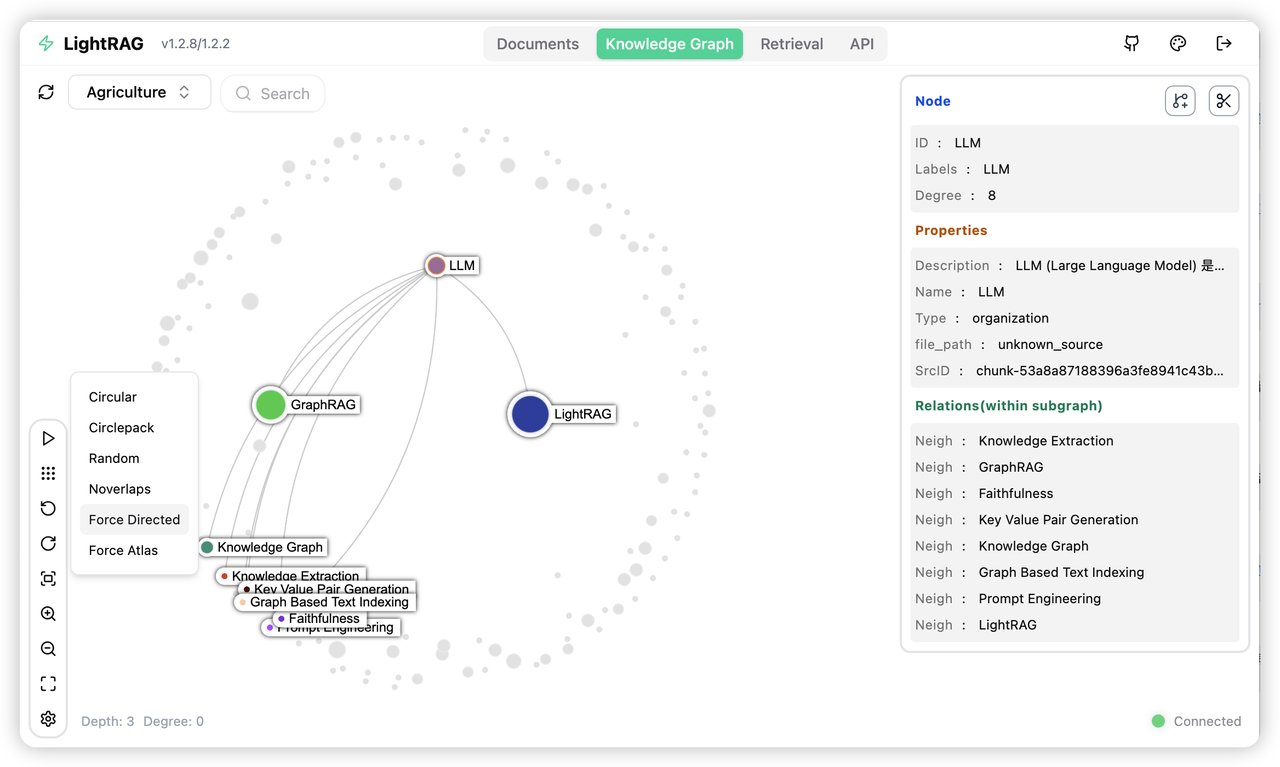
Unlike basic search, LightRAG builds a knowledge graph (a web of connections between ideas in your files) so when you ask a question, it doesn't just find matching words — it understands how concepts in your documents relate to each other.
Why 30,000 developers chose this over alternatives
Most "chat with your documents" tools use a technique called RAG (Retrieval-Augmented Generation) — they chop your files into pieces, search for relevant chunks, and feed them to an AI. The problem? Important context often gets lost between chunks.
LightRAG takes a different approach. It reads your documents and automatically maps out every entity and relationship — people, companies, dates, concepts — into an interconnected graph. When you ask a question, it searches both the text chunks and the graph connections simultaneously.
The March 2026 update changed everything
LightRAG was already popular among developers, but the latest updates made it dramatically more accessible:
localhost:9621 lets you upload documents, explore the knowledge graph visually, and ask questions — all from your browser.
How it works under the hood
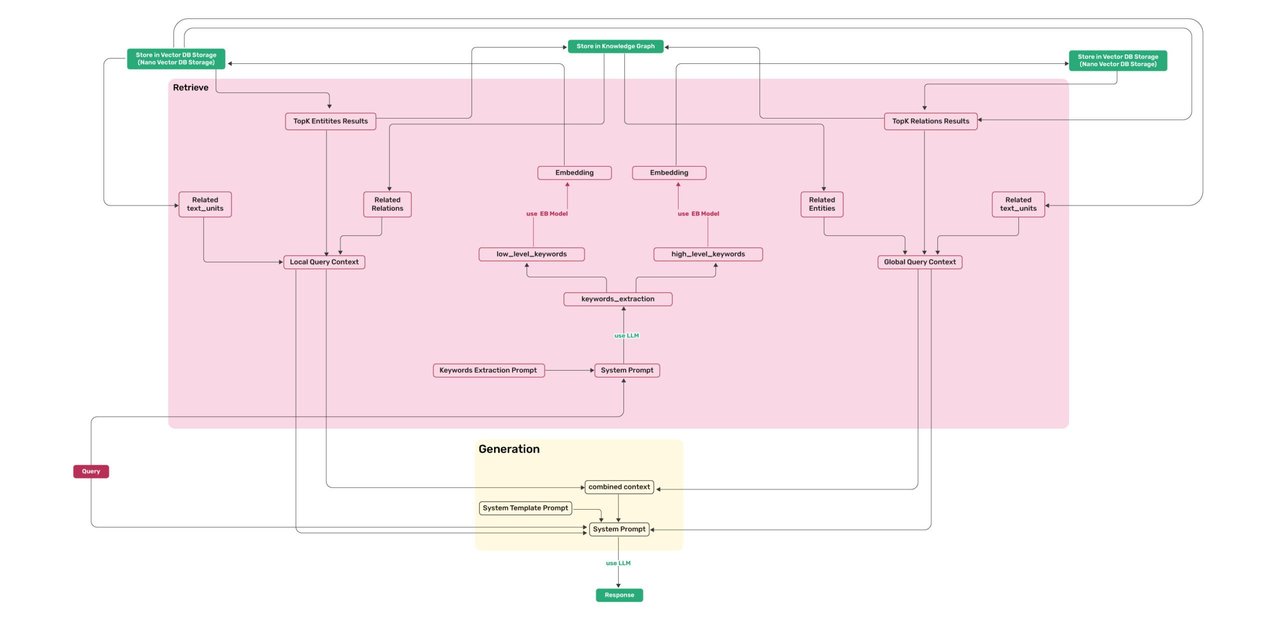
LightRAG uses a dual-level retrieval system:
- Low-level retrieval — searches specific entities and their direct relationships ("What did Company X announce?")
- High-level retrieval — searches broader themes and abstract connections ("What trends are emerging in this industry?")
Both levels run simultaneously and combine results, giving you answers that are both specific and contextually rich. The system was published at EMNLP 2025, one of the top academic conferences in natural language processing.
Who should try this
If you're a researcher or student — upload your paper collection and ask questions across hundreds of PDFs at once. The knowledge graph connects findings across papers automatically.
If you manage documents at work — upload contracts, reports, or meeting notes. Ask "Which clients mentioned budget concerns in Q1?" and get answers pulled from across all your files.
If you're building AI applications — LightRAG's REST API integrates with tools like Open WebUI and supports models from OpenAI, Ollama (local), and other providers.
Try it yourself
The fastest way to get started is with Docker:
git clone https://github.com/HKUDS/LightRAG.git
cd LightRAG
cp env.example .env
docker compose up
Then open http://localhost:9621/webui/ in your browser. Upload a document and start asking questions.
Or install directly with pip:
pip install "lightrag-hku[api]"The bigger picture
LightRAG sits in a rapidly growing space. Tools like Dify, LlamaIndex, and Langflow all offer document Q&A capabilities. But LightRAG's knowledge graph approach has a distinct advantage: it gets smarter as you add more documents, because more data means richer connections in the graph.
With 30,000 stars and an active community on GitHub and Discord, LightRAG has become one of the most popular open-source RAG frameworks available — and now it's accessible to anyone who can run Docker.
Related Content — Get Started with Easy Claude Code | Free Learning Guides | More AI News
Stay updated on AI news
Simple explanations of the latest AI developments