Claude just learned to use your computer — while you're away
Anthropic launched Claude Computer Use, letting AI click, type, and navigate your Mac or Windows desktop autonomously. Available now in research preview for Pro and Max subscribers.
Anthropic just crossed a line that separates chatbots from digital coworkers. As of March 23, Claude can now control your actual computer — moving your mouse, typing on your keyboard, opening apps, and navigating browsers to finish tasks while you step away.
This isn't a hypothetical demo. It's live right now in Claude Cowork and Claude Code as a research preview for paying subscribers on macOS and Windows.
From chatbot to desktop autopilot
Here's what changed: Claude can now point, click, scroll, and type across any application on your screen. It can open files, fill spreadsheets, navigate your browser, run developer tools, and complete multi-step workflows — all without you touching the keyboard.
Claude is smart about how it approaches tasks. It first checks if it has a direct integration (connectors to Slack, Google Calendar, etc.) for faster, more reliable execution. When there's no connector, it falls back to screen-based control — literally reading your display and clicking through interfaces like a human would.
- Compile a research report by opening your browser, searching multiple sources, and assembling findings into a document
- Organize messy file directories — renaming, sorting, and moving files where they belong
- Run development tests, make code changes in your IDE (code editor), and submit pull requests
- Fill out spreadsheets with data pulled from multiple apps
- Handle repetitive admin tasks across tools that don't have API integrations
Assign tasks from your phone with Dispatch
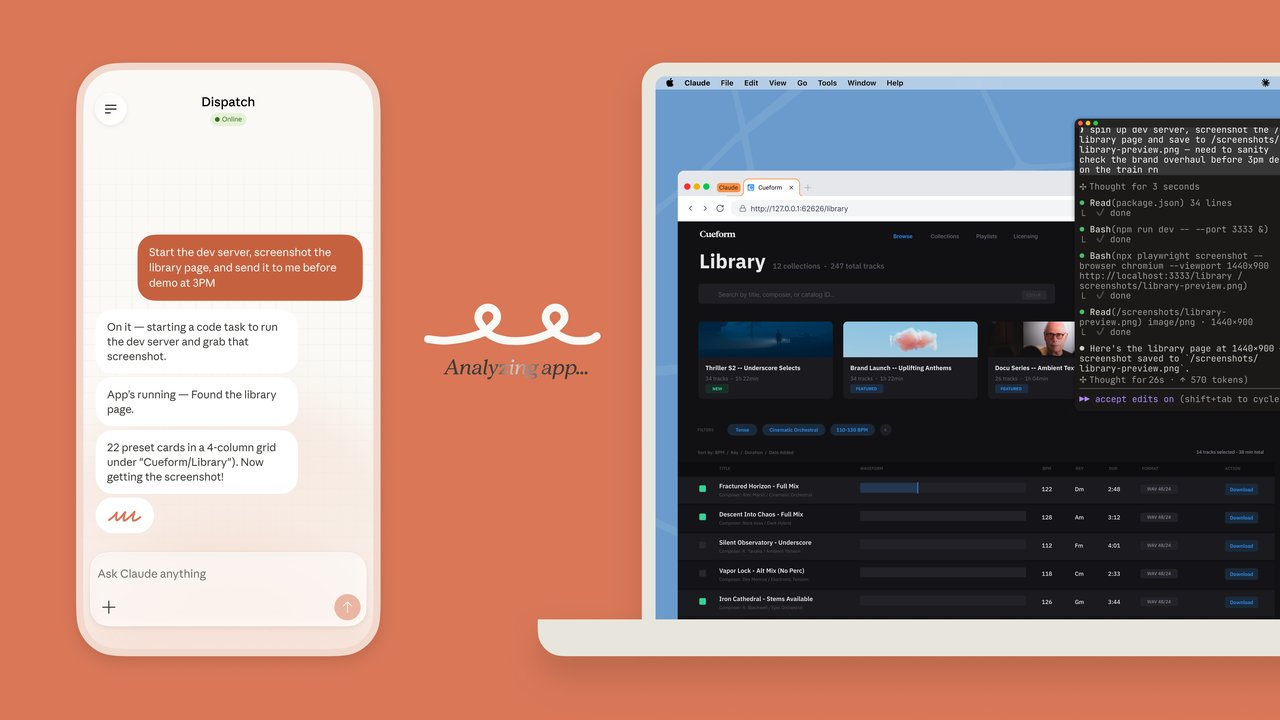
The feature pairs with Dispatch, a companion mobile tool that turns your phone into a remote control for Claude. You can assign a task from your iPhone — "compile this week's metrics report" or "organize the downloads folder" — then walk away. Claude works on your desktop while you're gone, and you check back when it's done.
Dispatch supports persistent conversations across devices, so you can start a task on your phone and continue the discussion on your desktop. It also handles scheduled tasks — setting Claude to pull metrics every morning or check emails at specific times.
Safety: Claude asks before it touches anything
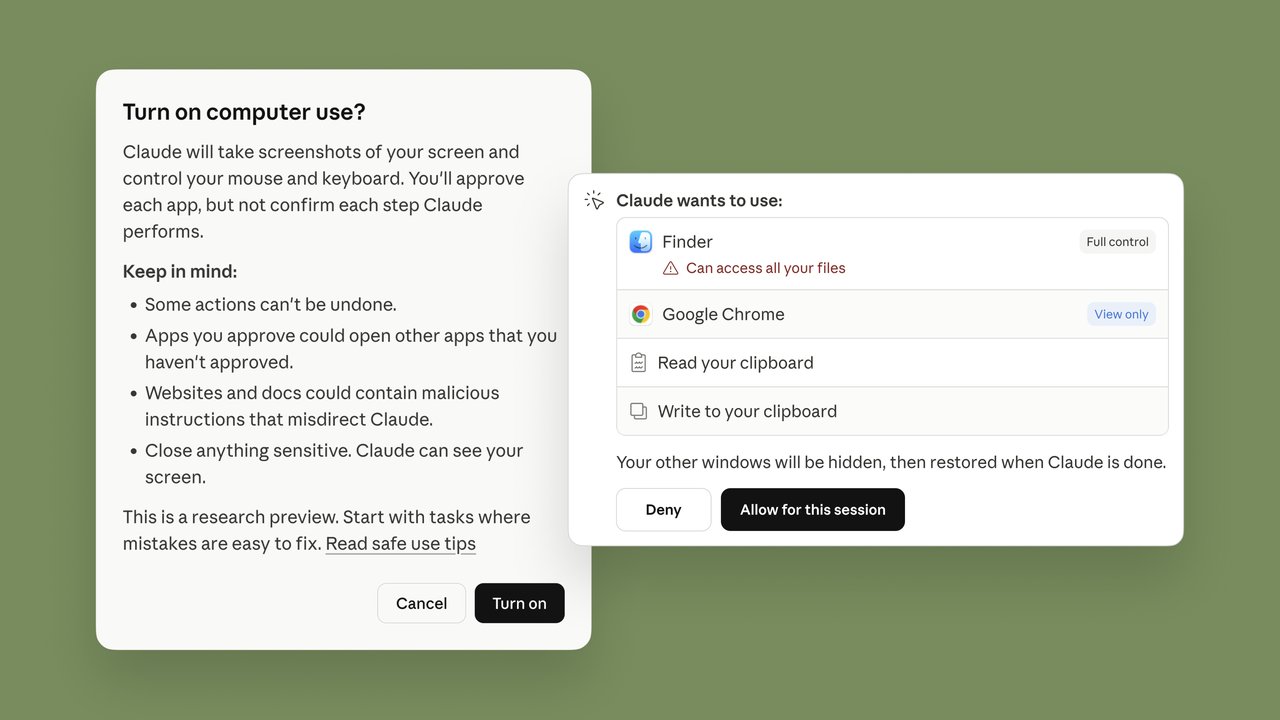
Anthropic built this with a permission-first approach. Claude requests explicit access before touching any new application. You can halt operations at any time. The system also includes automatic scanning for prompt injection (a type of attack where malicious content tricks AI into doing something harmful).
Anthropic is upfront about limitations: computer use is "still early compared to Claude's ability to code or interact with text." Complex tasks may need a second attempt, and screen-based control is slower than direct integrations. They recommend avoiding sensitive data during the preview period.
Who gets it and what it costs
Platform: macOS and Windows (x64 only; ARM Windows not yet supported)
Plans: Claude Pro ($20/month) and Claude Max subscribers
Status: Research preview — features may change based on feedback
Requirement: Claude Desktop app must be running and your computer must stay awake
Note: Higher usage consumption than standard chat due to multi-step task processing
The race to control your desktop
Claude isn't alone in this space. Perplexity launched its own computer use agent running on cloud-hosted Mac minis (which are reportedly sold out constantly). Meta's Manus offers a similar MyComputer feature. OpenAI and Google are both developing competing systems.
But Anthropic's approach is notable: instead of running in the cloud, Claude operates directly on your local machine. That means your files never leave your computer — a significant privacy advantage for anyone handling sensitive work documents.
Try it now
If you already have a Claude Pro or Max subscription:
1. Update Claude Desktop to the latest version
2. Open the app and switch to "Cowork" or "Code" mode
3. Grant folder access when prompted
4. Describe your task in plain English
5. Review Claude's plan and approve each step
For mobile control, download the Dispatch companion app on iOS to assign tasks remotely.
This is still a research preview, so expect some rough edges. But for anyone who's wished they could hand off desktop busywork to AI — that future just arrived.
Related Content — Get Started with Easy Claude Code | Free Learning Guides | More AI News
Stay updated on AI news
Simple explanations of the latest AI developments