Cursor just moved its AI agents behind your firewall
Cursor's new self-hosted cloud agents let companies run AI coding on their own servers. Brex, Notion, and 1,000 Money Forward engineers are already using it.
Cursor just shipped a feature enterprise teams have been waiting for: self-hosted cloud agents that run entirely inside your company's network. Your source code, API keys, build artifacts, and test results never touch Cursor's servers — or anyone else's.
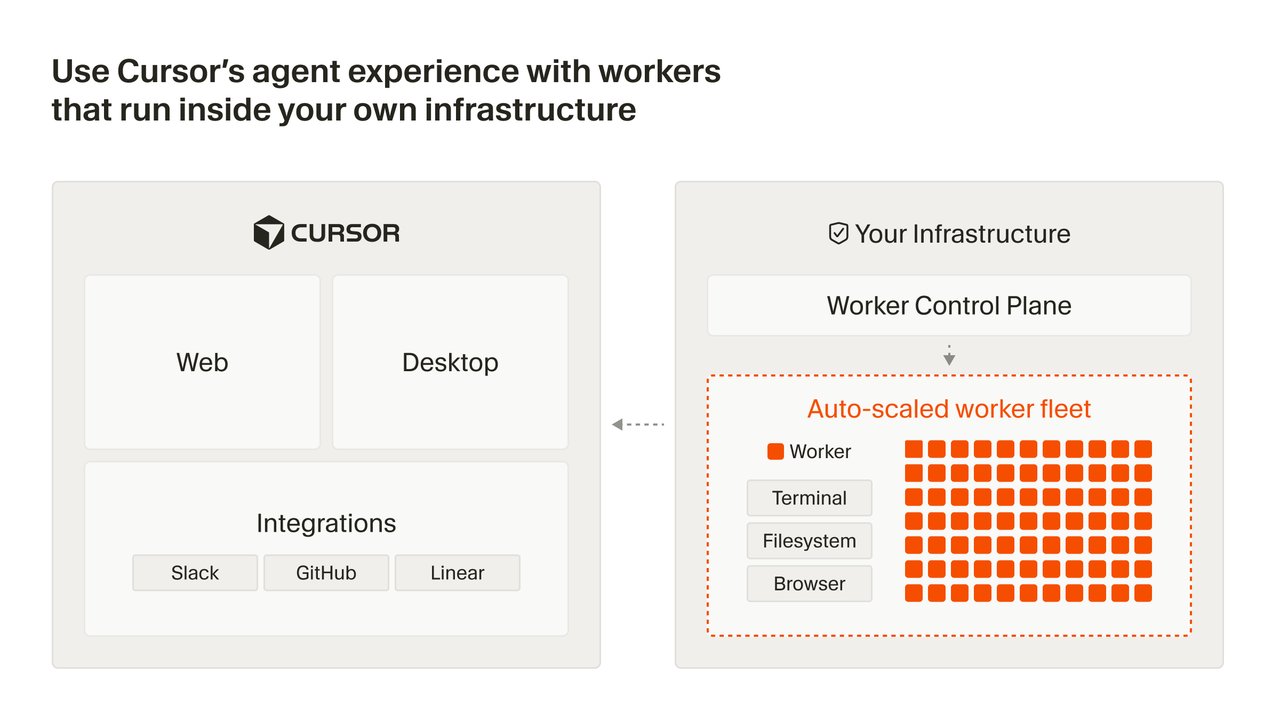
The feature, announced on March 25, comes with full parity to Cursor's cloud-hosted agents. You get the same isolated virtual machines, the same plugin ecosystem, and the same multi-model support (Composer 2 or any frontier model). The only difference is where everything runs: your machines, your rules.
Your Code Never Leaves the Building
Until now, using Cursor's AI coding agents meant sending your codebase to Cursor's cloud VMs. For startups, that's fine. For banks, hospitals, and enterprises with strict compliance rules (GDPR, HIPAA, SOC 2), it was a dealbreaker.
Self-hosted agents fix this by running "workers" — lightweight processes that live on your servers. Each worker handles one agent session at a time, with full access to your internal network, caches, dependencies, and databases — just like a human developer sitting at a desk inside the office.
The clever part: workers only make outbound HTTPS connections to Cursor's cloud for orchestration (task planning and AI inference). No inbound ports, no firewall changes, no VPN tunnels. Your IT team doesn't need to touch anything.
Brex, Notion, and 1,000 Engineers Are Already In
Three major companies are already running self-hosted agents in production:
Money Forward — Nearly 1,000 engineers now create pull requests directly from Slack using self-hosted agents. Instead of switching to Cursor, they message a Slack channel, and the agent writes the code, runs tests, and opens a PR — all on Money Forward's own servers.
Brex — The fintech company uses self-hosted agents to access the infrastructure needed to "run test suites and validate changes" — exactly the kind of data you'd never want on someone else's cloud.
Notion — Running workloads securely in their own environment while "accessing more tools without maintaining multiple infrastructure stacks."
One Command to Start, Kubernetes to Scale
Getting started is surprisingly simple. A single command launches a worker:
agent worker startThat worker connects outbound to Cursor's cloud and waits for tasks. You can run workers as long-lived processes (always listening) or single-use (one task, then done).
For teams with hundreds or thousands of developers, Cursor provides a Helm chart and Kubernetes operator. Define a WorkerDeployment resource with your desired pool size, and the controller handles scaling, rolling updates, and lifecycle management automatically. Not on Kubernetes? There's a fleet management API for custom autoscaling on any infrastructure.
Trigger Agents from Anywhere
Self-hosted agents aren't limited to the Cursor editor. You can kick off an agent session from:
• Cursor IDE — desktop or web app
• Slack — message a channel, get a pull request
• GitHub — trigger from issues or PRs
• Linear — assign a ticket, agent picks it up
• API — build your own automation
The agent writes code, runs tests, records video demos of the result, and opens a pull request — complete with screenshots proving the feature works. Reviewers can even take over the agent's remote desktop to try the changes themselves without checking out the branch.
A Bigger March for Cursor
Self-hosted agents cap a packed month for Cursor. In March alone, the company also shipped:
• Composer 2 (March 19) — a new frontier-level coding model with pricing at $0.50/M input tokens
• 30+ marketplace plugins (March 11) — from Atlassian, Datadog, GitLab, and others
• Automations (March 5) — always-on agents triggered by Slack, GitHub, PagerDuty, and webhooks
• JetBrains IDE support (March 4) — Cursor now works in IntelliJ, PyCharm, and WebStorm
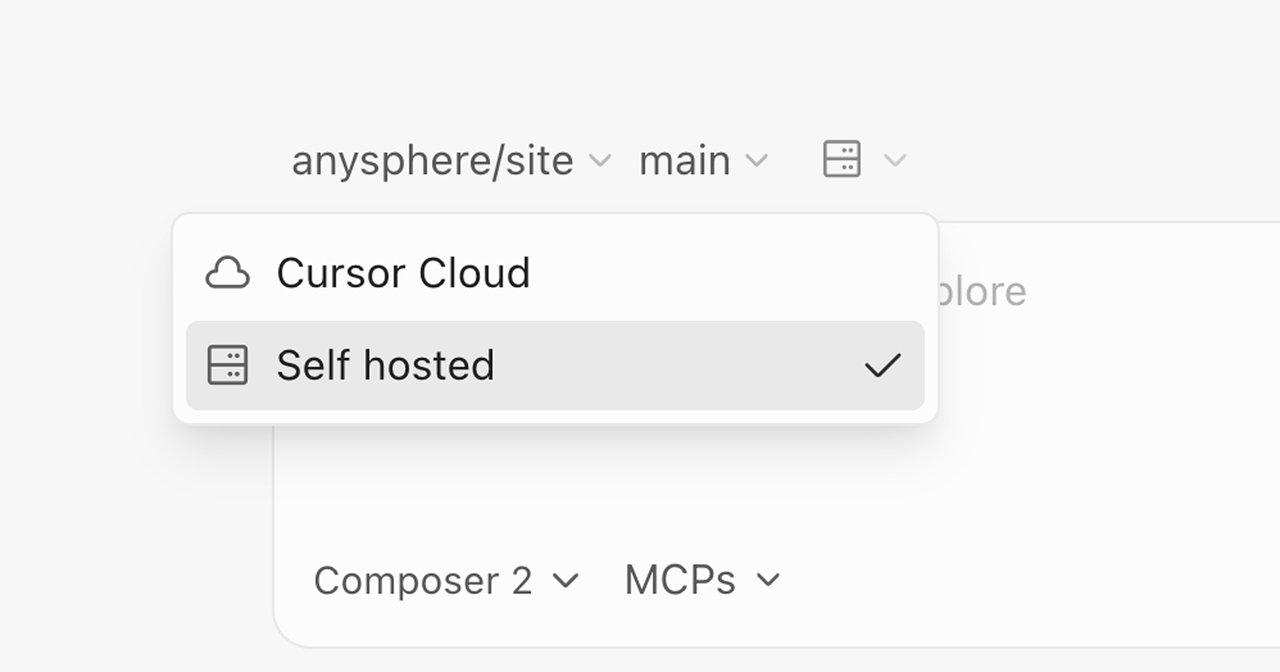
For teams already using Cursor's cloud agents, switching to self-hosted is a toggle in the Cursor Dashboard under Cloud Agents. Full documentation is at cursor.com/docs, and the blog post walks through architecture details at cursor.com/blog.
Related Content — Get Started with Easy Claude Code | Free Learning Guides | More AI News
Sources
Stay updated on AI news
Simple explanations of the latest AI developments