ProofShot just gave Claude Code eyes to check its own work
A free CLI tool records video proof when AI coding agents build UI — screenshots, error logs, and a visual timeline in one command.
Here's the problem with AI coding agents today: they can write beautiful code, but they can't see what they built. Claude Code, Cursor, or Copilot will generate a login page, but they have no way to verify if the button is in the right place, if the layout broke on mobile, or if the page throws an error when you click something.
ProofShot fixes this. It's a free, open-source CLI tool that gives any AI coding agent the ability to visually verify its own work — recording video, capturing screenshots, and logging errors automatically. It launched this week (v1.3.2, March 25) and already has 146 points on Hacker News with 96 comments.
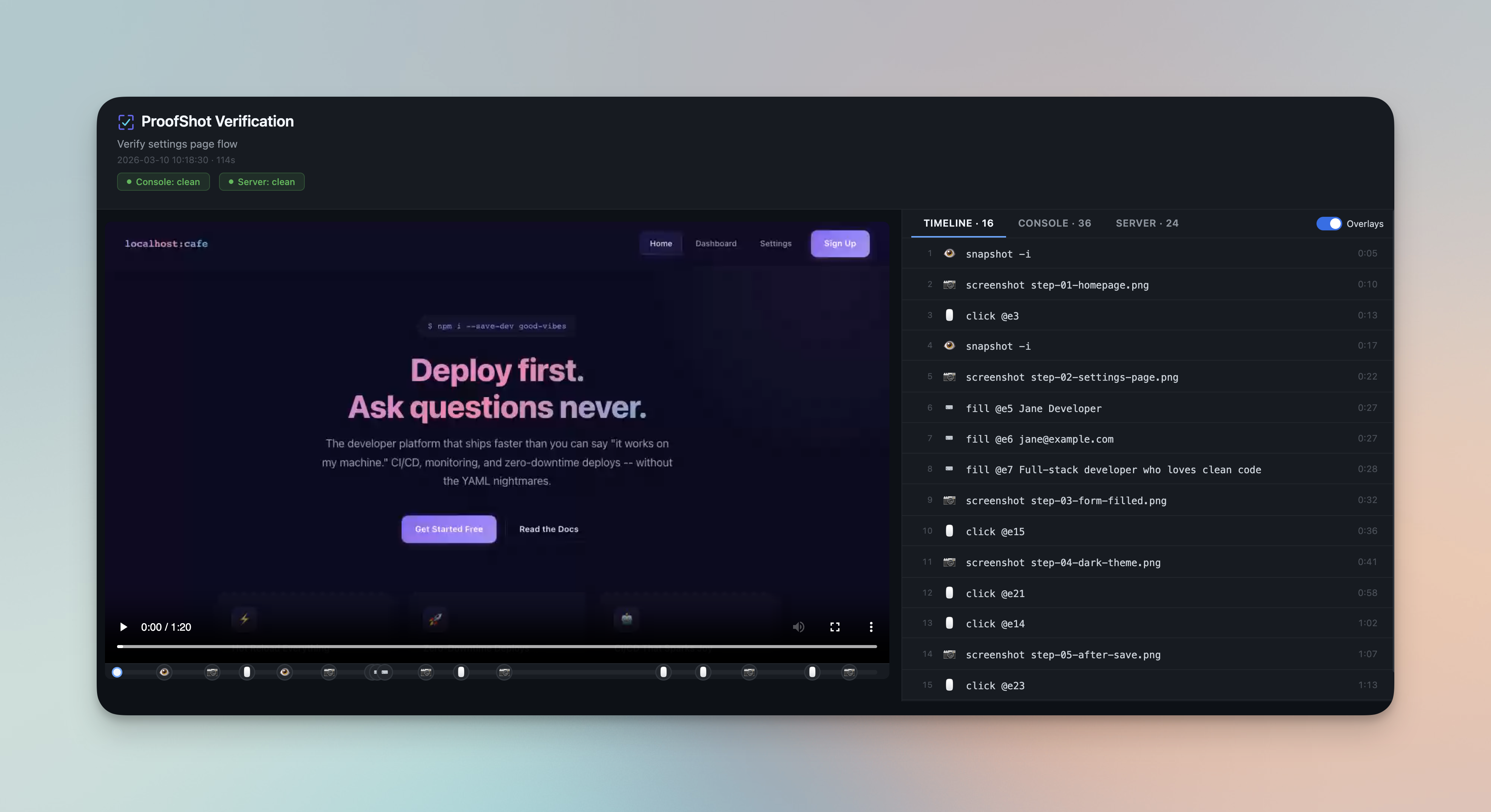
Three Steps: Start, Test, Stop
The workflow is deliberately simple. You tell your AI agent "verify this with proofshot" and it handles everything:
1. Start — Opens a browser, begins video recording, and captures server logs
2. Test — The AI agent drives the browser: clicks buttons, fills forms, navigates pages
3. Stop — Bundles everything into a proof package you can review
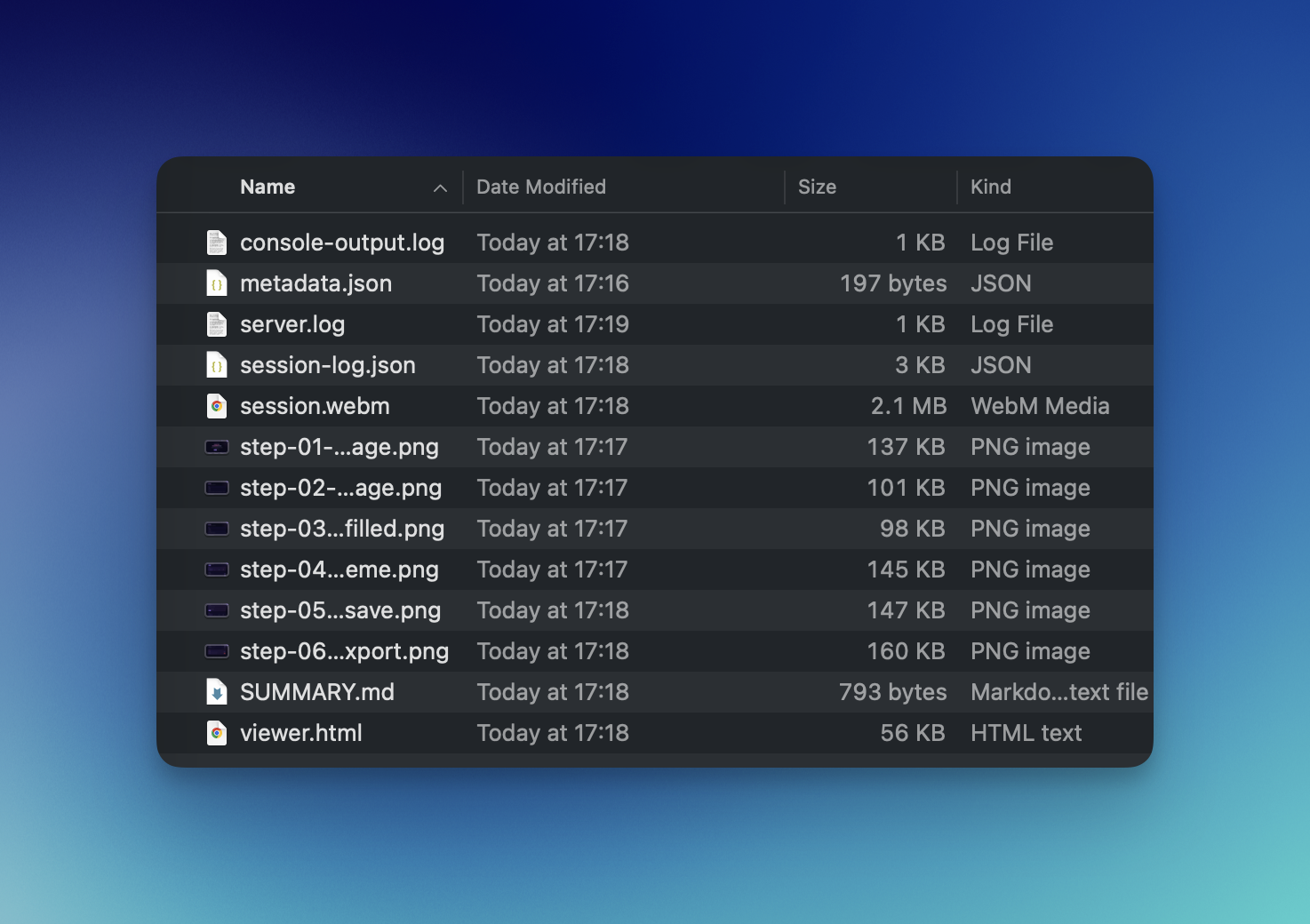
After each session, you get a folder called proofshot-artifacts/ containing:
- session.webm — a full video recording of the test
- viewer.html — an interactive player with a scrub bar and timeline
- SUMMARY.md — a markdown report highlighting errors and key screenshots
- step-*.png — screenshots captured at important moments
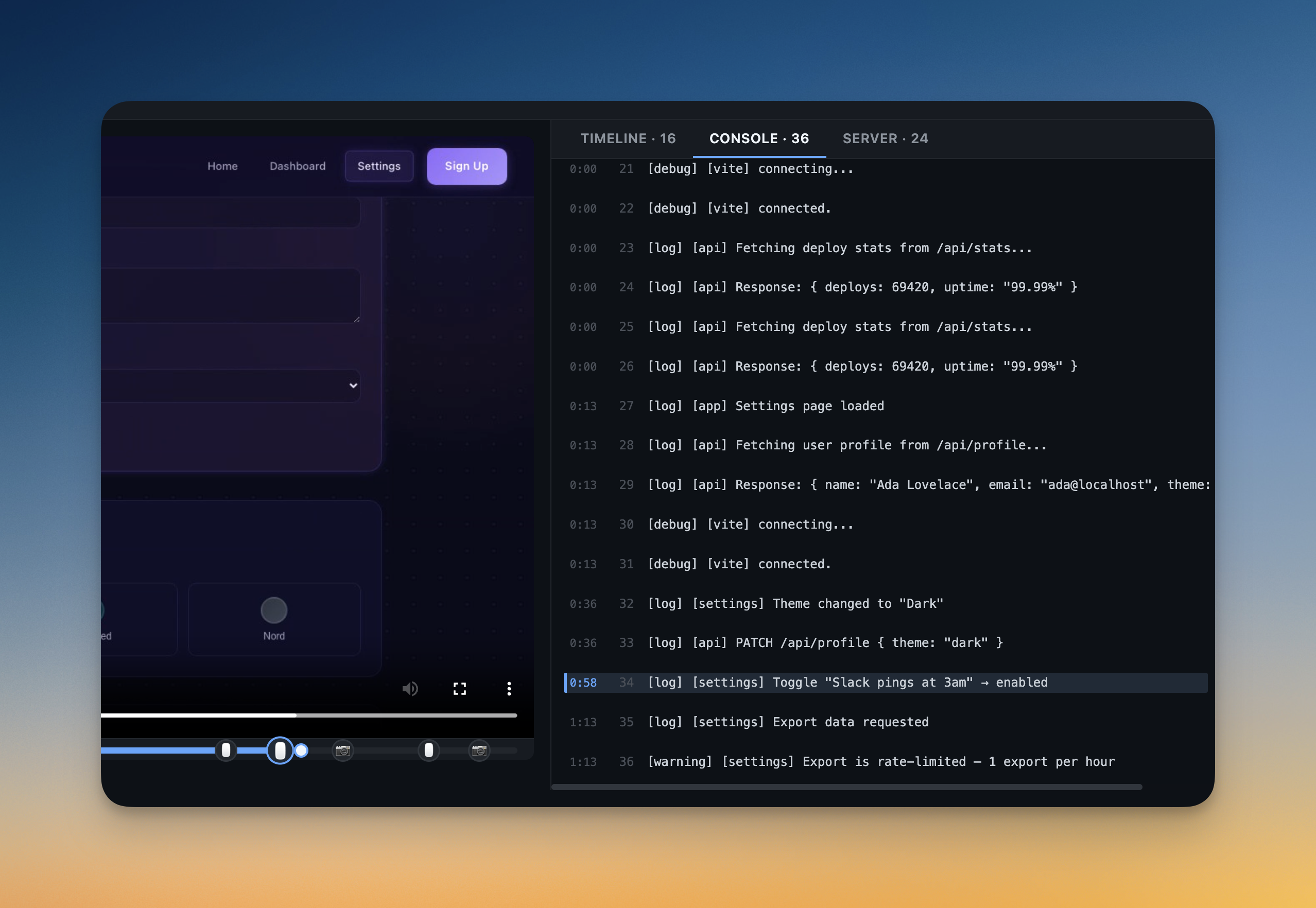
- console-output.log — every browser error and warning
Works with Claude Code, Cursor, and Every Major Agent
ProofShot isn't locked to one tool. It works with any AI coding agent that can run shell commands:
Supported agents: Claude Code, Cursor, OpenAI Codex, Gemini CLI, Windsurf, GitHub Copilot — and anything else that runs terminal commands.
For Claude Code specifically, ProofShot installs a skill file (a set of instructions that teaches Claude how to use the tool) at ~/.claude/skills/proofshot/SKILL.md. Once installed, you just say "verify this with proofshot" in any conversation and Claude handles the rest automatically.
Catches Errors Across 10+ Languages
ProofShot doesn't just take screenshots — it actively detects errors. It understands error patterns from JavaScript, Python, Ruby, Go, Java, Rust, PHP, C#, Elixir, and more. If your AI agent builds something that throws a hidden error, ProofShot catches it and includes it in the summary report.
There's also a proofshot diff command for visual regression testing (comparing how your UI looks now versus how it looked before a change). And proofshot pr automatically uploads all artifacts to a GitHub pull request so your team can review the visual proof alongside the code.
Install in 30 Seconds
ProofShot is completely free and open source (MIT license). Setup takes two commands:
npm install -g proofshot
proofshot install
The first command installs the tool and a headless browser (Chromium). The second automatically detects which AI coding tools you have installed and sets up the skill files for each one. No manual configuration needed.
Then in Claude Code (or any supported agent), just say:
Build a login page and verify it with proofshotTrust, But Verify
The biggest complaint about AI-generated code is trust: "it looks right in the terminal, but does it actually work in the browser?" ProofShot turns a vague hope into documented proof. Every feature your AI agent builds now comes with video evidence, error reports, and timestamped screenshots.
For teams, this is especially powerful. Instead of a pull request that says "Claude built the checkout page," you get a PR with video proof that the page loads, buttons work, and no errors appear. That's a fundamentally different level of confidence in AI-generated code.
The project is actively maintained (v1.3.2 released March 25, 2026) and completely free with no cloud dependency. With 146 Hacker News points and 96 comments in its first days, it's clearly hitting a nerve — AI coding agents are everywhere now, but verification has been the missing piece.
Related Content — Get Started with Easy Claude Code | Free Learning Guides | More AI News
Stay updated on AI news
Simple explanations of the latest AI developments