He found 1,351 old photos — AI turned them into a family Wikipedia
whoami.wiki uses AI agents to turn your photos, messages, and documents into a private, searchable personal encyclopedia. Open source, free, runs locally.
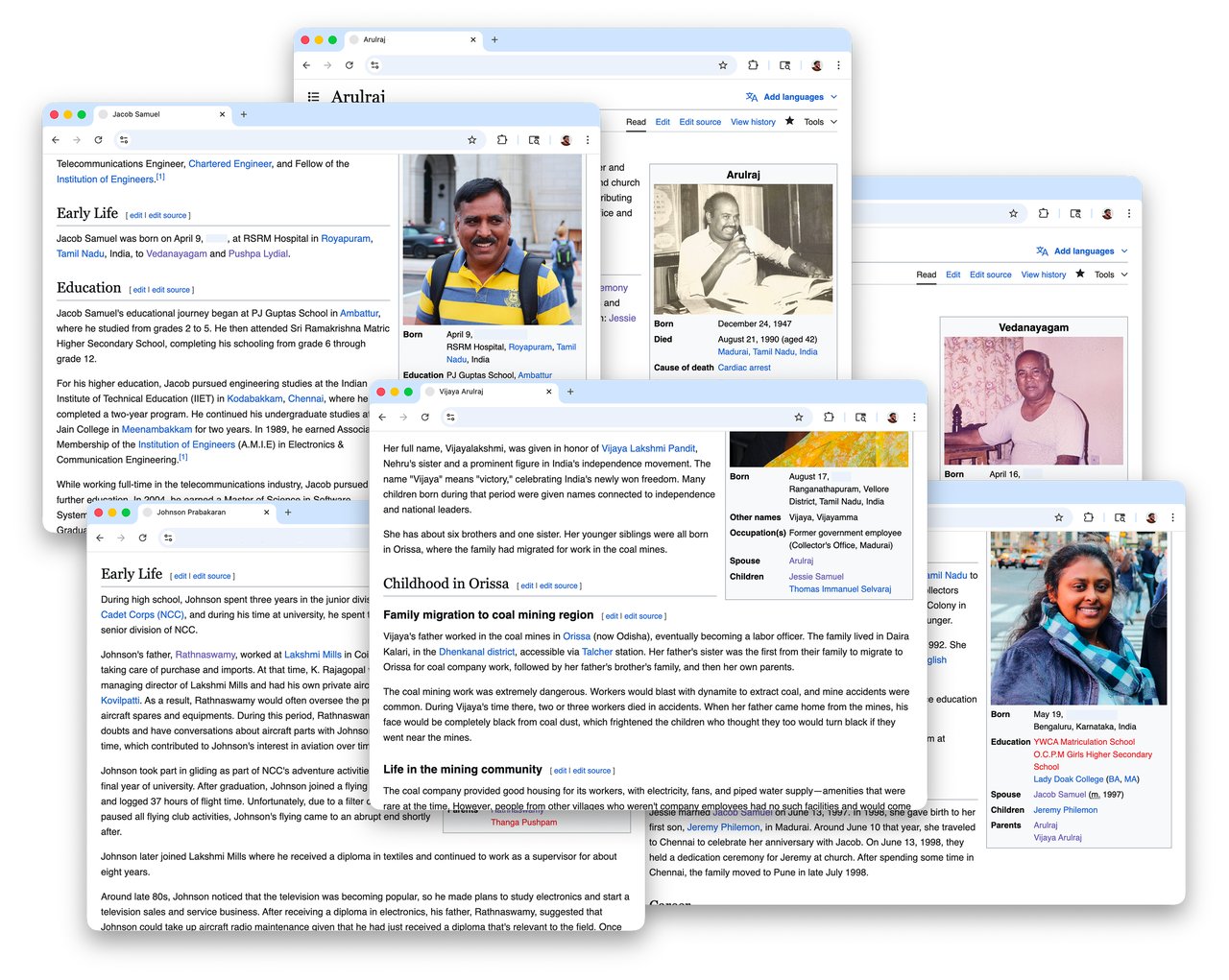
Jeremy Philemon found 1,351 loose photographs in his grandmother's cupboard — spanning from her twenties to his middle school years. None were labeled. None were in order. Most of the stories behind them were fading from memory.
So he built whoami.wiki, an open-source tool that uses AI agents to turn your scattered digital life — photos, chat messages, documents, location history — into a Wikipedia-style personal encyclopedia that runs entirely on your own computer.
The project just hit 687 points on Hacker News (the #2 spot on the front page), and it's free, private, and works with Claude Code.
From a Grandmother's Cupboard to a Personal Wikipedia
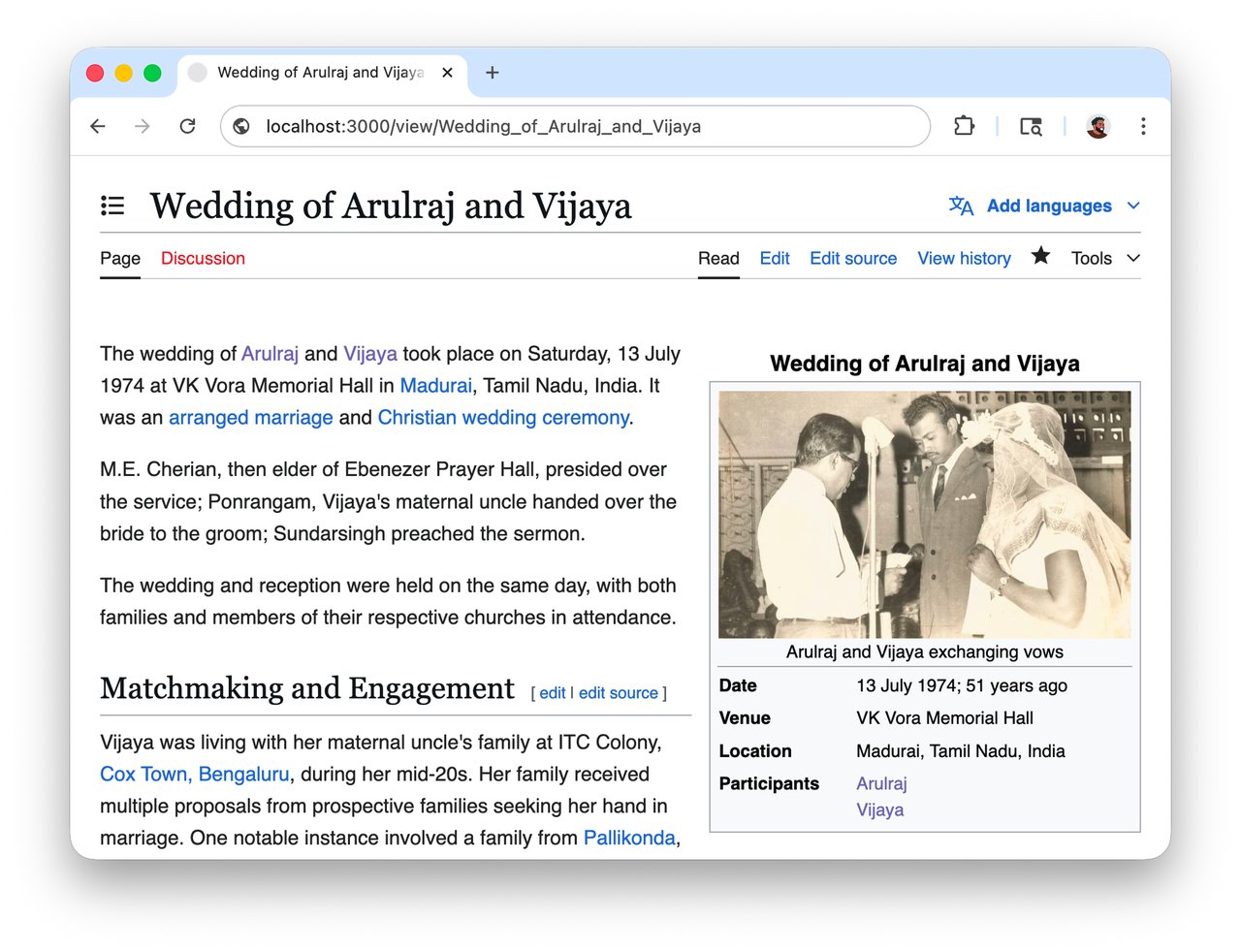
The idea started simply. Jeremy interviewed his grandmother about her wedding photos from July 1974, had her reorder them, and recorded the stories she told. Then he dropped everything into MediaWiki — the same software behind Wikipedia — and treated the family wedding with the same formatting Wikipedia uses for the British Royal Wedding.
Two evenings later, his grandmother's wedding had a full encyclopedia entry: infobox, scanned photos with captions, linked names, and cross-references to real Wikipedia articles about the venue and local history.
Then AI Made It Scalable
What started as a manual project became something much bigger when Jeremy pointed AI agents at his data exports. Here's what the system can do with raw files:
Coorg trip (2012): Fed the AI 625 photographs with no metadata. Claude Code identified locations, transportation, and chronological sequences just from analyzing the images — then wrote a full travel article.
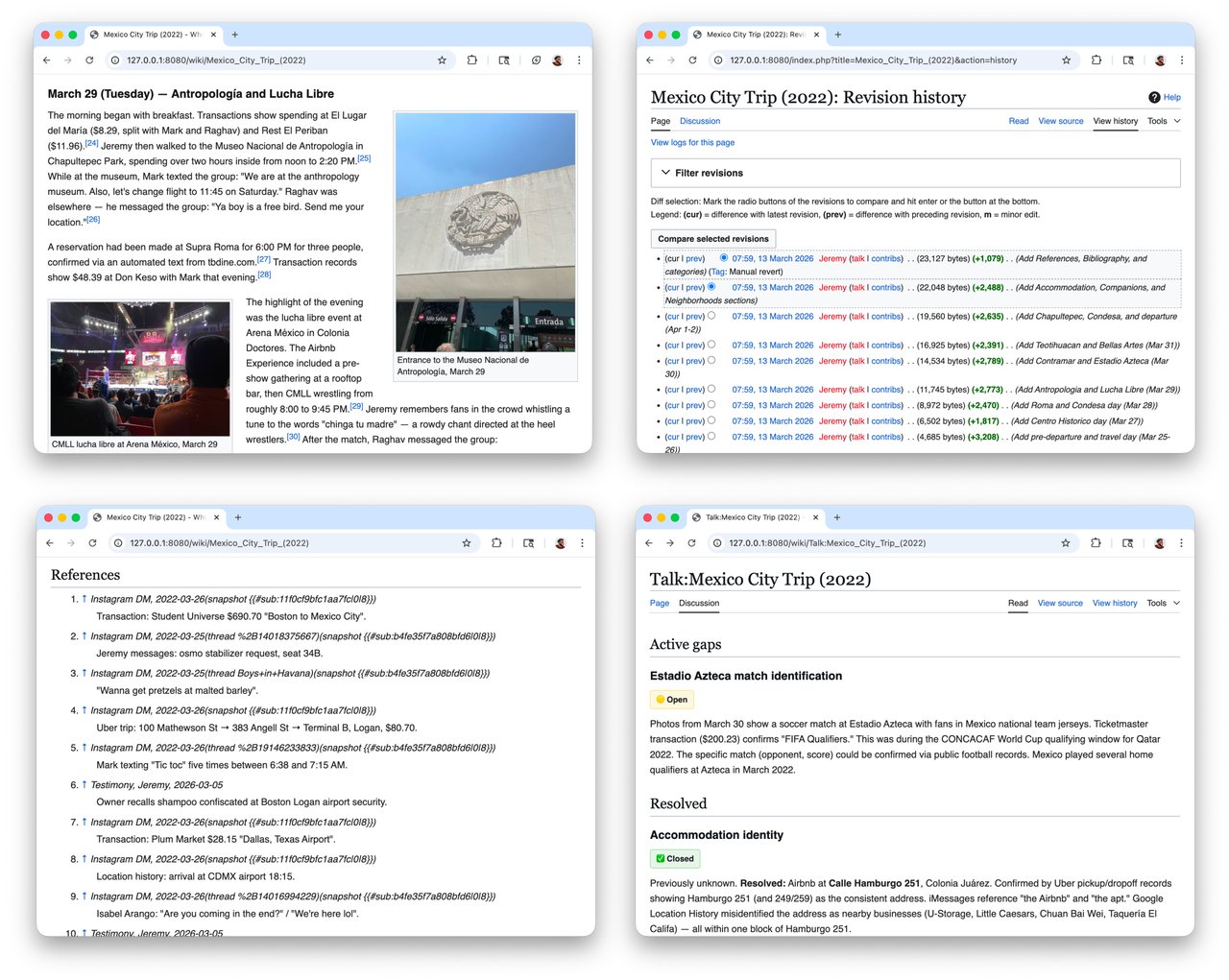
Mexico City (2022): Combined 291 photos, 343 videos, Google Maps timeline, Uber trips, bank transactions, and Shazam history. The AI cross-referenced a Ticketmaster receipt with video timestamps to figure out which soccer teams had been playing. It matched bank transactions to restaurant locations. It even wove Shazam tracks into the narrative of specific places.
100,000+ messages from Facebook, Instagram, and WhatsApp — the system traced the arc of friendships over years and surfaced forgotten moments. When friends read their pages, they "wanted to read every single one."
Your Data Stays on Your Machine
Unlike most AI tools that send your data to the cloud, whoami.wiki is privacy-first by design:
Everything runs locally. Your wiki and your archive stay on your computer. Nothing is stored remotely. You can export everything to Markdown files and original photos anytime. Share a single page with family, or keep the whole thing private.
The system uses MediaWiki as its foundation — which turns out to be a brilliant choice, because AI models already deeply understand Wikipedia's formatting conventions from their training data. The result: cleaner, more accurate articles with proper citations, categories, and cross-references.
How to Set It Up
whoami.wiki currently works on macOS (Windows and Linux coming soon). You need an AI coding tool — Claude Code with Opus 4.6 is recommended.
Step 1: Download the desktop app from whoami.wiki
Step 2: Install the CLI (command-line tool):
curl -fsSL https://whoami.wiki/cli/install.sh | bashStep 3: Connect to Claude Code:
/plugin marketplace add whoami-wiki/extensions
/plugin install whoami@whoami-marketplace
Step 4: Drop a folder of photos or data exports in, and let the AI agent write your first encyclopedia page.
Why It Went Viral
whoami.wiki isn't just a tech project — it's a tool for paying attention to the people in your life. Jeremy discovered things about his grandmother he never knew: her resilience as a single mother, historical context he'd never considered. Friends who read their own pages reconnected with forgotten moments of kindness.
The project is fully open source under the MIT license. The desktop app is at version 1.2.3, and the community is growing on Discord.
In a world where most AI tools try to replace human memory, this one is trying to preserve it.
Related Content — Get Started with Easy Claude Code | Free Learning Guides | More AI News
Sources
Stay updated on AI news
Simple explanations of the latest AI developments