Vercel's open-source AI SDK just hit $3.25B backing
Vercel's AI toolkit adds ChatGPT or Claude to any app in ~20 lines of code — backed by a $3.25B valuation after $250M Series E. Free, open-source.
Vercel — the company that quietly powers deployment infrastructure for millions of websites — is valued at $3.25 billion after a $250 million Series E funding round. That makes it one of the best-funded developer-tools companies in the world. But its most quietly important product isn't the hosting platform. It's the Vercel AI SDK: a free, open-source toolkit that lets any web developer connect their app to ChatGPT, Claude, or Gemini in under 20 lines of code.
For anyone building AI features into a website, this matters: instead of wrestling with each AI provider's different formats and complex streaming protocols, you install one package, write a handful of lines, and your app streams live AI responses to users. Here's what it actually does — and why a $3.25 billion company is giving it away for free.
From Deployment Platform to AI Infrastructure Giant
Most developers know Vercel as "the company that hosts Next.js apps." You push code, it deploys globally. Simple. But Vercel's strategic bet over the past two years has been considerably bigger: becoming the default infrastructure layer for AI-powered web applications — not just the hosting, but the code that connects your frontend to AI models.
In May 2024, Vercel closed a $250 million Series E funding round that pushed its valuation to $3.25 billion — firmly in unicorn (a startup valued above $1 billion) territory. That capital has poured into both the hosting platform and the AI SDK.
The business logic is clear: if developers are already deploying on Vercel, using Vercel's AI SDK means zero extra configuration, built-in streaming support, and edge-optimized performance (edge means running AI inference from servers physically closest to each user, cutting response latency). The SDK becomes a powerful reason to stay on the platform — or to adopt it in the first place.
What the Vercel AI SDK Actually Does
The SDK (Software Development Kit — a ready-made toolkit you install like any other code library) ships as a single npm package:
npm install ai
# or with alternative package managers:
pnpm add ai
yarn add ai
Once installed, you get a unified interface (one consistent way to talk to different AI services) across every major AI provider:
- OpenAI — GPT-4o, GPT-4 Turbo, o1, o3-mini
- Anthropic — Claude 3.5 Sonnet, Claude 3 Opus, Claude 3 Haiku
- Google — Gemini 1.5 Pro, Gemini 1.5 Flash, Gemini 2.0
- Mistral, Cohere, Meta Llama — via lightweight provider plugins
- Local models via Ollama — run AI on your own hardware, zero API costs
The flagship feature is streaming: instead of waiting 5–10 seconds for a fully-formed AI response, the SDK delivers tokens (individual words or word-fragments the AI generates one at a time) the instant they are ready — creating the familiar "live typing" effect users expect from ChatGPT. All the complex server-side plumbing — Server-Sent Events (a web protocol for pushing real-time data from server to browser), buffer management, state synchronization — is handled automatically.
React Hooks That Collapse 200 Lines Into 20
For React and Next.js developers, the SDK includes built-in hooks (reusable React functions that manage state and data fetching) that handle the entire AI chat lifecycle:
import { useChat } from 'ai/react';

export default function ChatPage() {
  const { messages, input, handleInputChange, handleSubmit } = useChat();

  return (
    <div>
      {messages.map(m => (
        <div key={m.id}>
          <strong>{m.role}:</strong> {m.content}
        </div>
      ))}
      <form onSubmit={handleSubmit}>
        <input value={input} onChange={handleInputChange} />
        <button type="submit">Send</button>
      </form>
    </div>
  );
}
That 18-line component is a fully functional AI chat interface. The useChat hook manages message history, handles streaming, tracks loading states, and handles error recovery — all automatically. The SDK also ships useCompletion (for single-turn text generation without history) and useObject (for when you want the AI to return structured data like JSON rather than prose).
Why Developers Choose This Over Provider Libraries Directly
The obvious question: why not just install OpenAI's own JavaScript library? Here's the practical comparison:
- No provider lock-in: OpenAI's native library only works with OpenAI. With Vercel AI SDK, switching from GPT-4o to Claude 3.5 Sonnet is a single variable change — critical when providers raise prices or experience outages
- Streaming made simple: Implementing streaming yourself requires handling Server-Sent Events (a low-level protocol), buffer management, and React state synchronization. The SDK collapses all of that into one hook call
- Standardized tool calling: Tool calling — where the AI can trigger functions in your code, like querying a database or calling an external API — has different implementations across providers. The SDK standardizes it with one interface that works everywhere
- Structured outputs: Getting AI to return clean JSON using Zod schemas (a TypeScript library that validates and enforces data shapes) is significantly simpler than with raw provider libraries
- Edge compatibility: Running AI responses at the edge (from Vercel's globally distributed CDN nodes, not a single central server) reduces first-token latency for users worldwide

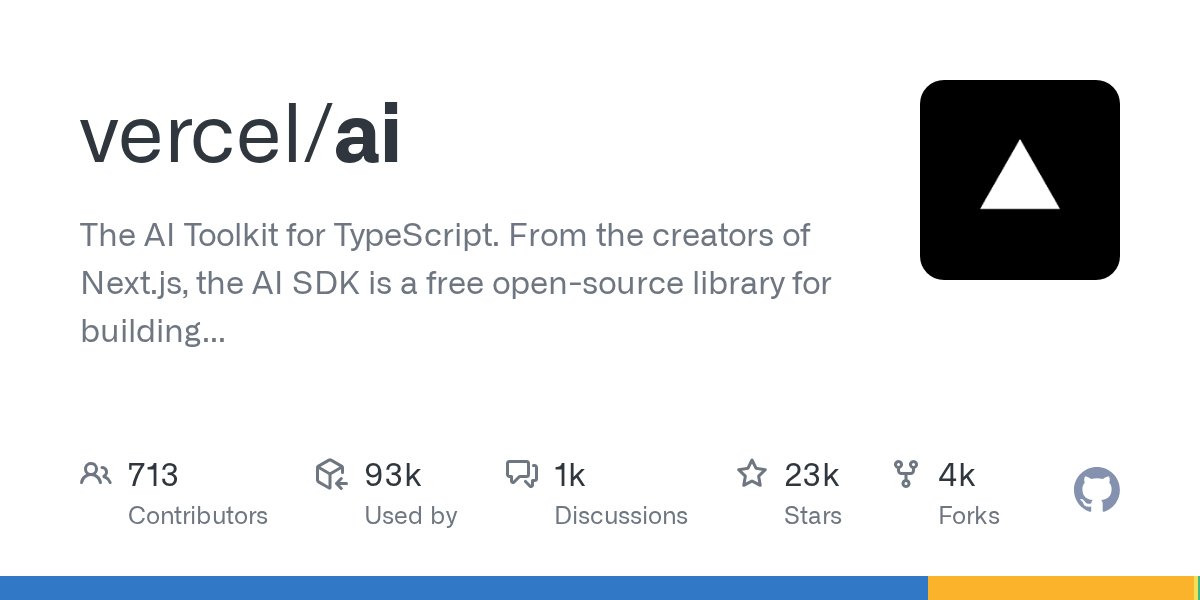
The SDK is open-source under the Apache 2.0 license (meaning free to use, modify, and redistribute — even in commercial products) and hosted publicly at github.com/vercel/ai. No Vercel account, credit card, or subscription required to start building.
Getting Started: First AI Response in Under 10 Minutes
Here's a complete working setup for a Next.js app. First, install the core SDK and your chosen provider plugin:
# Install SDK and OpenAI provider plugin
npm install ai @ai-sdk/openai

# Add your API key to .env.local (never commit this file)
# OPENAI_API_KEY=sk-your-key-here
Then create a server-side route handler (an endpoint that runs on the server, not in the user's browser) at app/api/chat/route.ts:
import { openai } from '@ai-sdk/openai';
import { streamText } from 'ai';

export async function POST(req: Request) {
  const { messages } = await req.json();

  const result = await streamText({
    model: openai('gpt-4o'),
    messages,
  });

  return result.toDataStreamResponse();
}
To switch to Anthropic Claude instead, install @ai-sdk/anthropic and change one line:
import { anthropic } from '@ai-sdk/anthropic';
// change only this:
model: anthropic('claude-3-5-sonnet-20241022'),
That is the entire migration — one line, no refactoring of streaming logic, state management, or error handling. For teams that want to hedge their AI provider bets, run A/B tests between models, or simply keep their options open, this portability is worth far more than the small overhead of learning the SDK's conventions.
With $3.25 billion in institutional backing and active open-source development on GitHub, the Vercel AI SDK is one of the safest long-term bets for web AI tooling. You can browse practical AI automation guides here to see how it fits into real production workflows — or clone the GitHub repo and ship your first AI feature today.
Related Content — Get Started | Guides | More News
Sources
Stay updated on AI news
Simple explanations of the latest AI developments