GitHub Trending Fix: krihelinator Ranks by Contribution Rate
GitHub Trending hides real AI tools behind star hype. krihelinator ranks repos by contribution rate — free, open-source, and takes 10 minutes to set up.
GitHub's star count is lying to you. As Anthropic's Claude Code — an AI coding assistant that runs inside your terminal — now dominates GitHub's trending rankings, a free open-source project called krihelinator has built a better signal: it ranks repos by contribution rate (how many developers are actively writing code, not just clicking stars). For anyone trying to discover AI tools that developers actually use, this distinction has never mattered more.
The insight that drove krihelinator to 142 upvotes on Hacker News: a repo with 200 active weekly contributors beats one with 50,000 stars and 3 recent commits — and GitHub's trending page can't tell the difference.
Why GitHub's Star Algorithm Breaks in the Age of AI
GitHub Trending calculates rankings using star velocity (the rate at which a repository gains stars within a 24-hour, daily, or weekly window). When the feature launched, this was a reasonable proxy for "developer interest." Stars were organic endorsements from people who found something useful.
That signal has eroded fast. Today's AI tool launches arrive with:
- Product Hunt campaigns that drive coordinated star surges from non-developers
- Twitter/X announcements reaching millions who star-and-forget
- VC-backed marketing budgets that traditional open-source projects can't match
- Viral demos that look impressive but don't reflect daily use
Claude Code is a real example. It's a powerful agentic coding tool (an AI that doesn't just chat — it autonomously reads files, writes code, runs tests, and commits changes to your repository without you manually directing each step). It leads GitHub Trending for real reasons. But its star count reflects Anthropic's marketing reach as much as genuine developer adoption. Star counts alone cannot separate the two.
krihelinator: Free and Open-Source, Ranks by Real Work
krihelinator (free at krihelinator.xyz) was built on one premise: a repository's health should be measured by the volume of contributions it attracts, not by how many people clicked a star. Its algorithm weights pull requests (proposed code changes submitted by outside contributors), issues, commits, and forks — all signals that require a developer to actually engage with the codebase.
The Hacker News reception said it all: 142 upvotes and 35 comments, with developer discussion centering on a single insight — contribution velocity (how fast active code changes are flowing into a project) is a leading indicator of real-world adoption, while star count is a lagging vanity metric that follows marketing, not quality.
In practical terms, here's what contribution-rate ranking reveals:
- A library with 500 stars and 50 active contributors can be more production-ready than one with 5,000 stars and 2 contributors
- AI tools with high contribution rates are being integrated into real workflows — not just starred for later
- High pull-request velocity signals active maintenance, which means faster bug fixes and longer project lifespans
- Low contribution rate on a highly-starred repo is often a warning sign: viral launch, silent abandonment
4 Free GitHub Trending Alternatives for AI Tool Discovery
krihelinator is the most opinionated, but it's not alone. Four other open-source tools approach the same discovery problem from different angles:
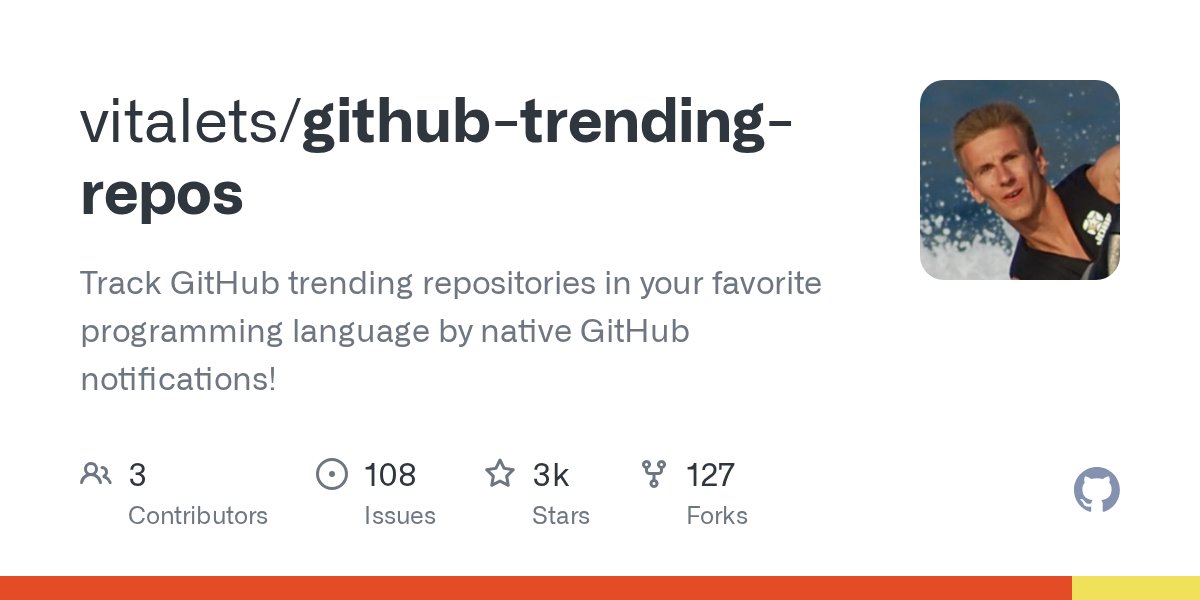
vitalets/github-trending-repos — Native Notifications
This tool (2,900 GitHub stars, last updated November 2025) sends you native GitHub notifications — alerts that appear inside GitHub's own bell icon, the same way a pull request review would — when repos matching your chosen programming languages start trending. Instead of manually checking the trending page daily, the signal comes to you, filtered to languages you care about. Quick setup:
# Clone and configure language filters
git clone https://github.com/vitalets/github-trending-repos.git

# Set Python, TypeScript, Go, Rust — whatever your stack is
# GitHub will send bell-icon alerts when matching repos trend
Y-Cloninator — Hacker News as a Quality Filter
Y-Cloninator surfaces GitHub projects gaining traction on Hacker News (a developer forum run by Y Combinator, heavily read by senior engineers and startup founders — one of the most technically rigorous online communities). If HN's crowd is actively discussing a project, it's cleared a higher-quality bar than GitHub's star algorithm. Y-Cloninator earned 197 Hacker News points and 39 comments — the strongest discussion of any tool in this category.
github-trending-plus — Better Filtering Interface
An experimental alternative UI (a different visual front-end that reads the same underlying GitHub data) for GitHub Trending. It adds filtering by programming language category, framework, and custom time ranges that the official page doesn't support. Useful for discovering niche tooling that gets buried when AI infrastructure repos dominate. Earned 95 Hacker News points at launch, with 33 comments.
Frontend Trending Tracker (Github前端趋势榜)
A daily-updated tracker built specifically for front-end repositories (HTML, CSS, and JavaScript projects). Maintains 365 GitHub stars and auto-updates. Useful for designers and front-end developers who find GitHub's general trending page dominated by back-end AI infrastructure tools — which, in 2026, describes most of it.

What Claude Code Actually Does — Beyond the Star Count
Since Claude Code is the catalyst that made contribution-rate discovery tools newly urgent, it's worth understanding exactly what it does rather than taking the trending hype at face value:
- Reads your entire codebase — understands how files, functions, and modules relate before touching anything
- Executes natural-language commands — "fix the failing test in auth.test.js" triggers it to read the file, locate the bug, and write the fix autonomously
- Handles git workflows — git is a version control system (software that tracks every code change over time so teams can collaborate without overwriting each other); Claude Code commits, branches, and merges through conversation
- Runs build tooling — linters (programs that flag code style violations), formatters, and test suites, without you switching tabs or terminal windows
Its terminal-based design — built into your command line rather than a browser window — means it slots directly into existing developer workflows. That's likely why it's generating real daily adoption alongside its marketing-driven star count. Krihelinator would tell you the same thing from the pull request data.
A 10-Minute Setup to Discover Better AI Tools Than GitHub Trending
Here's a practical workflow combining the strongest tools from this list:
- Bookmark krihelinator.xyz — check it weekly. Sort by contribution rate and look for repos where active contributors and weekly commits are high relative to total star count.
- Install github-trending-repos from github.com/vitalets/github-trending-repos — configure your languages once, get GitHub's native bell-icon alerts from then on.
- Cross-validate with Y-Cloninator — if a project surfaces on both krihelinator and Y-Cloninator independently, it has cleared two separate quality filters simultaneously. That's a high-confidence discovery signal.
- Keep GitHub Trending for launch radar only — still useful for spotting brand-new projects on their launch day. Just stop using star count as a maturity or adoption signal.
All five tools are free and open-source. The combination of contribution-rate ranking, community validation, and language-specific notifications gives you a view of the open-source landscape that GitHub's own trending page simply cannot provide. Your next production-grade AI tool won't arrive with a marketing campaign. It will show up in pull request logs and Hacker News threads — and now you have the tools to watch those instead.
Looking for more on finding and evaluating AI developer tools? Browse our AI automation guides for hands-on walkthroughs and comparisons.
Related Content — Get Started | Guides | More News
Stay updated on AI news
Simple explanations of the latest AI developments