Claude Code Fix: Karpathy's Free CLAUDE.md Template
Stop Claude Code's repeat mistakes for free. Karpathy's CLAUDE.md template fixes 4 AI coding failure patterns in 2 minutes — no setup, no subscription.
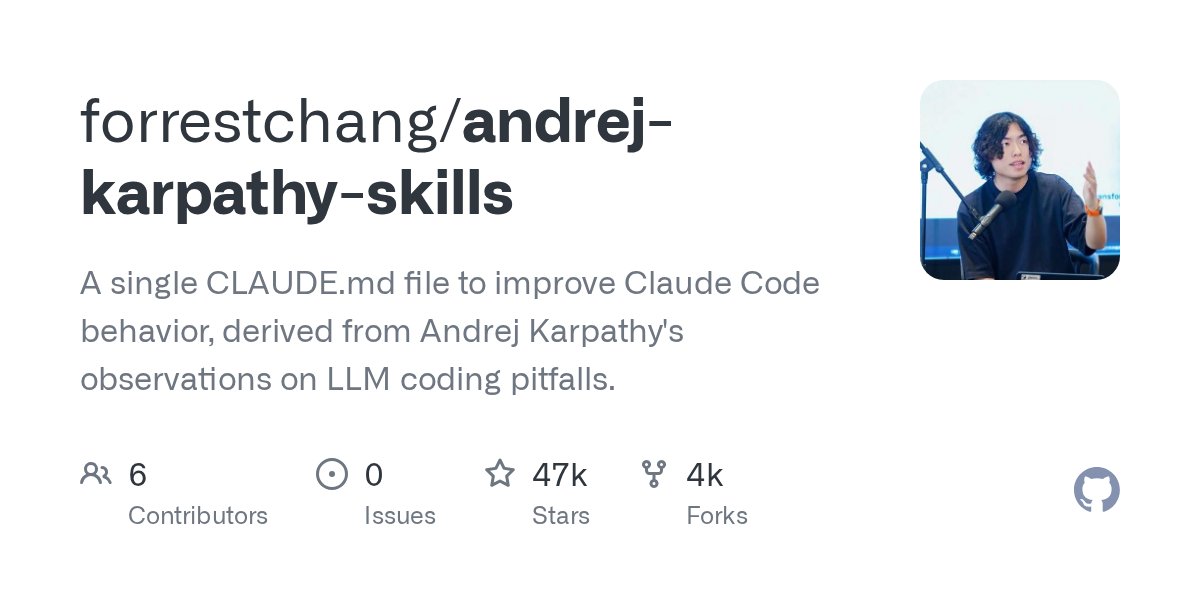
Every Claude Code user has felt it: you ask the AI to fix a function, it runs confidently — then makes the exact same mistake it made last week. Andrej Karpathy, OpenAI's co-founder and one of the most credible voices in AI research, documented exactly why this keeps happening. Now a developer named forrestchang has packaged Karpathy's observations into a single free file you can drop into any project in under 2 minutes.
The file — a CLAUDE.md skills template — hit GitHub's daily trending chart today. Unlike most trending tools, this one requires zero installation and no new subscriptions. Claude Code (Anthropic's AI coding assistant that runs directly in your terminal) reads CLAUDE.md files automatically at session start, meaning the fix kicks in the moment you begin your next conversation.
The Claude Code Failure Patterns Karpathy Documented
Large language models (AI systems trained on billions of text examples) have a structural memory problem: they don't carry lessons between sessions. Every time you open a new Claude Code conversation, the model starts cold — no memory of your project's constraints, no awareness of the pitfalls you've already corrected, no knowledge of the hard-won rules from your last session. Without explicit instructions, it rediscovers the same failure modes over and over.
Karpathy spent years as Director of AI at Tesla and co-founded the original OpenAI research team. His public writing and talks have documented 4 recurring failure modes in AI-assisted coding that developers consistently report:
- Context collapse — Claude loses track of project scope mid-task and makes decisions inconsistent with your existing codebase architecture
- Overconfident gap-filling — when context is missing, it invents plausible-sounding but logically broken code rather than asking a clarifying question
- Scope drift — expands tasks beyond what was requested, silently introducing side effects and unrequested changes
- Correction blindness — applies the same broken fix even after being explicitly corrected once within the same session
None of these are random. They're predictable patterns that repeat because the model lacks persistent project memory between conversations. The good news: predictable problems have systematic fixes.
What the CLAUDE.md File Does for Claude Code Sessions
A CLAUDE.md file is a plain-text instruction document — think standing orders for your AI assistant — that Claude Code reads automatically at the start of every session. It's a native Claude Code feature, not a third-party plugin. No installation required. You create the file, drop it in your project root folder, and Claude Code ingests it before writing a single line of your code.
Karpathy's version, as systematized by forrestchang, converts observed LLM failure modes into proactive behavioral constraints. Instead of waiting for Claude to make its predictable mistake and manually correcting it, the file front-loads the rules that prevent the mistake from happening in the first place. The format follows a "skills" structure — a curated set of behavioral guardrails derived from real-world coding failures, documented by someone who helped design the underlying AI systems.
The analogy that fits: it's an onboarding checklist for a new contractor — except written by the person who trained the contractor from scratch.
Copy the Claude Code CLAUDE.md Fix Into Your Project
Setup takes under 2 minutes. No package managers, no config files, no accounts required — just 3 terminal commands:
# Clone the repository
git clone https://github.com/forrestchang/andrej-karpathy-skills

# Copy CLAUDE.md to your project root
cp andrej-karpathy-skills/CLAUDE.md /your/project/CLAUDE.md

# Start Claude Code — it reads the file automatically on launch
claude
Once CLAUDE.md is in your project root, Claude Code loads it at the start of every session without any additional configuration. To customize it for your specific stack — Python vs TypeScript, monorepo vs single package, REST API vs GraphQL — open the file and add your own project-specific constraints directly below Karpathy's baseline rules. The file is designed to be extended.
If you want to integrate this into a broader AI-assisted workflow, the AI automation guides cover how to combine CLAUDE.md with other Claude Code productivity setups.

The Broader Signal: Developers Are Fixing Claude Code's Memory Gap
This file isn't a one-off hack. The same day it trended, GitHub's daily chart showed 10+ related projects in the Claude Code optimization ecosystem — including:
- Session-capture plugins (tools that compress and replay your AI conversation history across separate sessions, giving the model fake persistent memory)
- Multi-agent workflow templates (setups where multiple specialized AI models hand tasks to each other in a structured pipeline)
- Persistent memory engines that give AI assistants lasting project knowledge using vector databases (searchable stores of compressed context)
The developer community is actively building infrastructure to paper over AI's short-term memory problem with documentation, templates, and automated context injection (the practice of automatically feeding relevant background information into each new AI session before work begins). CLAUDE.md files represent the lowest-friction version of this trend — 1 file, zero dependencies, immediate results with no new tools to learn.
The signal worth watching: when 10+ independent projects addressing the same Claude Code limitation trend on the same day, it confirms developers are hitting the same wall. The fixes are community-built because the official tooling hasn't caught up yet.
One Thing to Keep in Mind About This CLAUDE.md Fix
The file is derived from Karpathy's observations, not Anthropic's official guidance. Claude Code's behavior evolves with model updates — some guardrails in the file may become less relevant as newer Claude versions improve on specific failure modes, while new edge cases may emerge that aren't yet documented. Treat CLAUDE.md as a living document: update it when you notice new recurring mistakes in your own sessions, and remove rules that no longer reflect how the current model behaves.
The practical upside: it costs nothing to try. Drop the file into your active project today, run 3 to 5 sessions, and evaluate whether the patterns change. Developers who maintain their CLAUDE.md files actively report that the improvement compounds over time as they layer project-specific constraints on top of Karpathy's baseline. Start with the template, then make it yours.
Related Content — Get Started | Guides | More News
Stay updated on AI news
Simple explanations of the latest AI developments