GitHub — Code Storage
Whether it’s automation scripts, websites, or any results from Claude Code—they’re all code files. If you only keep them on your computer, what happens? Laptop dies? Accidentally deleted? Everything’s gone.
That’s why you need GitHub. Just as Google Drive stores documents in the cloud, GitHub stores code in the cloud.
Cloud Storage
Safely backs up your code to the internet. Access it from anywhere, even after switching computers.
Version Control
Every change is recorded. Made a mistake? Roll back to any previous version.
Unlimited Repositories
Create unlimited Public (open) and Private (personal) repositories. Keep personal projects Private so only you can see them.
Collaboration
Work on the same code with others simultaneously. Automatically tracks who changed what.
Simple way to think about it
If Google Drive is for documents, GitHub is for code. Think of it as the “home base” for everything you create with Claude Code.
Vercel — Auto-Deploy Websites
Code is on GitHub. Now it’s time to share it with the world. Normally, publishing a website requires renting a server, buying a domain, and complex configuration. Vercel automates all of that.
Auto Deploy
Push code to GitHub (git push) and Vercel automatically detects it, builds your site, and deploys it. Zero configuration.
Global CDN
Servers distributed worldwide ensure fast access whether visitors are in the US, Japan, or anywhere else.
Free Domain
A free domain in the format yourname.vercel.app is provided. You can also connect your own .com domain.
Auto HTTPS
SSL security certificates are applied automatically. Your visitors will never see an “unsafe site” warning.
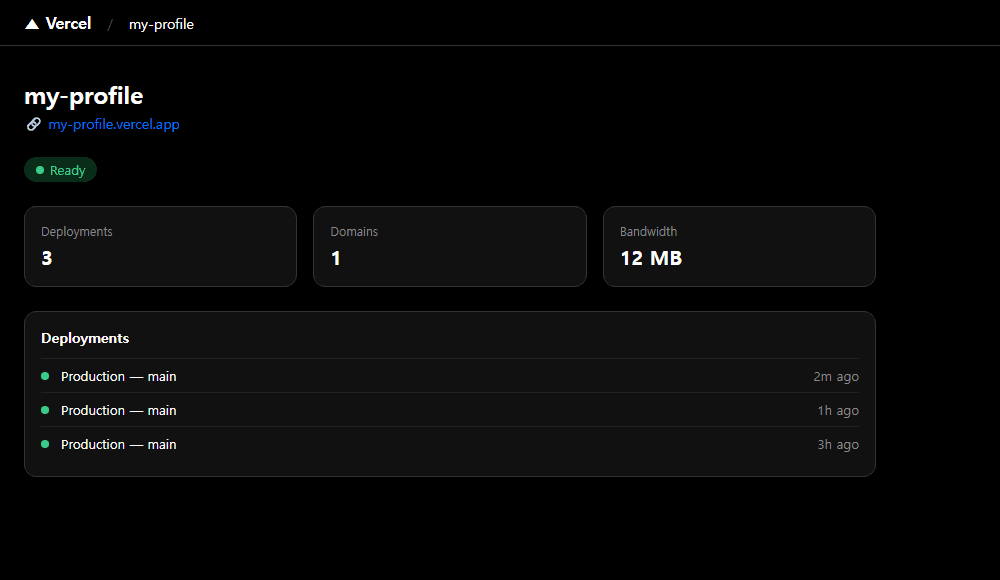
One git push publishes your site worldwide
The moment you push code to GitHub, Vercel automatically builds and deploys. All you do is git push once. This very site (managerkim.com) is operated exactly this way.
Supabase — Database + Auth
If your website only needs to “display” things, GitHub + Vercel is enough. But what if you need user signups, posts, or orders—you need tostore data. That’s Supabase.
Data Storage
Safely stores user info, posts, order history, survey responses, and all other data.
Login / Sign-up
Easily build email, Google, and other social logins. No need to build an auth system from scratch.
File Storage
Store profile photos, attachments, and videos in the cloud and retrieve them anytime.
Real-time Sync
When data changes, the screen updates automatically. Build real-time features like chat and notifications.
Simple way to think about it
If Excel is a local file, Supabase is a cloud database. Read and write data from anywhere with internet access. And login functionality comes built-in.
How Do These 3 Connect?
GitHub, Vercel, Supabase—you know what each does, but how do they combine into a single service? Let’s follow the flow.
Write code, test, and revise
Store code in the cloud with version control
Detects GitHub changes and auto-deploys your website
A live website anyone in the world can access
+ Supabase connects behind the scenes
User logs in → Supabase handles authentication. User writes a post → data saved to Supabase. User uploads a file → stored in Supabase Storage. It serves as the site’s “brain.”
Key message
With this trio, you can launch a web service for completely free. $0 server costs, $0 domain costs, $0 database costs. There’s no better combo for starting personal projects or small services.
Launch a service for $0 with these 3
Start a web service for free with GitHub + Vercel + Supabase
Free Tier Breakdown
“They say it’s free, but will I have to pay later?” Fair concern. Here’s exactly what’s free and what isn’t.
| Service | Free tier | When paid kicks in |
|---|---|---|
| GitHub | Unlimited repos, unlimited collaborators | Free is enough for most |
| Vercel | 100GB/mo bandwidth, unlimited deploys | Traffic surge ($20+) |
| Supabase | 500MB DB, 1GB storage, 50K monthly auth | Thousands of users ($25+) |
Realistically, personal projects and small services stay well within the free tiers for all three. The point where you’d need to upgrade is when you have thousands of users. By then, you’re probably already generating revenue.
For comparison
In the past, launching a single web service required hosting ($50–100/mo), a domain ($20/yr), and SSL certificates ($100/yr). Now with this trio, you start at $0. An opportunity created by technological progress.
Saving Automations as Skills
By now you can build various automations with what you’ve learned. But re-entering the same prompt each time is inefficient, right? That’s why Claude Code has a Skill feature.
Skills let you save recurring automations for reuse. Once created, run it with a single /skill-name command. Build custom commands perfectly tailored to your workflow.
Skill Examples
/daily-reportCollects and summarizes top news every morning. Run it once on your commute and the briefing is ready in 10 minutes.
/dart-checkAuto-collects and summarizes the latest disclosures for your watchlist companies from the DART system. Useful for investors and IR managers.
/shortsAuto-generates Shorts/Reels scripts. Just input a topic and get a structured script with hook, body, and CTA.
## Skills

### /daily-report
Generates a daily morning news summary report.
1. Collect 10 IT/business headlines from news sites
2. Summarize each article in 3 lines
3. Save as daily-report-YYYY-MM-DD.md
Automation isn't a one-time thing
Save it as a Skill and reuse it every day. You only spend time crafting the prompt once. After that, a single slash command is all you need. That’s real automation.
Try It Yourself
Let’s get hands-on with the 3 services from this Step. Even just creating accounts is a big first step.
Challenge 1: Create a GitHub Account
Go to github.com and create a free account. Just need an email, takes 1 minute.
I created a GitHub account.
Create a new Private repository called my-first-project.
Challenge 2: Connect Vercel
Log in to vercel.com with your GitHub account for automatic connection.
Create a simple web page,
push it to GitHub, and deploy on Vercel.
Make it a profile page with my name and bio.
Challenge 3: Do It All at Once
Create a GitHub repo and deploy to Vercel.
Build a simple profile site with Next.js.
Name: [your name], Bio: [your one-liner]Feeling stuck as a first-timer?
Both GitHub and Vercel are English interfaces that can be overwhelming at first. When that happens, ask Claude Code “show me how to create a GitHub repository.” It will walk you through step by step.
If you’ve made it this far, you’re already in the top 0.04%.
You installed agentic AI, automated web tasks, automated email/Excel/PPT, and now you can deploy web services on free infrastructure. All without writing a single line of code. Save it as a Skill and reuse it daily—that’s true work automation.
References
- GitHub Pricing — github.com/pricing
- Vercel Pricing — vercel.com/pricing
- Supabase Pricing — supabase.com/pricing